About Lesson Plan
Lesson plan is one of the most useful module to track your school academic status by monitoring subject syllabus status in percentage. Every class section teach subjects. Subjects are based on syllabus which contains lesson / chapter / unit and lesson / chapter / unit contains topics further topic may contain sub topic also.
Lesson plan is basically what a teacher will teach in a class – section for a particular day period. Through lesson plan teachers can divide subject syllabus lesson topic in different period over the span of academic session. Lesson plan also very useful for students to check what they will study in upcoming periods or what they have learned in past periods so for best practice teachers should create their lesson plan at least for one week in advance.
In lesson plan you can also upload class lecture recording and attach teaching material.
Lesson Plan Module Workflow: First we will add all lesson under a subject then we will add all topics under a lesson then we will add lesson plan for selected period from teachers time table then we can mark subject lesson topic as complete after it finally we can check lesson plan reports.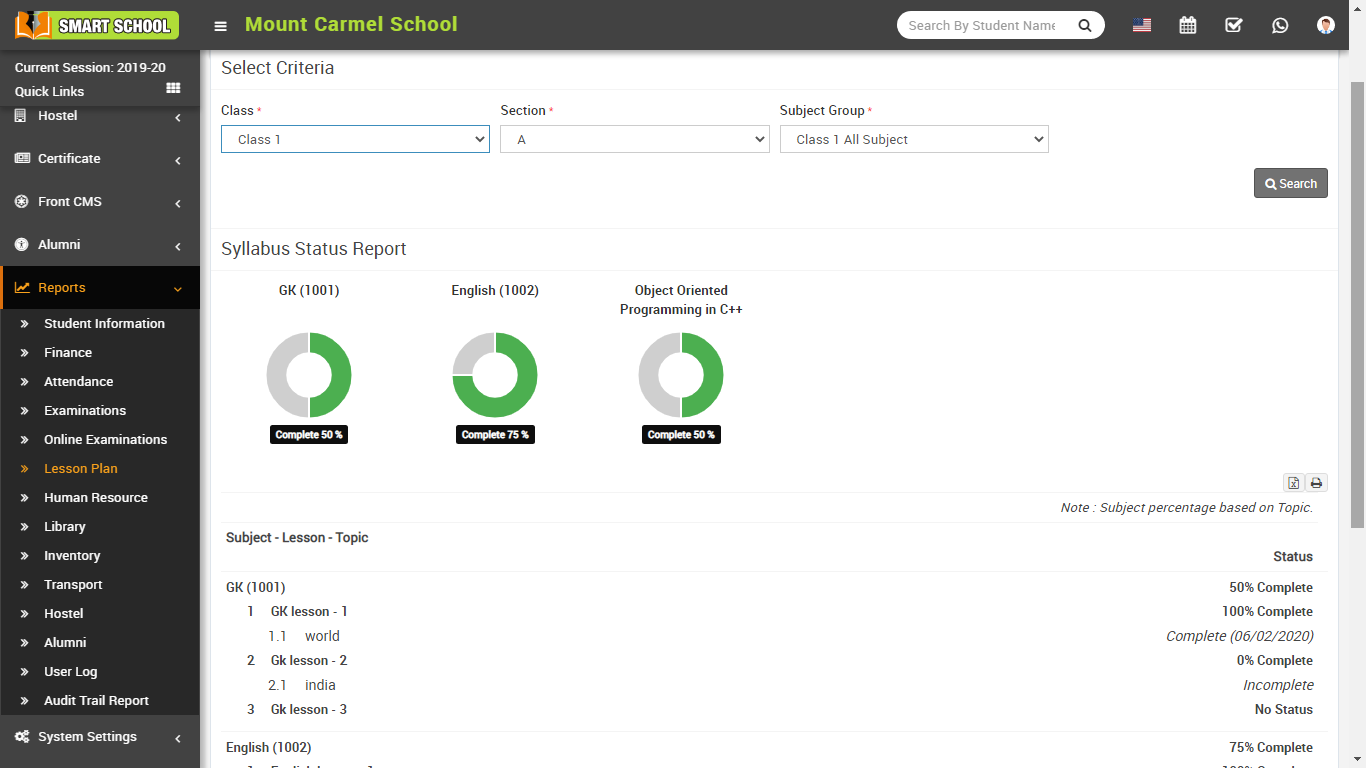
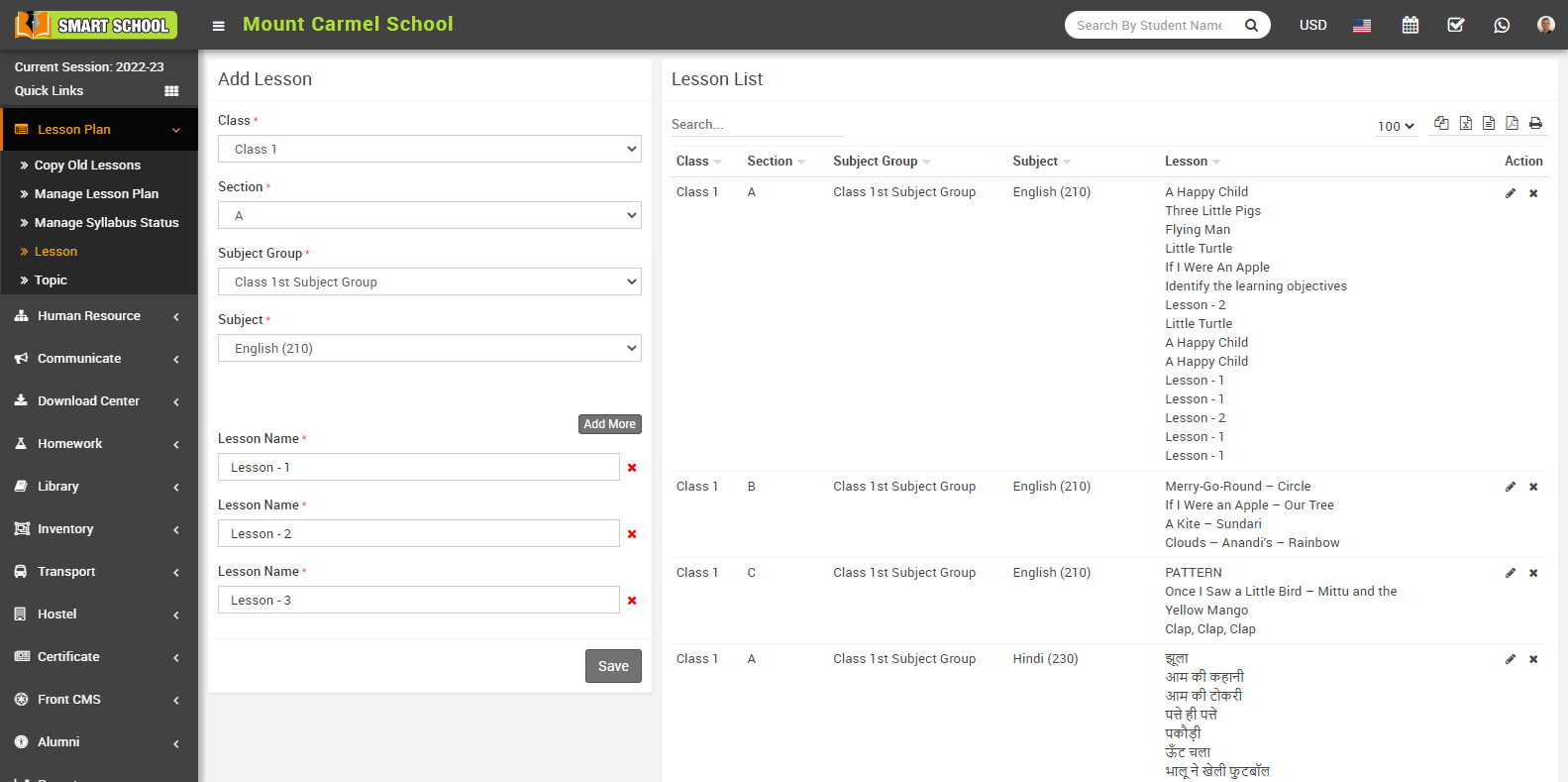
How To Add Lesson?
How To Add Topic?
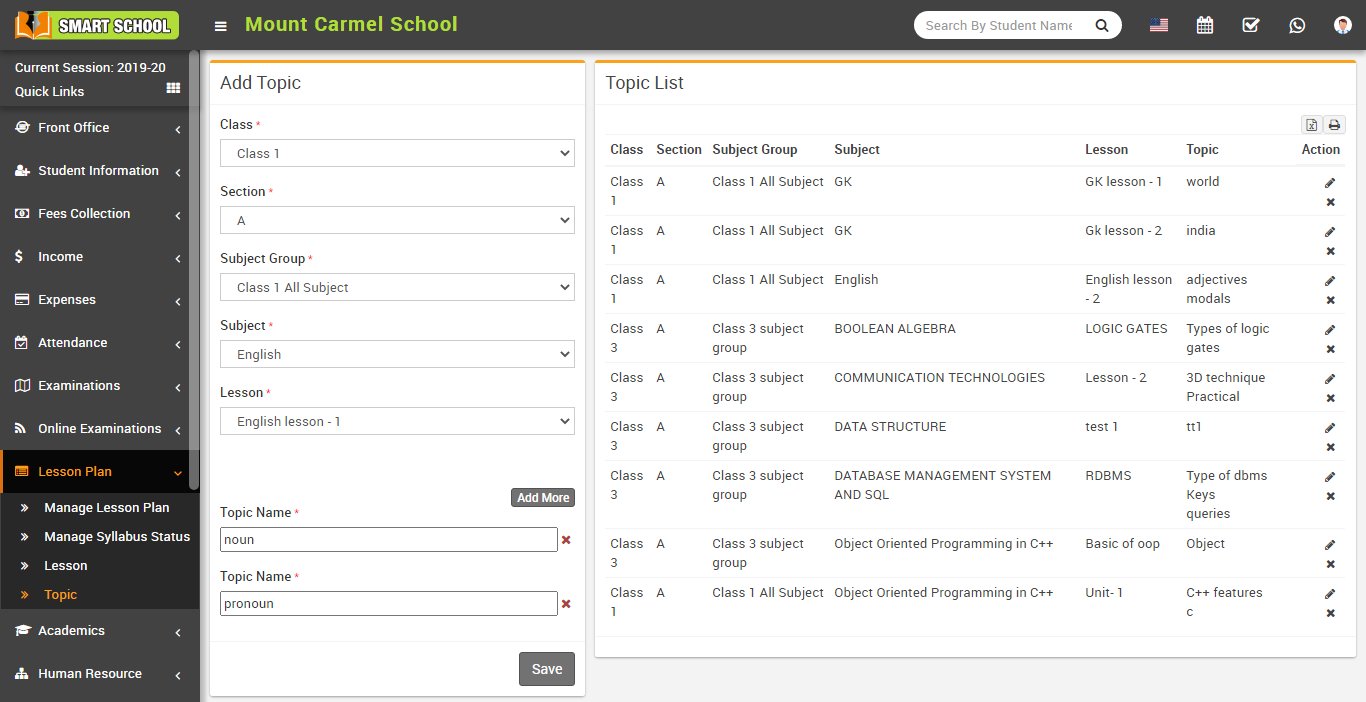
Go to Lesson Plan > Topic, here select Class, Section, Subject Group and Subject Lesson then enter Topic Name, to add multiple Topic click on Add More button then finally click on Save button. Added Topic can be viewed at right side, Topic List.
How to add Lesson Plan?
To create Lesson Plan first you should prepare Class Timetable from Academics > Class Timetable. Lesson Plan can be created teacher wise so once you created Class Timetable for the class so it will reflect in Manage Lesson Plan, select Teacher drop down.
Now, go to Lesson Plan > Manage Lesson plan, select Teacher for which you want to add Lesson Plan (here selected teacher's time table will show in ascending in the below of the page ). Here at any period + sign button will show to Add Lesson Plan window for a selected teacher.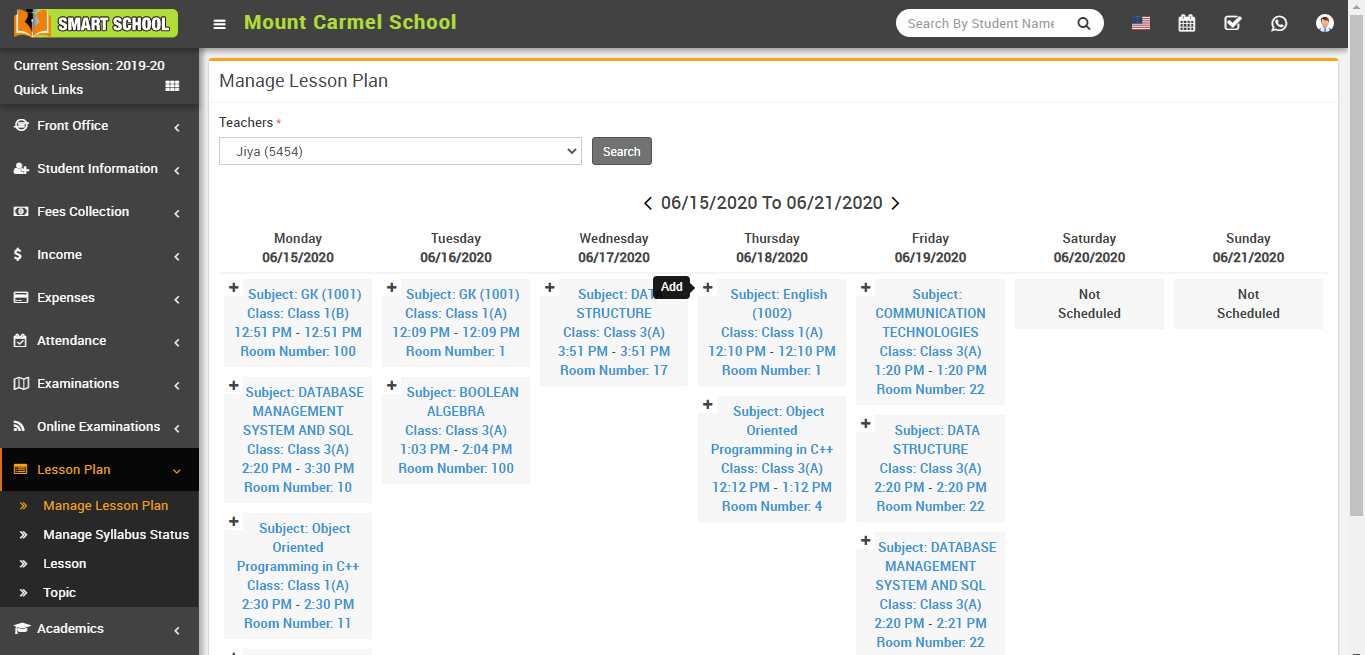
Click on + icon button to enter Lesson, Topic Sub Topic, (Date, Time From, Time To will be come automatically from period), Lecture YouTube URL (if you have lecture recorded video uploaded on YouTube), Lecture Video (if you have lecture recorded video file. Uploading video file size will be depend on your server max upload size, max post size and maximum execution time. By default in Smart School 1 GB file size upload is set to be allowed), Attachment (any teaching material which will be available for student download), Teaching Methods, General Objectives, Previous Knowledge, Comprehensive Questions, Presentation (you can also add image in presentation from Add Image button present above the presentation field) details for Lesson Plan then finally click on Save button.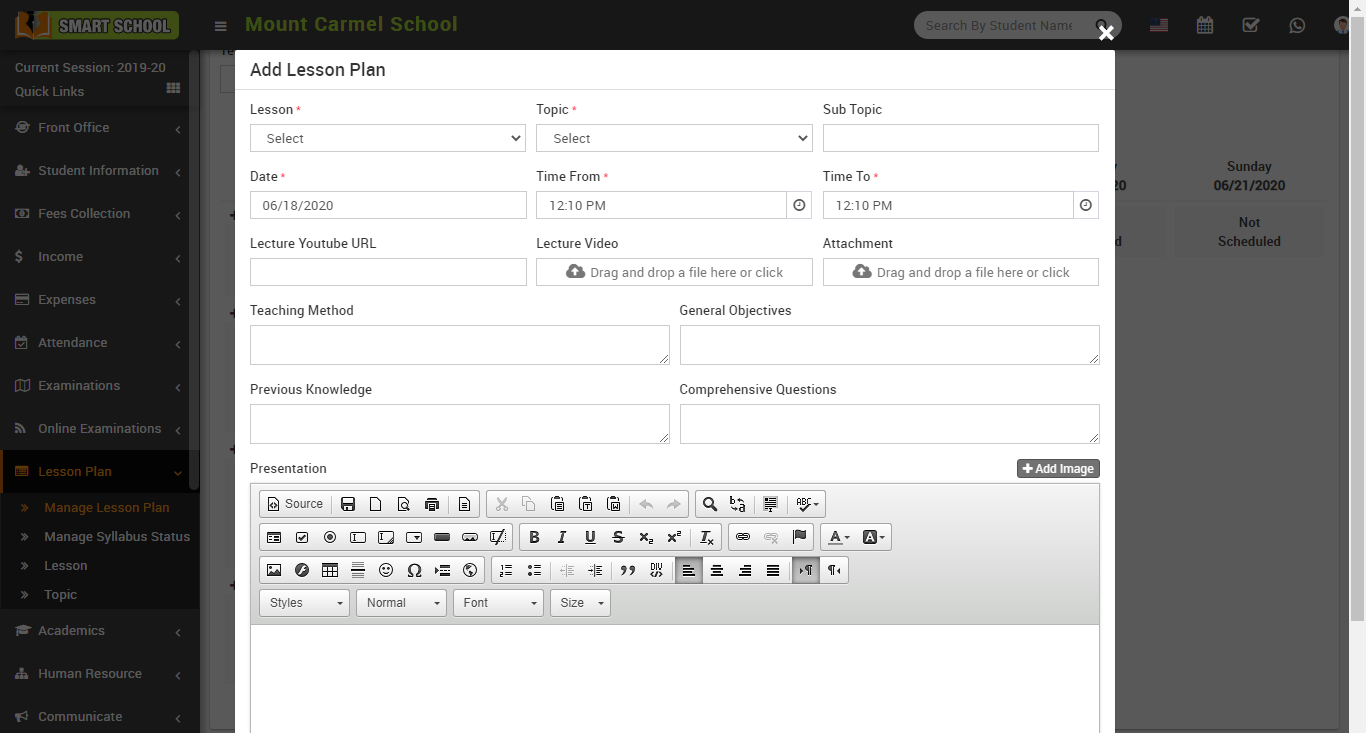
After adding Lesson plan two options will show to View details and Edit Lesson plan.
After adding Lesson Plan it will be available for students to view Lesson Plan in student panel Lesson Plan page.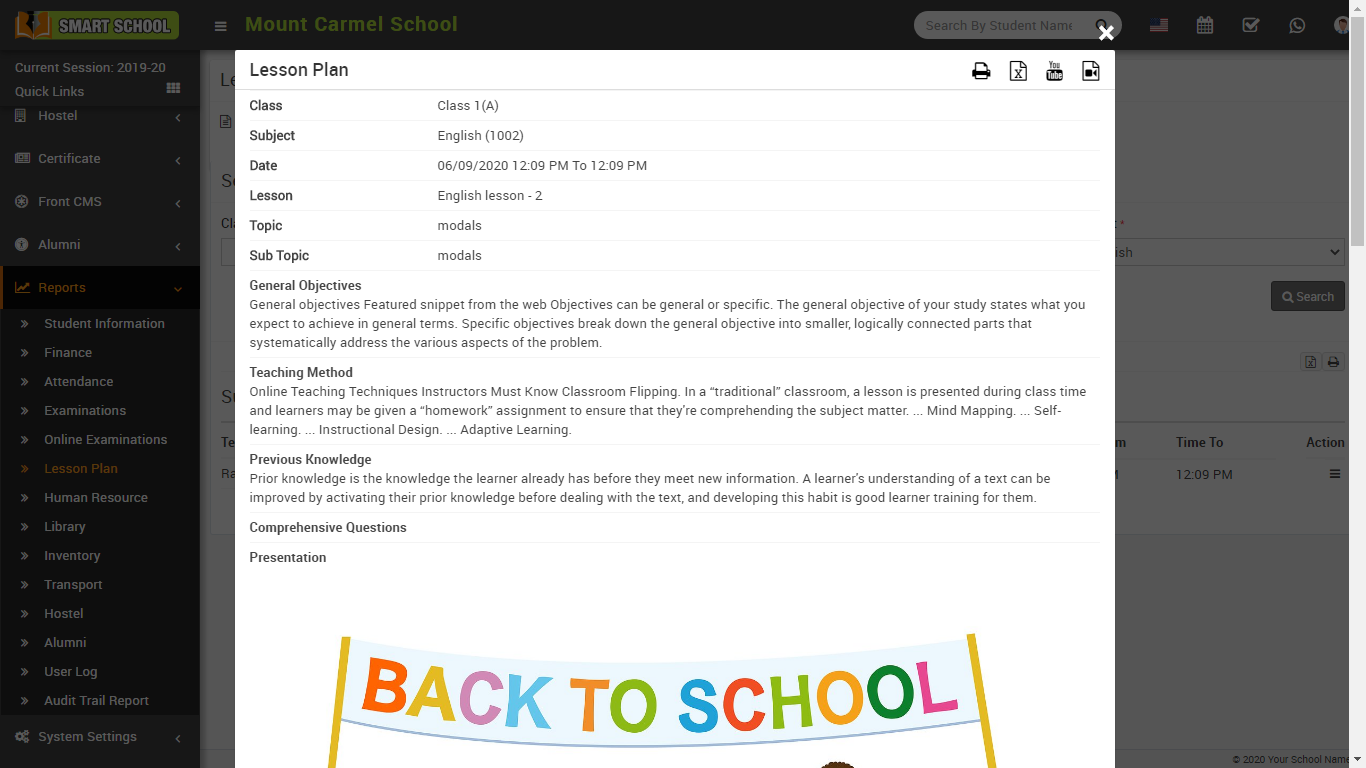
How To Manage Syllabus Status?
Go to Lesson Plan > Manage Syllabus Status, here select Class, Section, Subject Group and Subject then click on Search button here all available Lesson-Topic will show.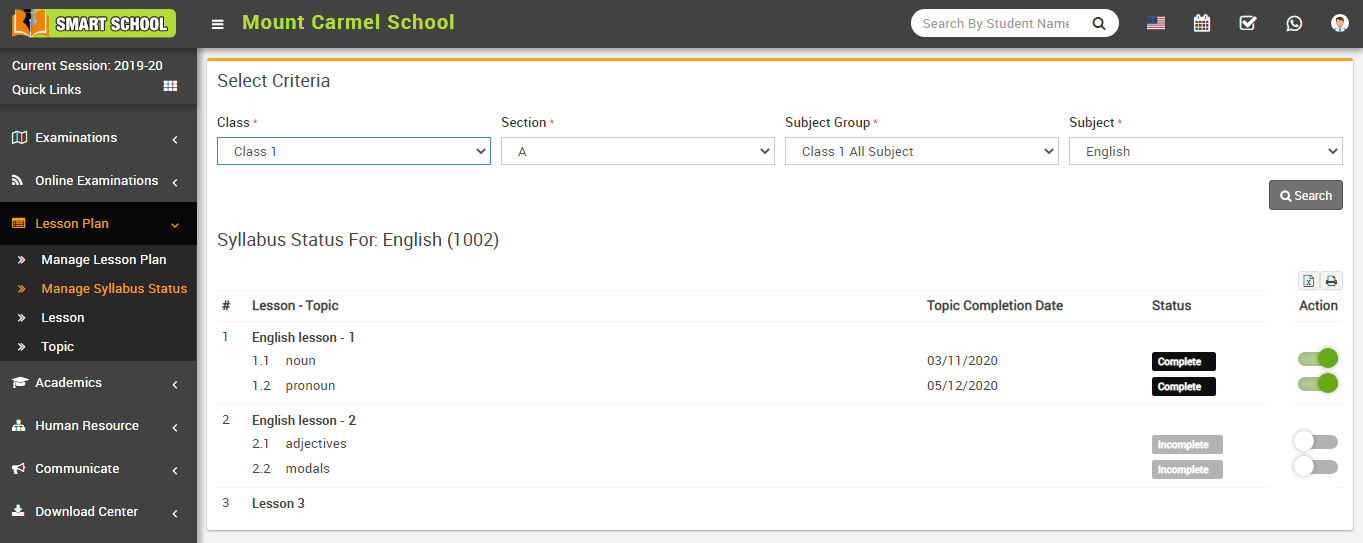
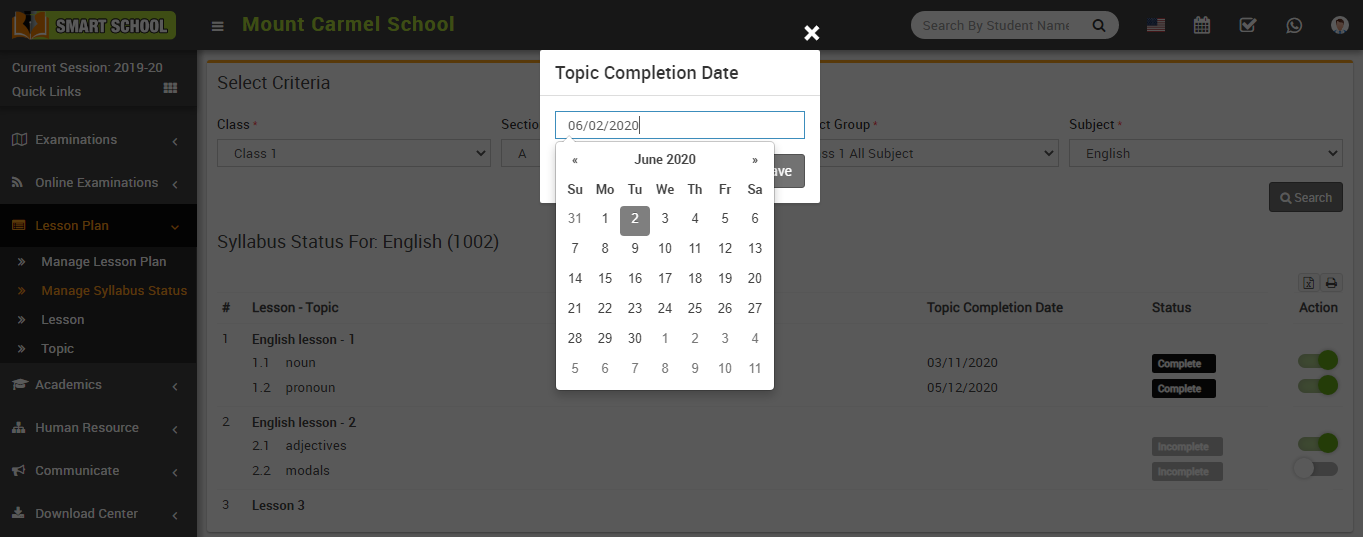
Click on the toggle button present on the Action column to change the status (complete/incomplete) of the Topic.
How To Check Syllabus Status Report?
Here you can check all Subject Status for selected Class-Section.
Go to Reports > Lesson Plan then click on Syllabus Status Report, select Class, Section and Subject Group, then click on Search button. Here you can see Syllabus Status.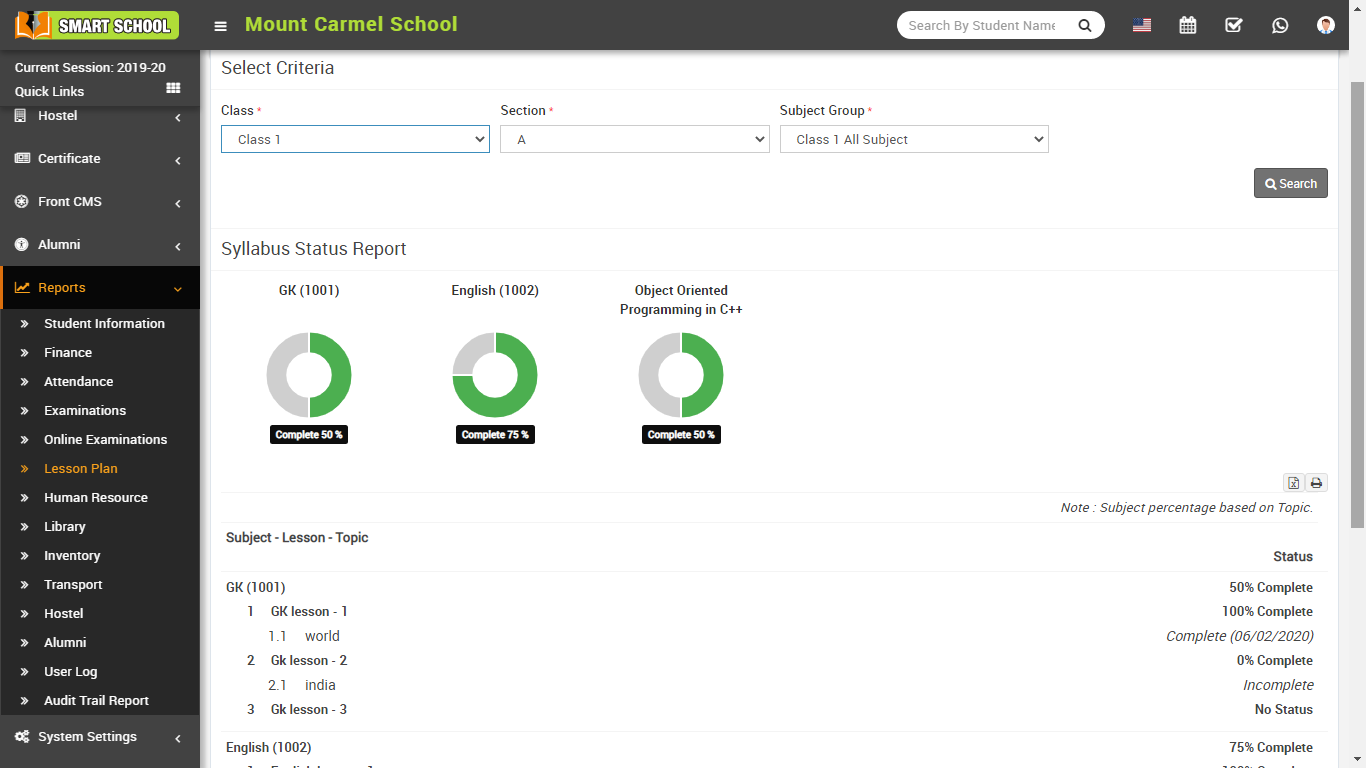
How To Check Subject Lesson Plan Report?
Here you can check all created Lesson Plan for selected Class-Section, Subject.
Go to Reports > Lesson Plan then click on Subject Lesson Plan Report, select Class, Section, Subject Group and Subject then click on Search button. Here you can see all created Teacher wise Lesson Plan.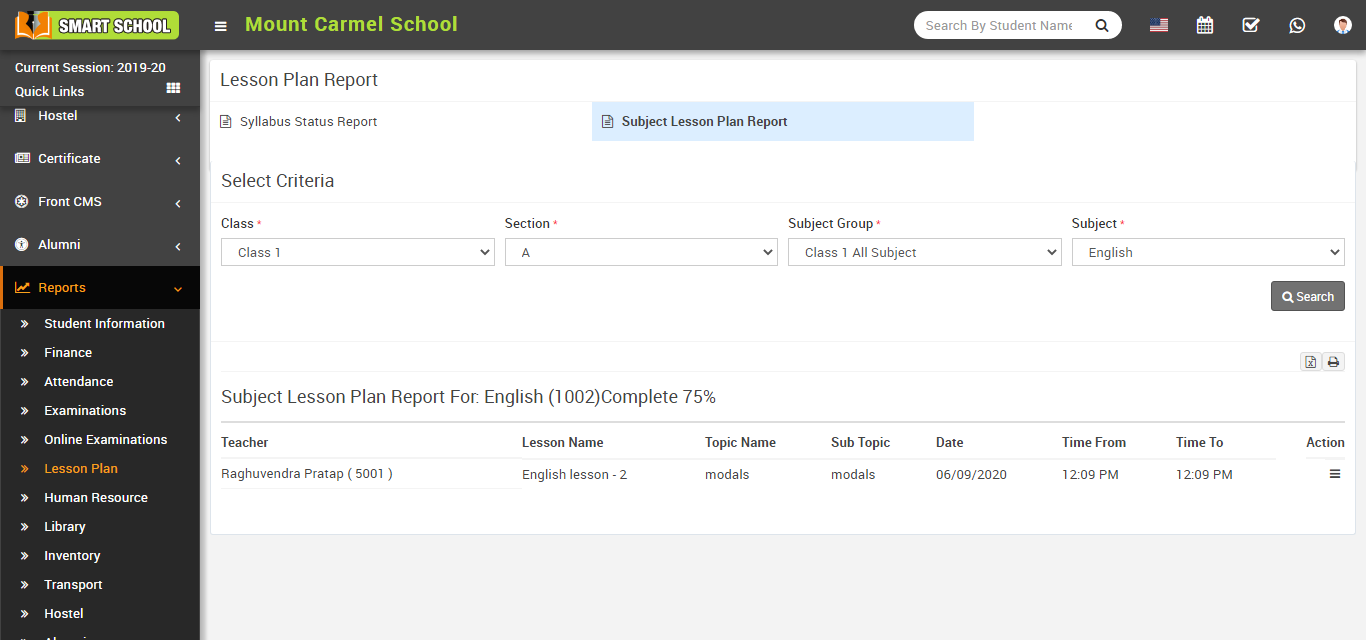
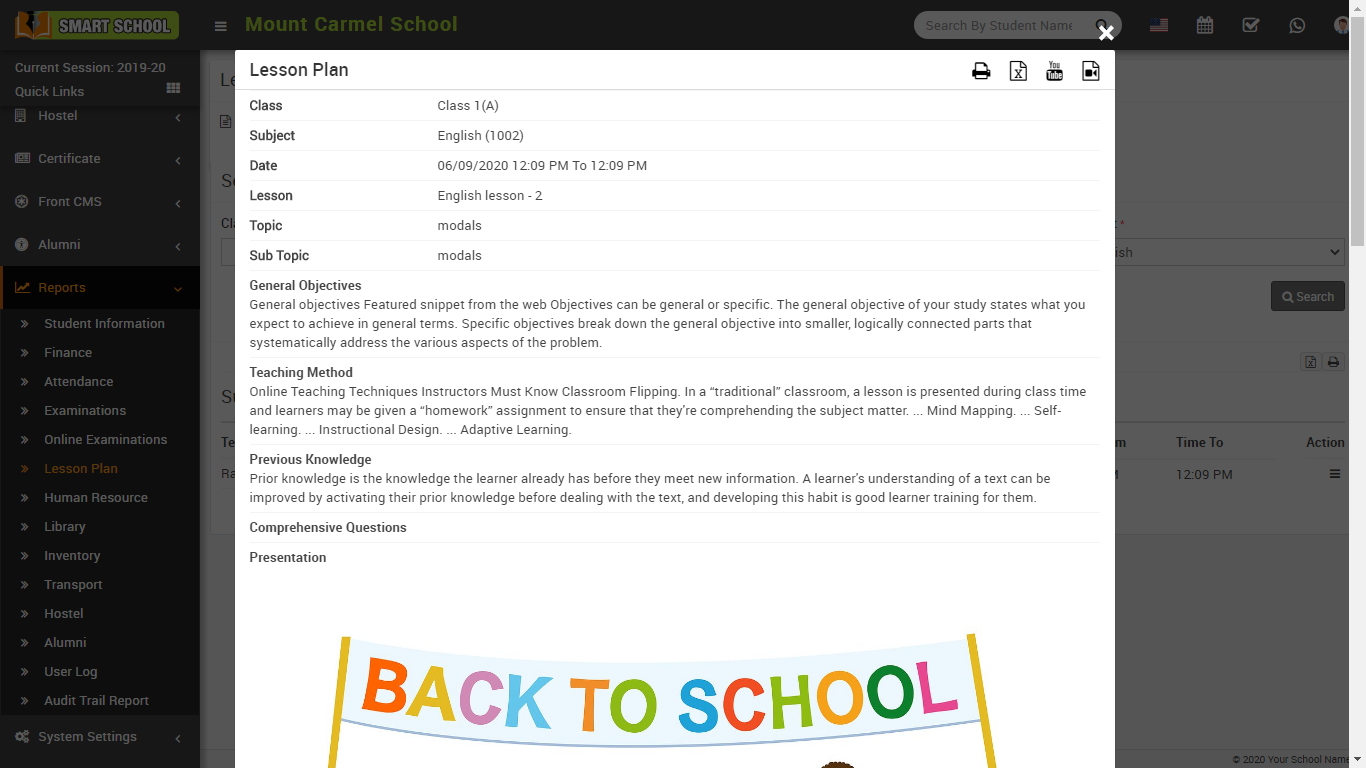
To see Lesson Plan details click on View icon button from Action column.
How to add Copy Old Lessons?
If you have not yet created a Lesson Plan for the current session, you can copy Old Lesson Plan and manage the current lesson plan.
To add Copy Old Lessons go to Lesson Plan > Copy Old Lessons then Select the preferred Session, Class, Section, Subject Group, Subject and click on Search button.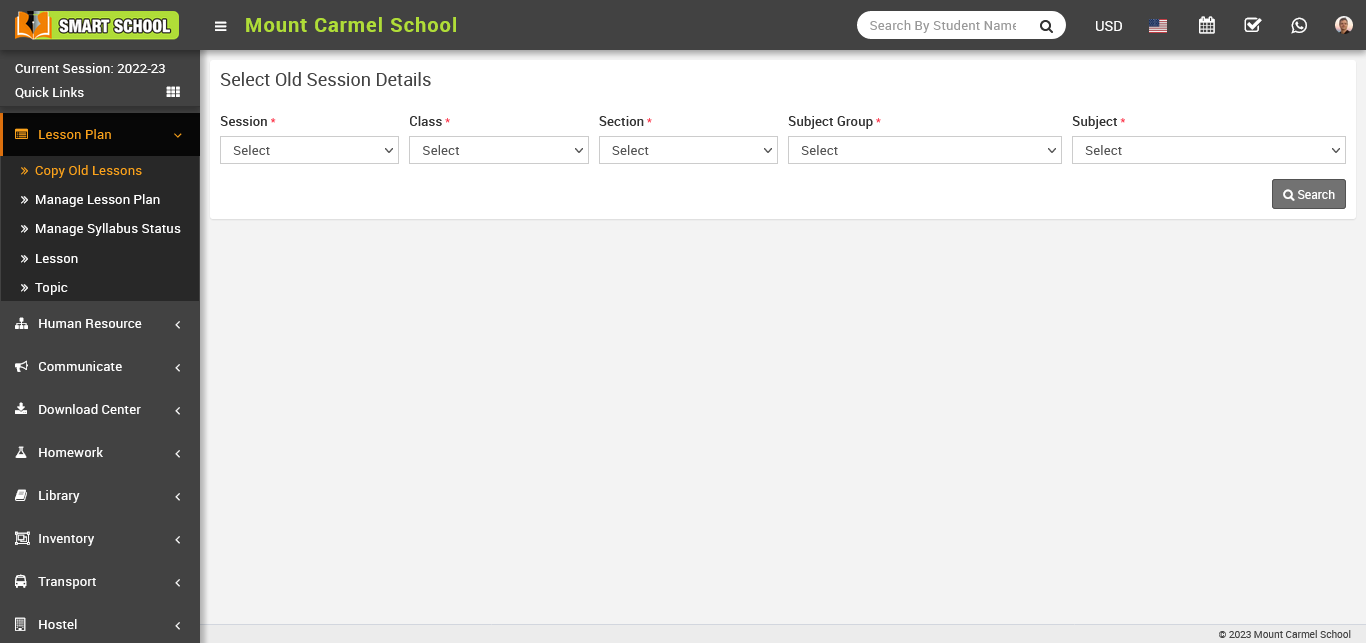
Based on the above search, the subject for which you selected related details will be shown in the section below.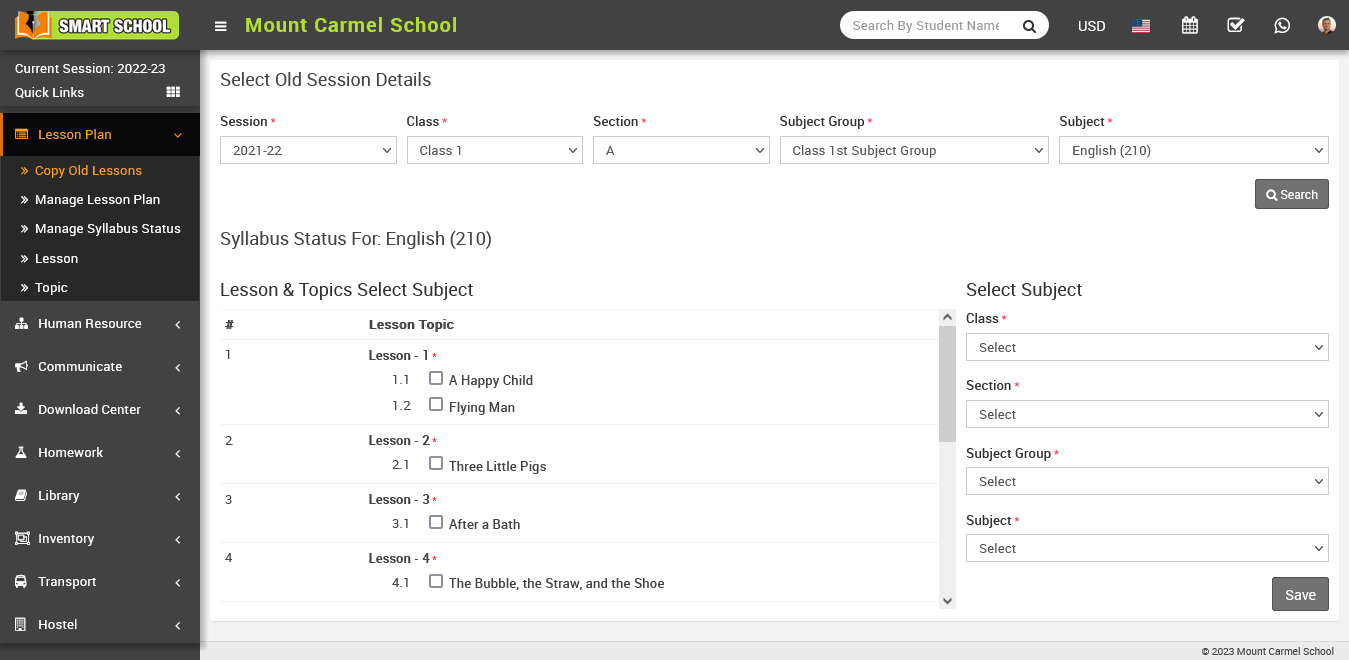
Now, select the lesson and topic by checking the checkbox, which is shown in the below left side, and in the below right side, you can select the class, section, subject group, and subject where you want to update the lesson plan. After you click on the save button.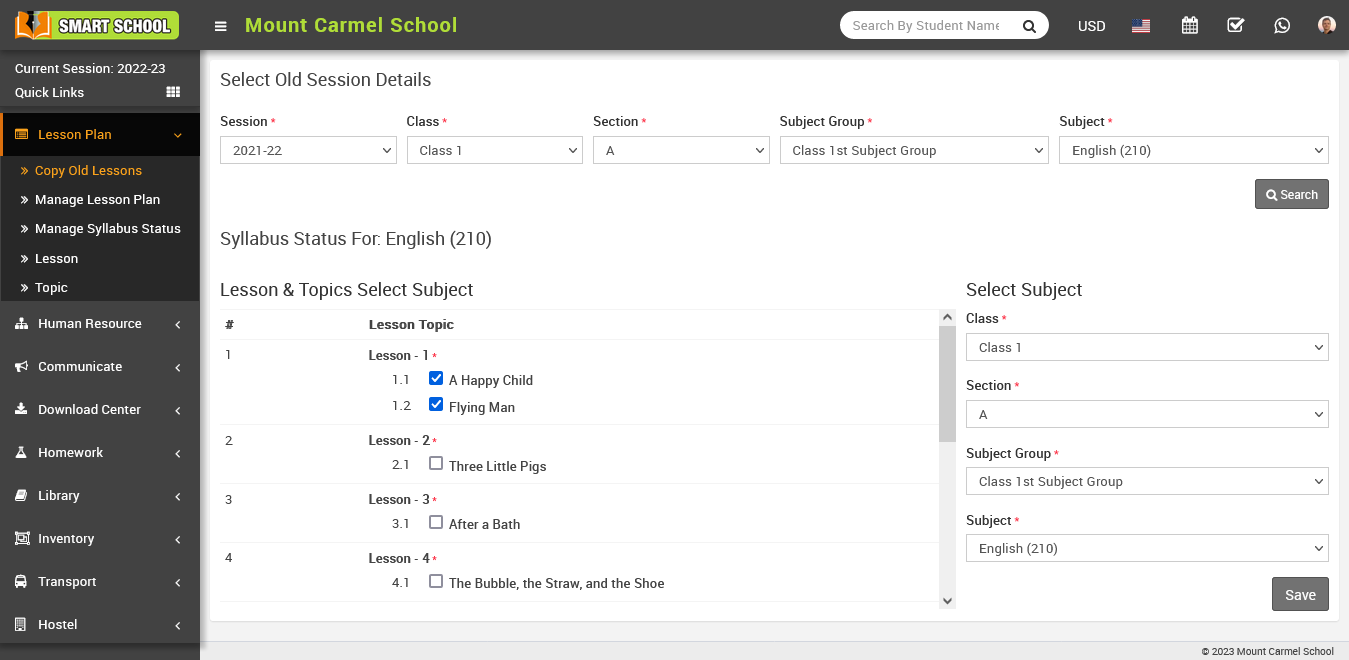
It will redirect you in lesson module and you can see in the lesson list that your copied lesson will be successfully updated in the current session.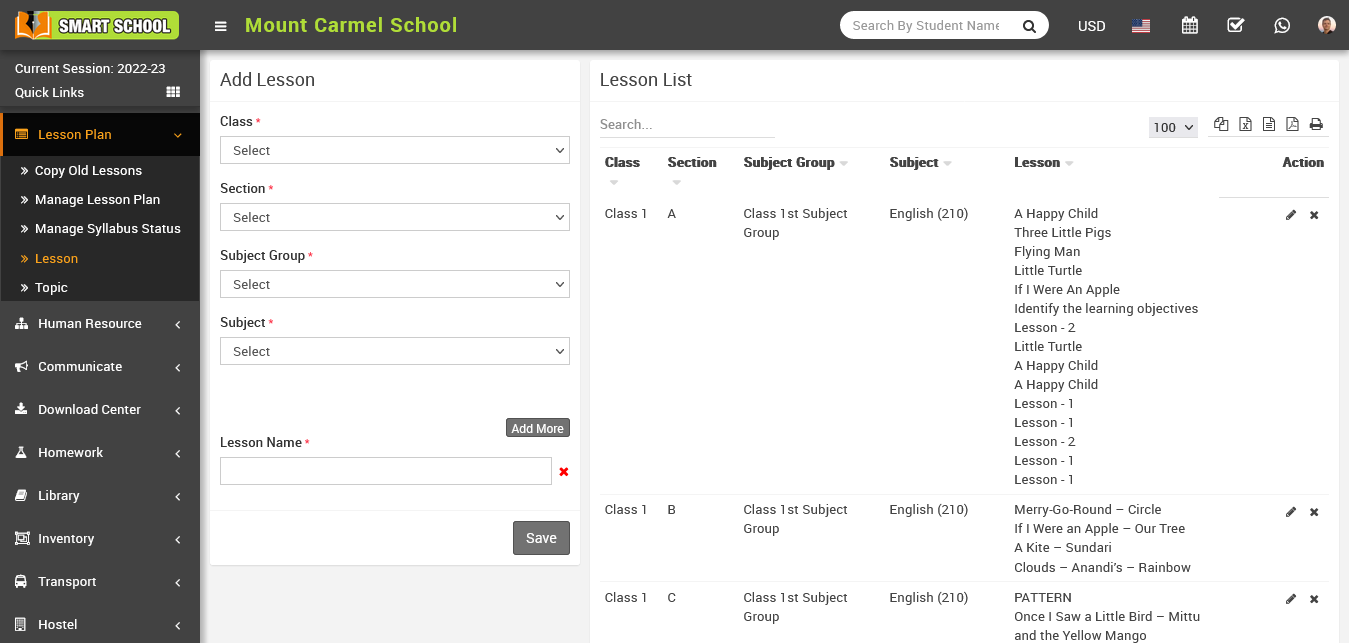
You can edit the lesson by clicking the edit button showing in Action column, just click on Edit button, edit module will be open now here you can update the lesson and click on Save button your lesson will be update successfully.
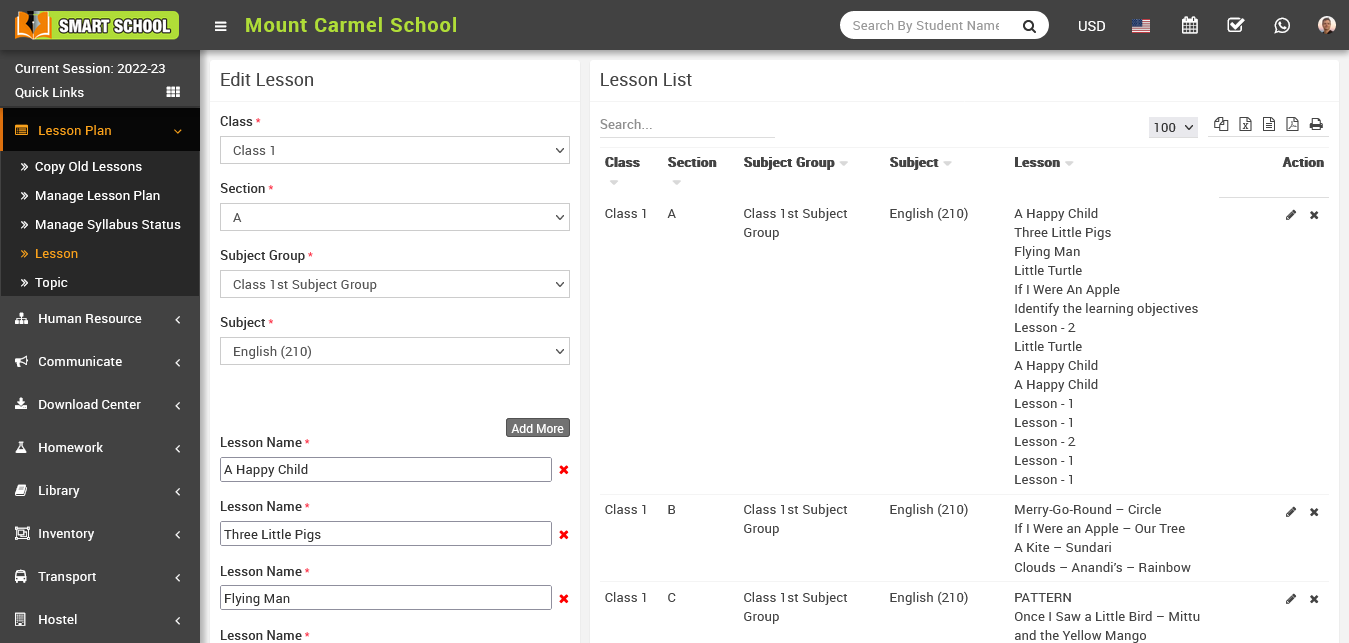
To Delete the lesson, simply click on the delete icon, confirmation model will be open.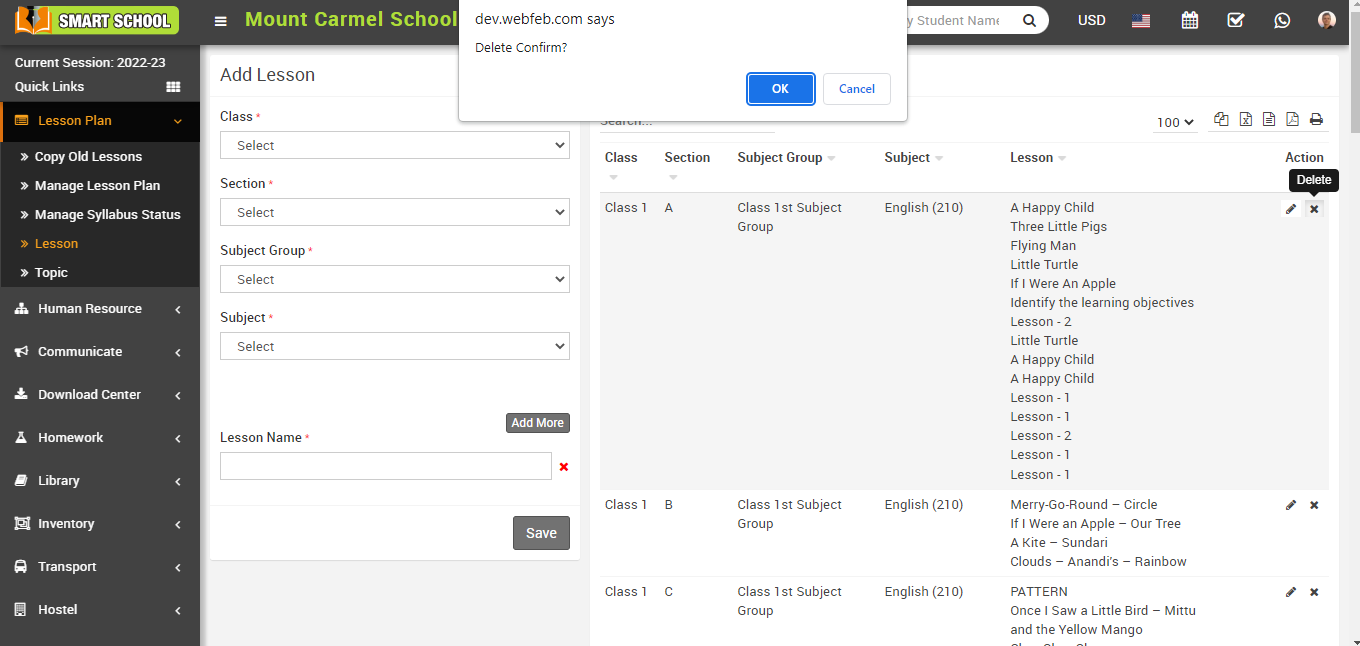
Now click on OK button, your lesson will be Delete successfully