About Front CMS
Front CMS module workflow- First we will add menu and menu items, pages, banner images, event, gallery, news and media manager.
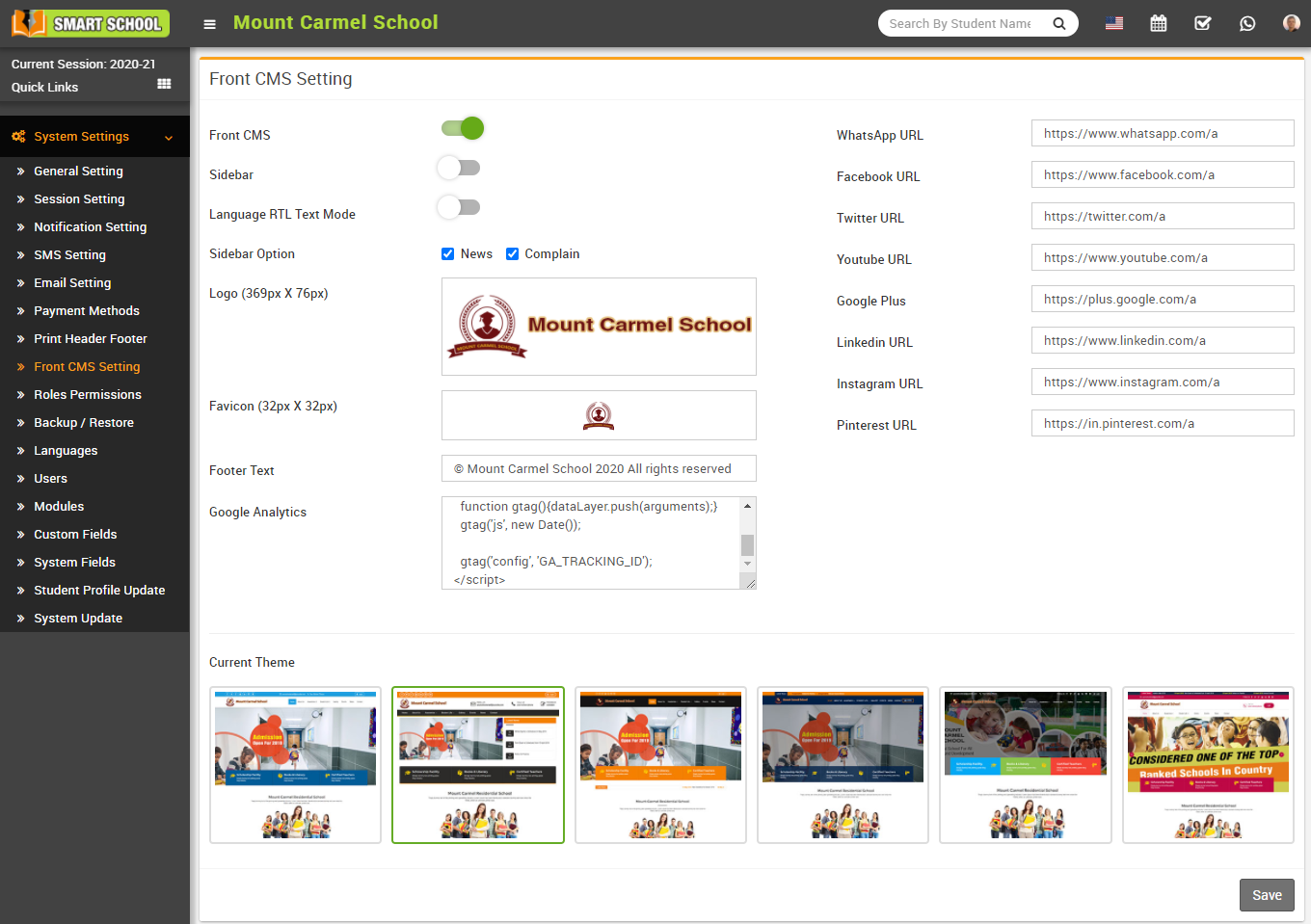
First of all, configure front CMS by System Settings > Front CMS Setting. Here select Enable/Disable fields are Front CMS, sidebar, Language RTL Text Mode, Sidebar Option, Logo (369px X 76px), Favicon (32px X 32Px), Footer Text, Google Analytics, WhatsApp URL, Facebook URL, Twitter URL, YouTube URL, Google URL, Linkedin URL, Instagram URL, Pinterest URL and select Current Theme and then click on Save button.
How to add menus?
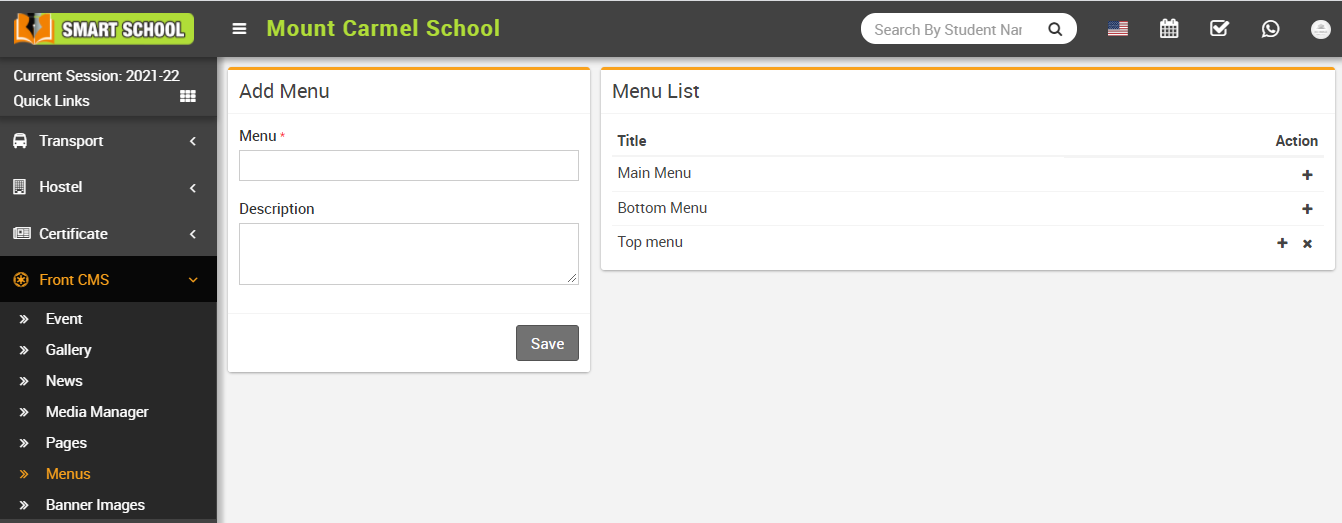
To delete menu click on Delete icon present at Action column in the menu list.
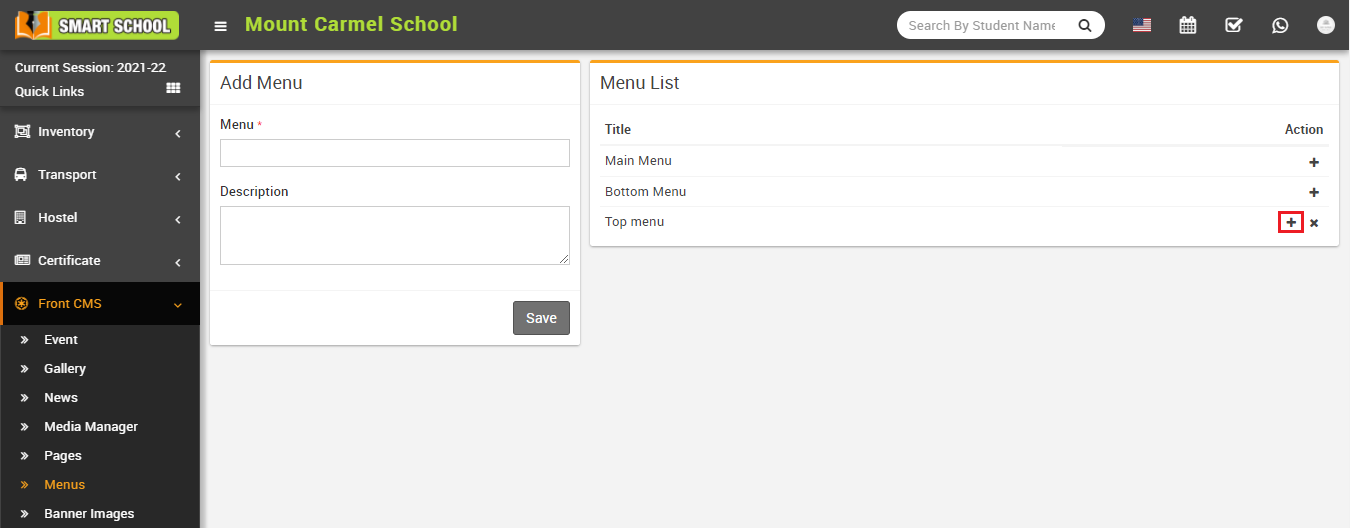
To add menu item click on Add (+) icon present at Action column in the menu list, at click of this icon Add Menu Item page will be open.
Here enter Menu Item, External URL, Open In New Tab, External URL Address, Pages and then click on Save button. You can view this added record in the Menu Item List on the right side of the page. Here you can arrange menu order and add menu item up and down in menu item list.
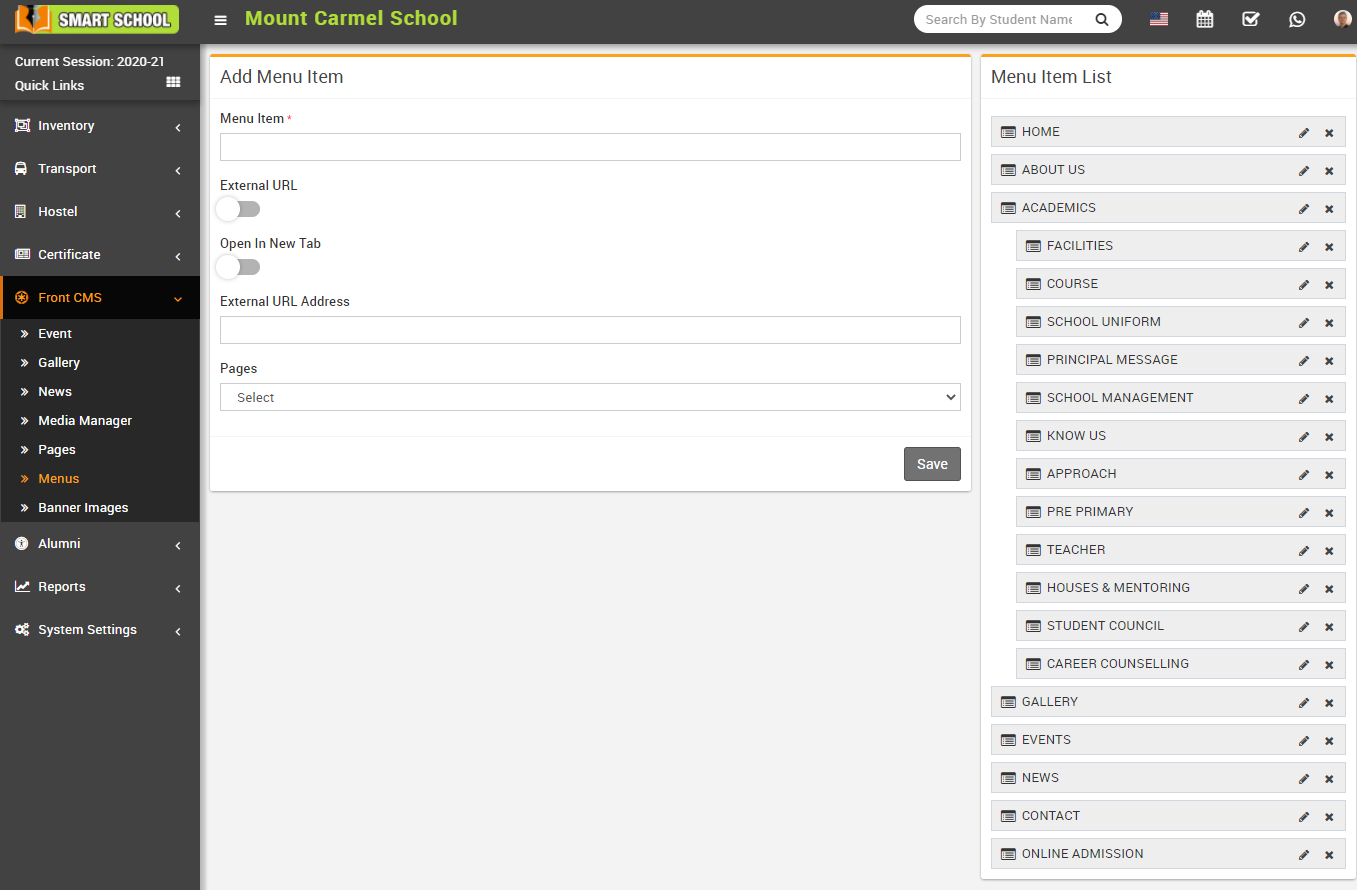
To edit menu item click on Edit icon and to delete menu item click on Delete icon present in the menu item list.
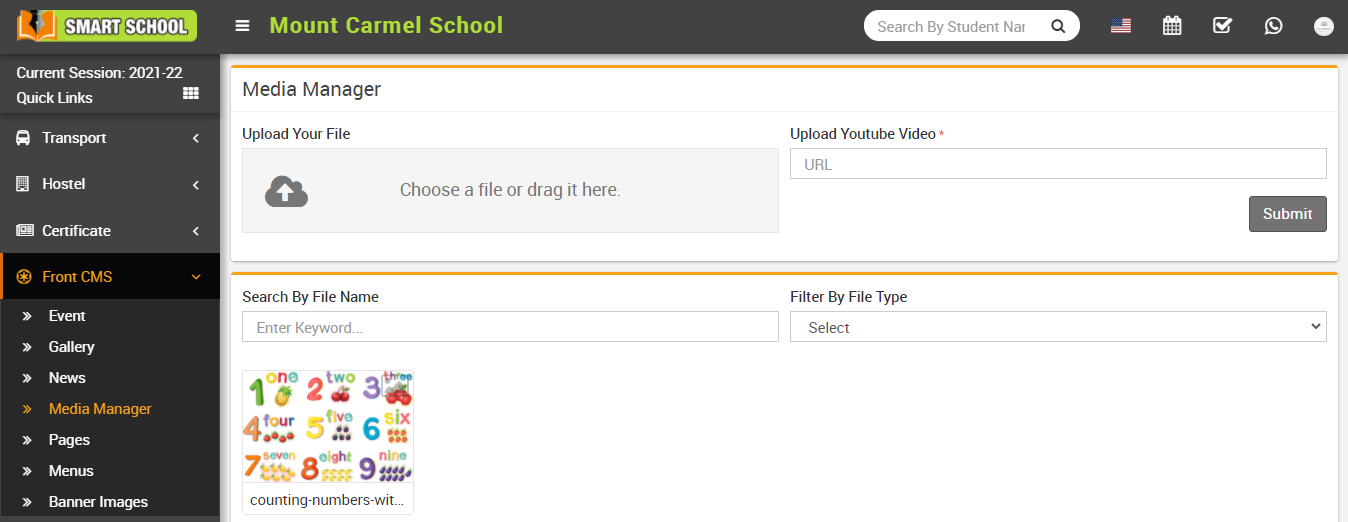
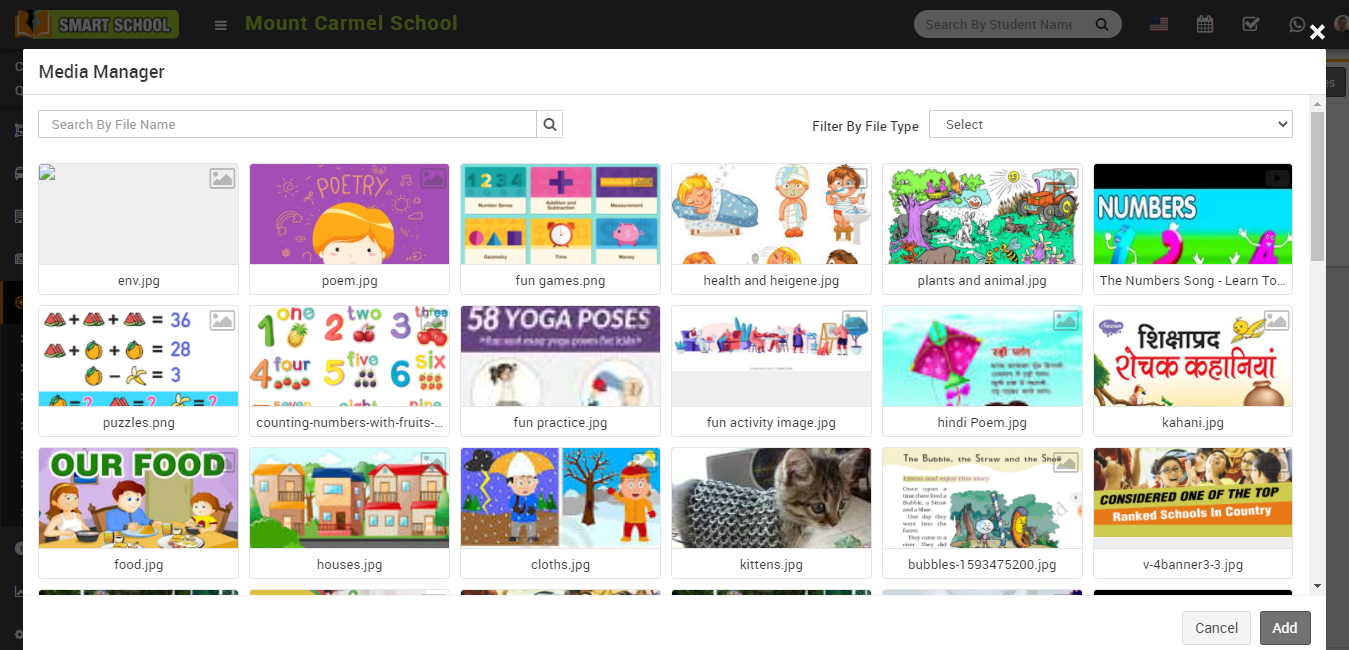
How to upload file in Media Manager?
How to add pages?
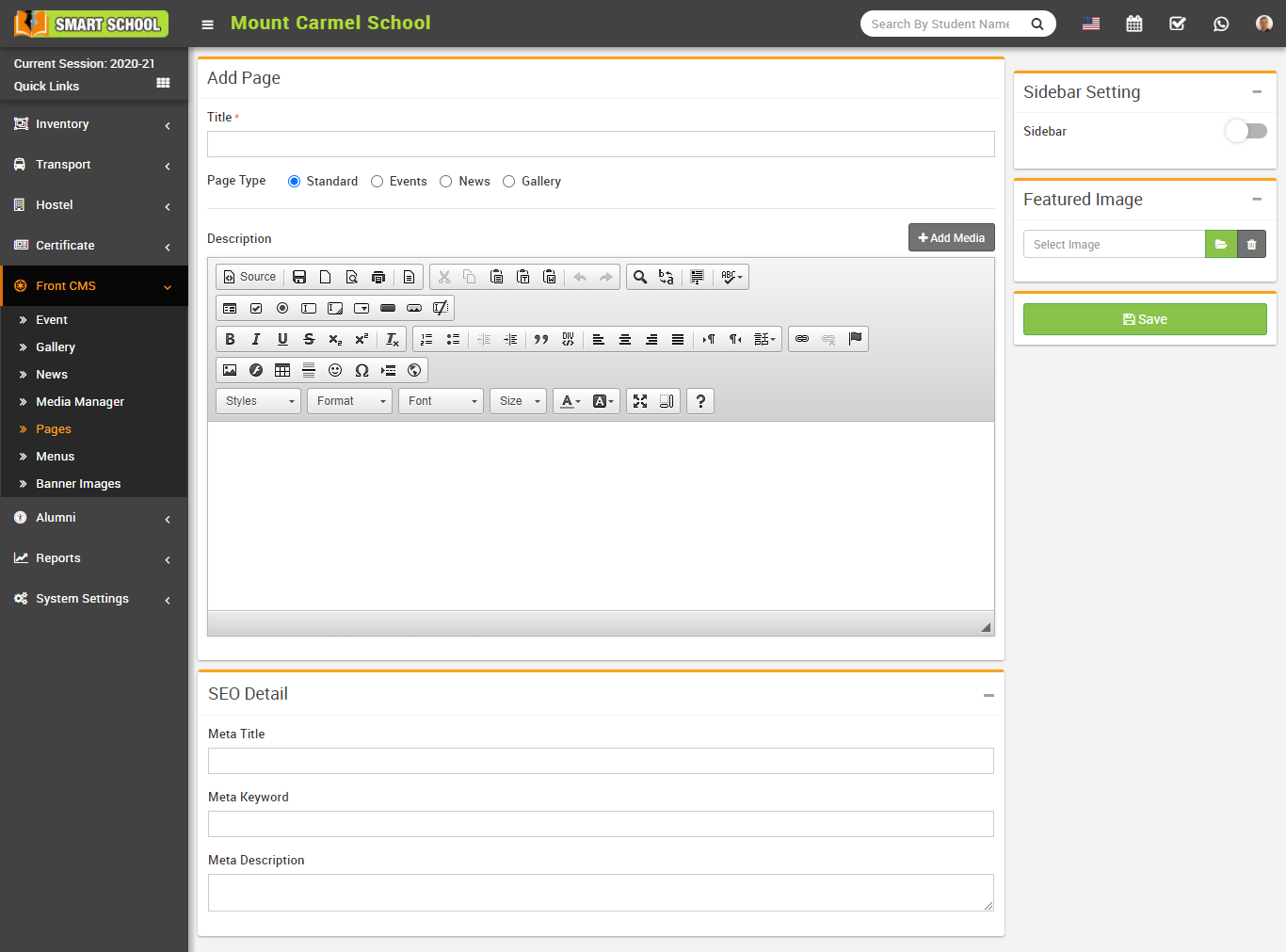
You can view this added record in the Page List page (Here you can see four by default page Home, Complain, Contact and 404 page).
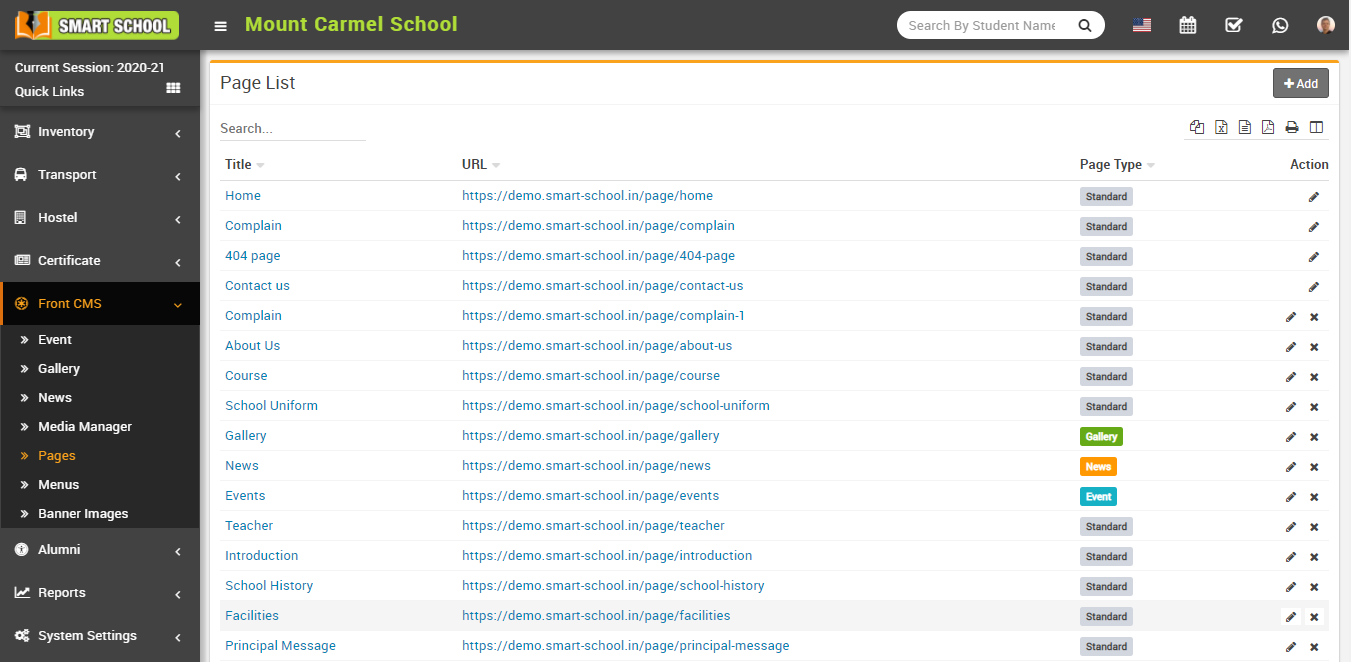
To edit page click on Edit icon and to delete page click on Delete icon present in the page list.
How to add Event?
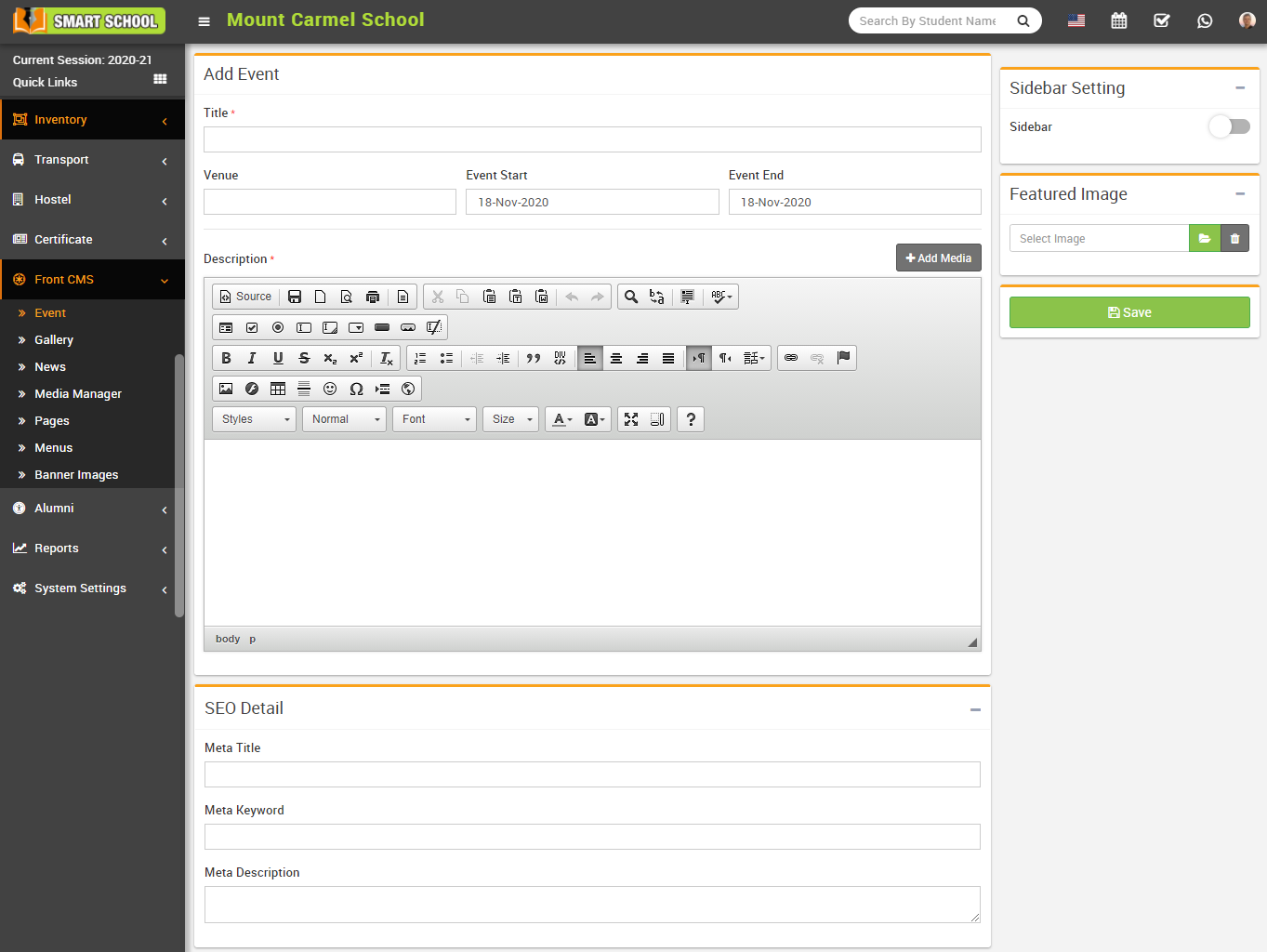
Here you can view this added record in the Event List page.
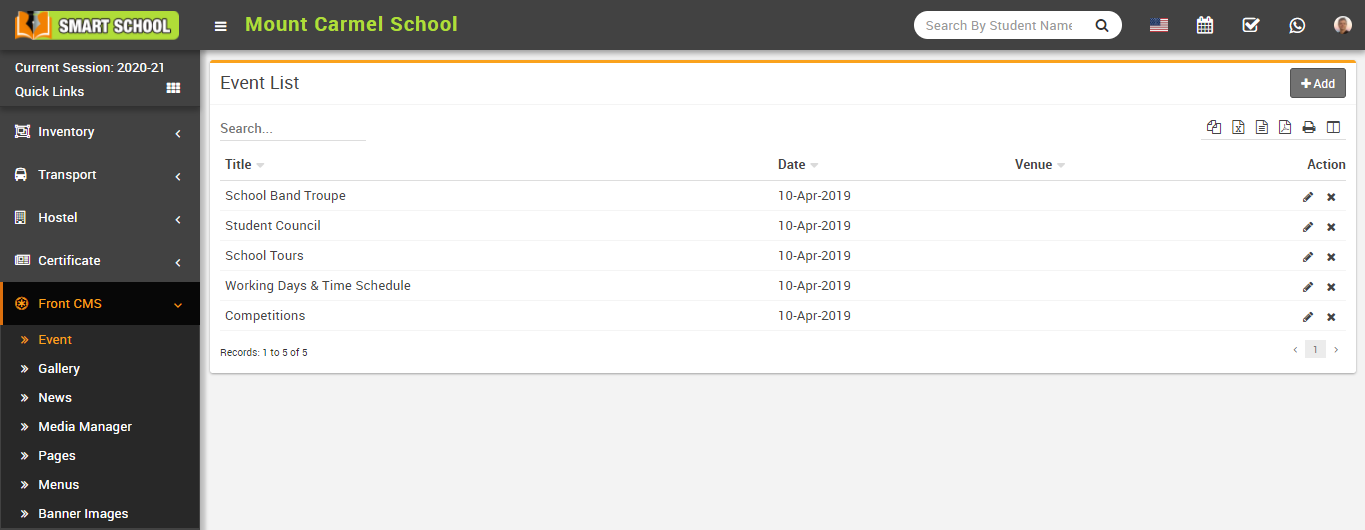
To edit event click on Edit icon and to delete event click on Delete icon present in the event list.
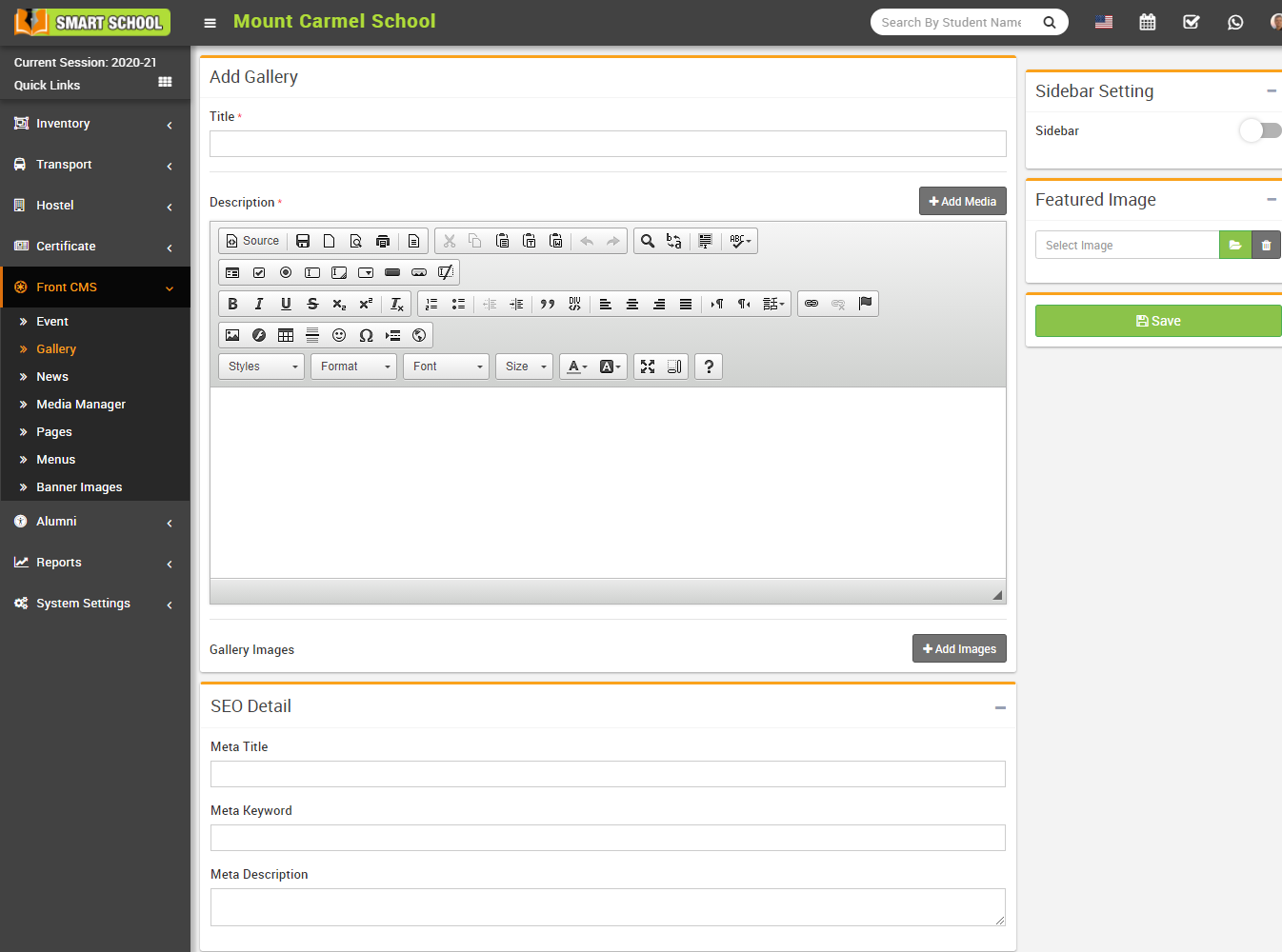
How to add Gallery?
Here enter gallery Title, Description, Add Media, Gallery Images, SEO Details-(Meta Title, Meta Keyword, Meta Description) and select Sidebar Setting to show/hide sidebar and select Featured Image (you can delete feature image click on Delete button) and then click on Save button.
Here you can view this added record in the Gallery List page.
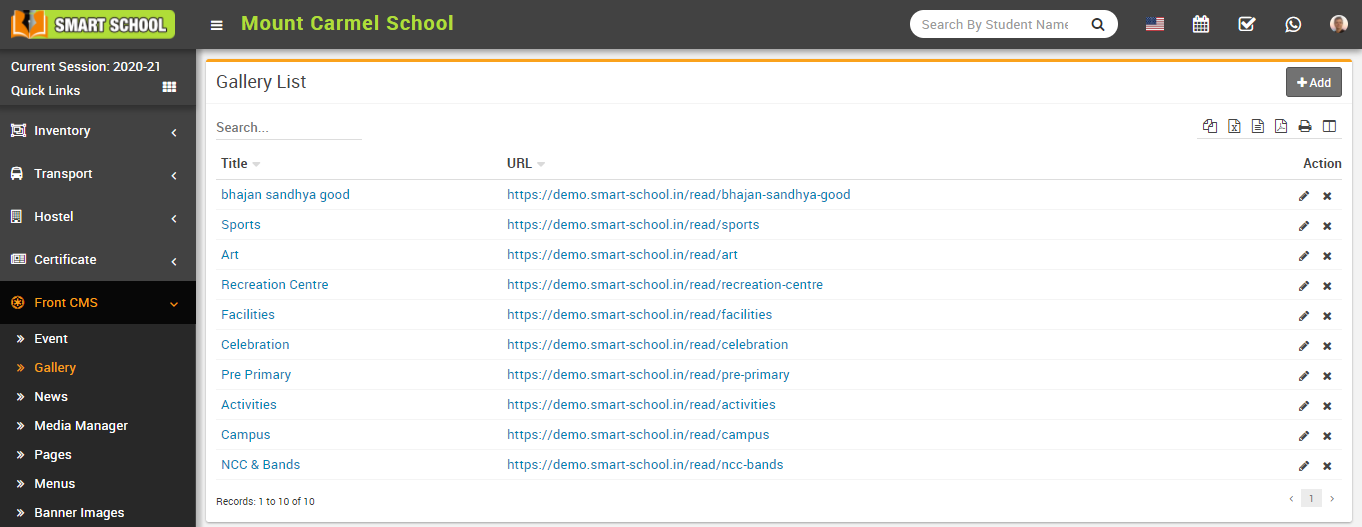
To edit gallery click on Edit icon and to delete gallery click on Delete icon present in the gallery list.
How to add News?
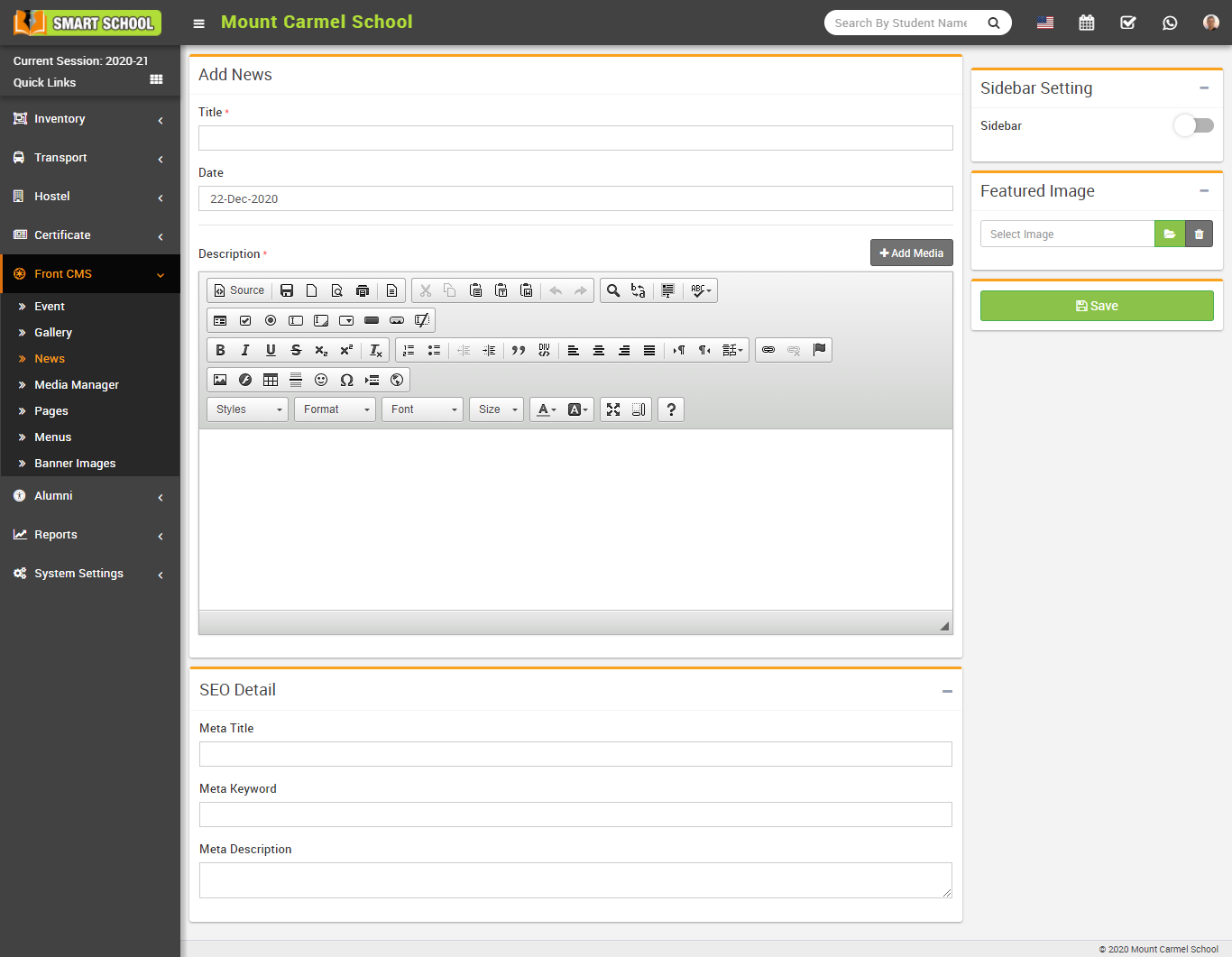
Here you can view added News/Notices in the News List page.
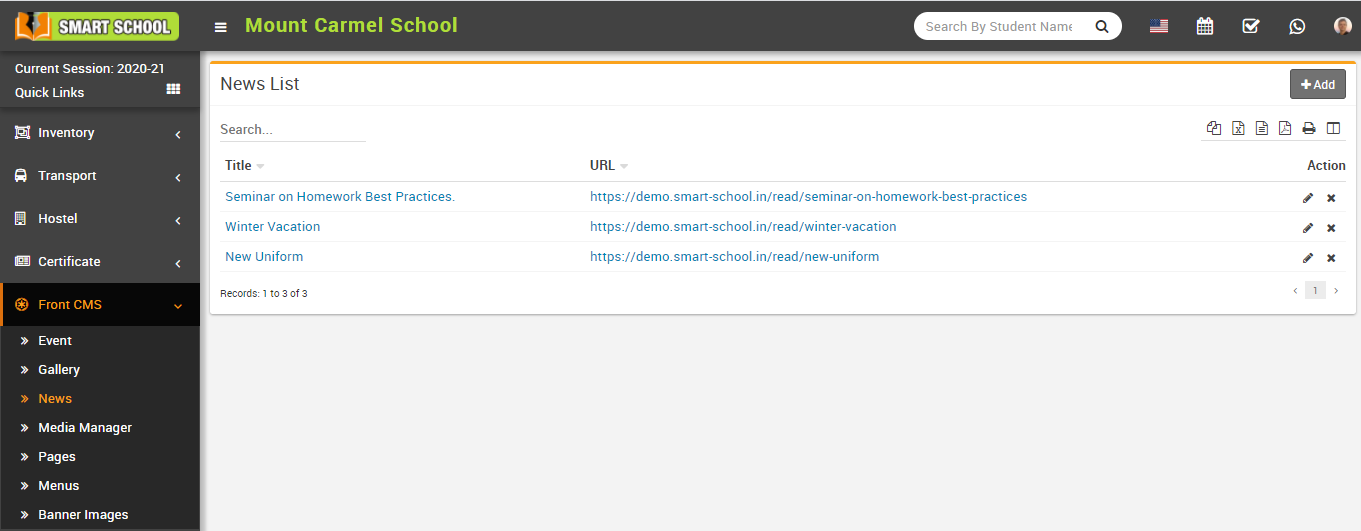
To edit news click on Edit icon and to delete news click on Delete icon present in the news list.
How to add Banner Images?
Here you can see added record in the Banner Image page.
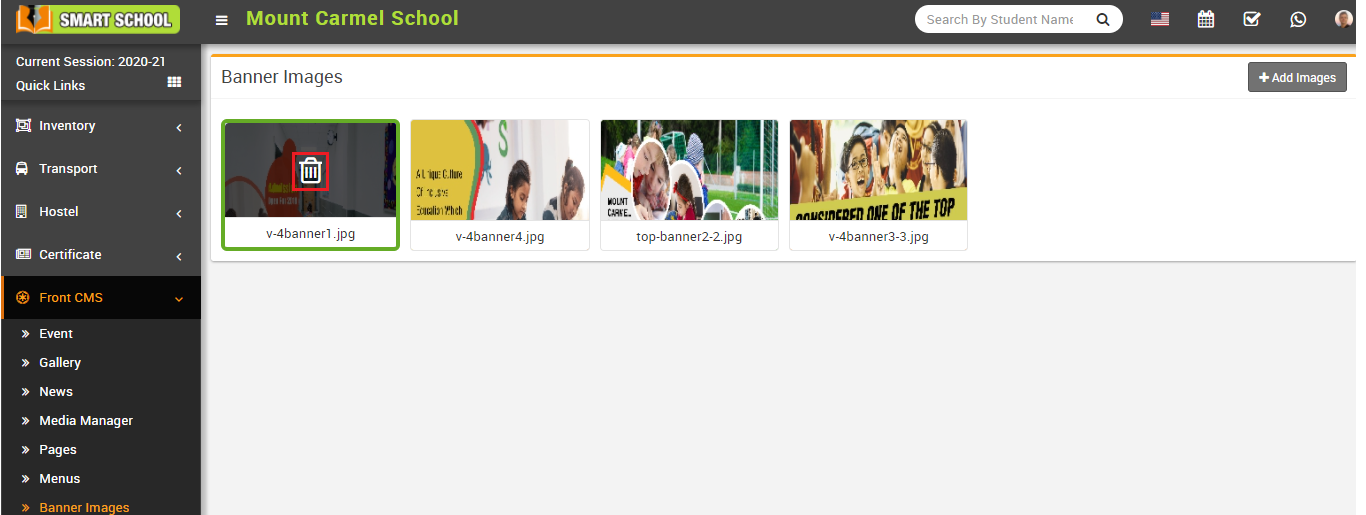
To delete banner image click on Delete icon present in the Banner Image page.
How to show exam result tab in front site?
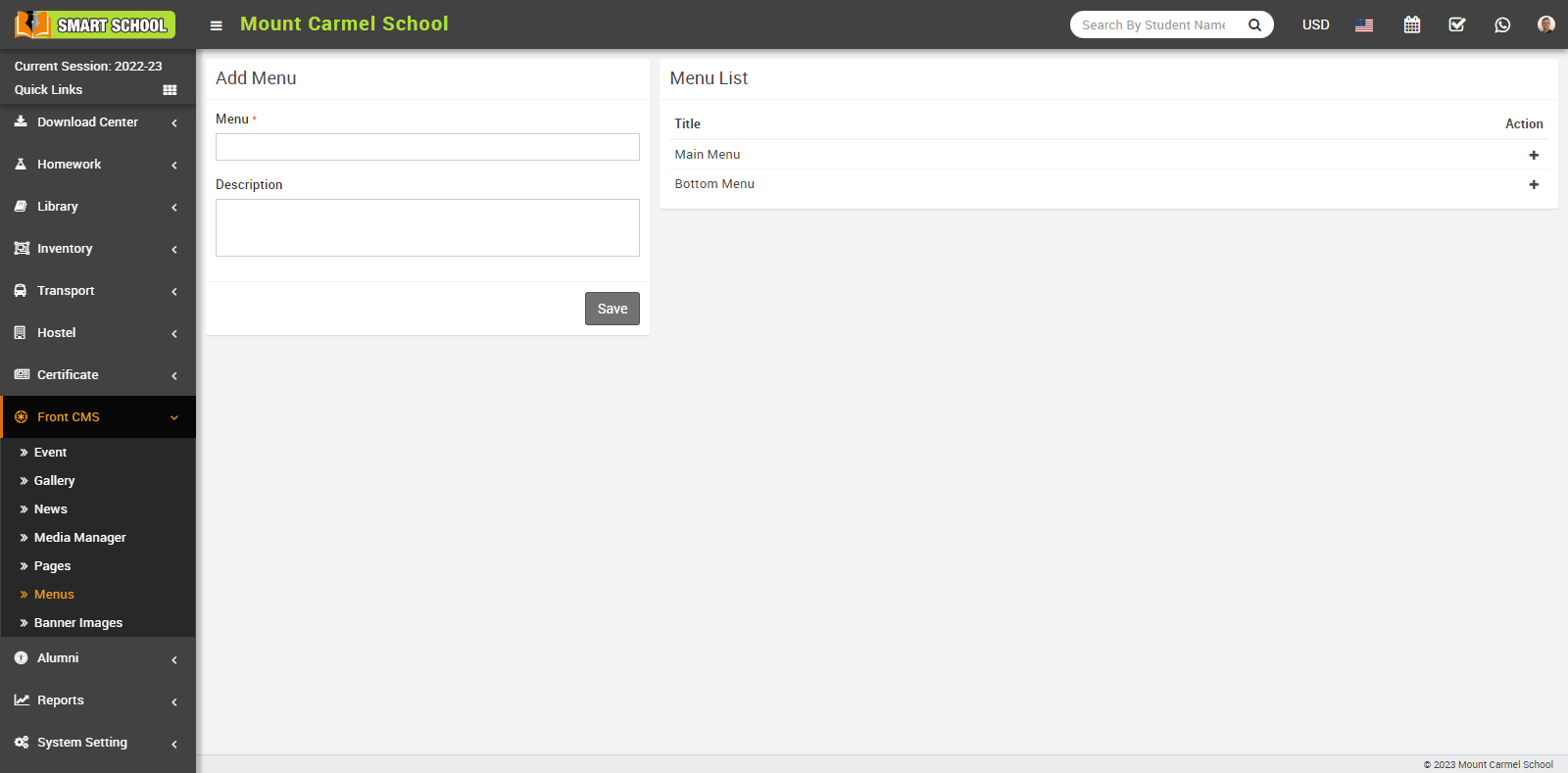
When you click on + icon, this will redirect you to the Add Menu Item page.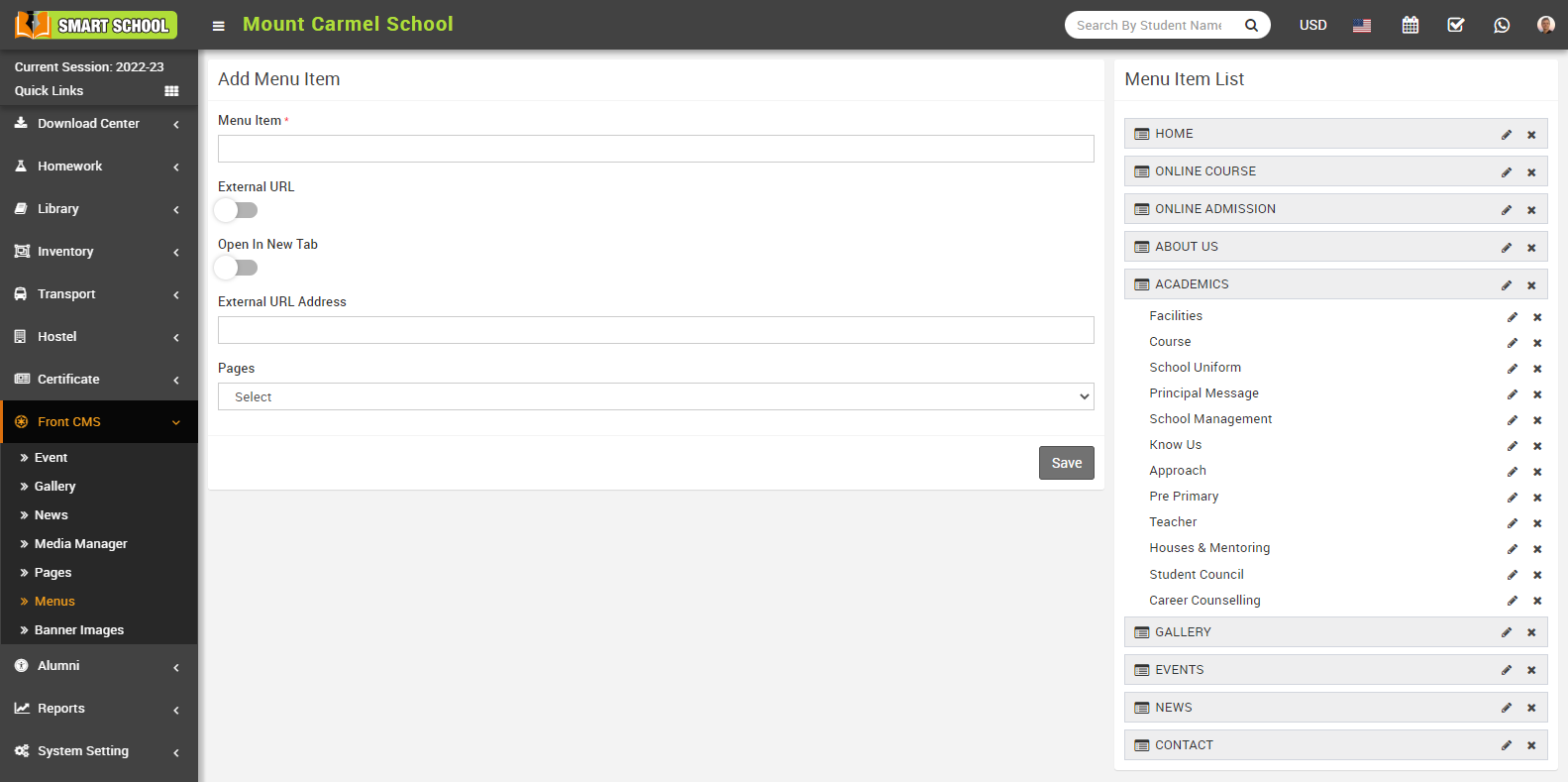
Here you can view Menu Item, External URL toggle button, Open in New Tab toggle button, External URL Address, Pages drop down and Save button.
In Add Menu Item, here enter Menu Item, enable External URL toggle button, keep disabled Open In New Tab button and in External URL Address enter your domain address then at the end of domain add exam result, such as https://yourdomain/examresult. In the Pages dropdown, don’t select any dropdown, leave it as it is, and then click on the save button. The new item can be seen on Menu Item List the right side.
For Example - In Menu Item enter Exam result, enable External URL toggle button, disable Open in New Tab, enter External URL Address, Pages drop down don’t select any dropdown then click on the save button.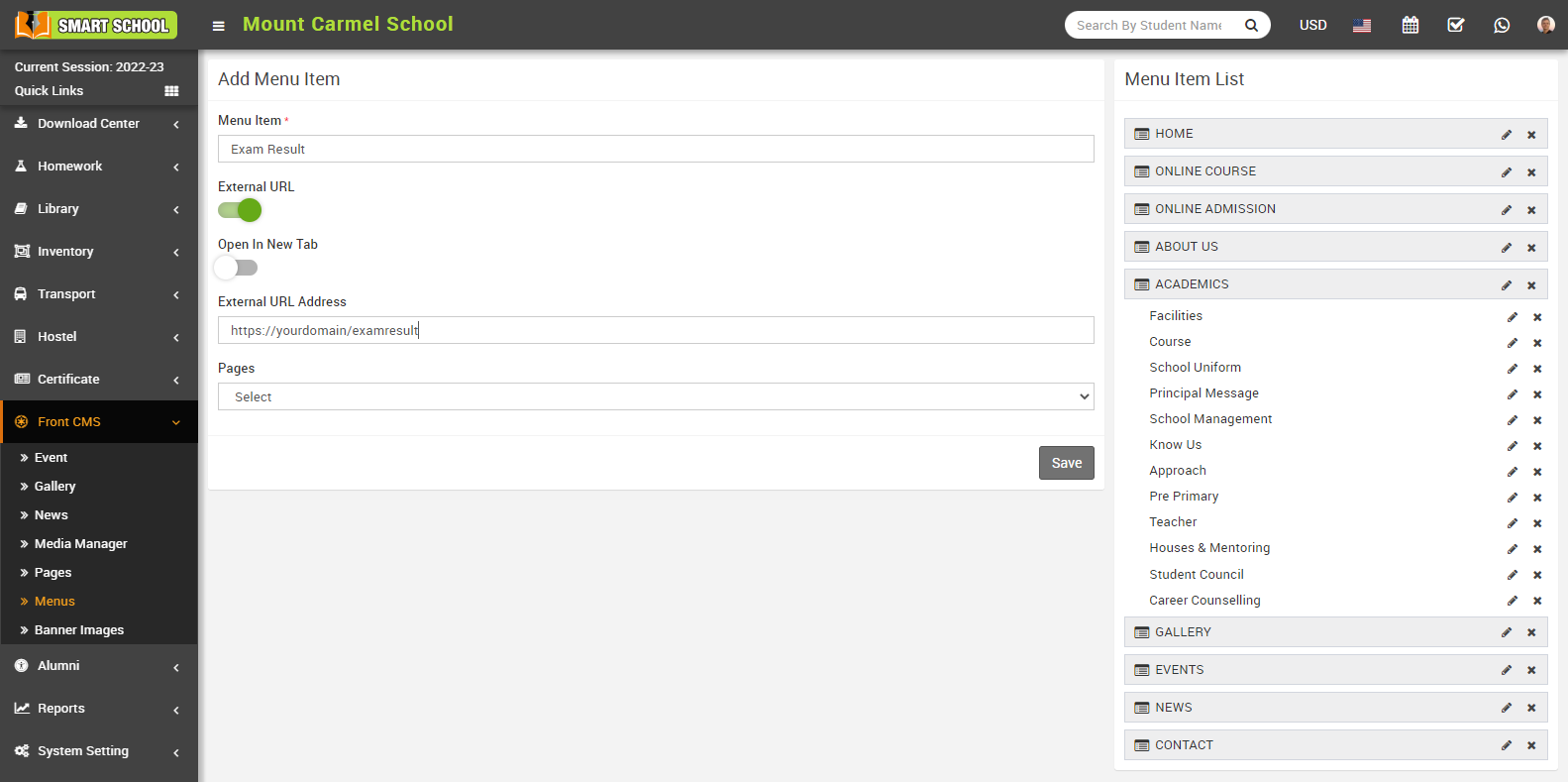
You can now view the Exam Result tab at the Menu Item List on the right site and you can drag and drop the Exam Result tab according to your preference.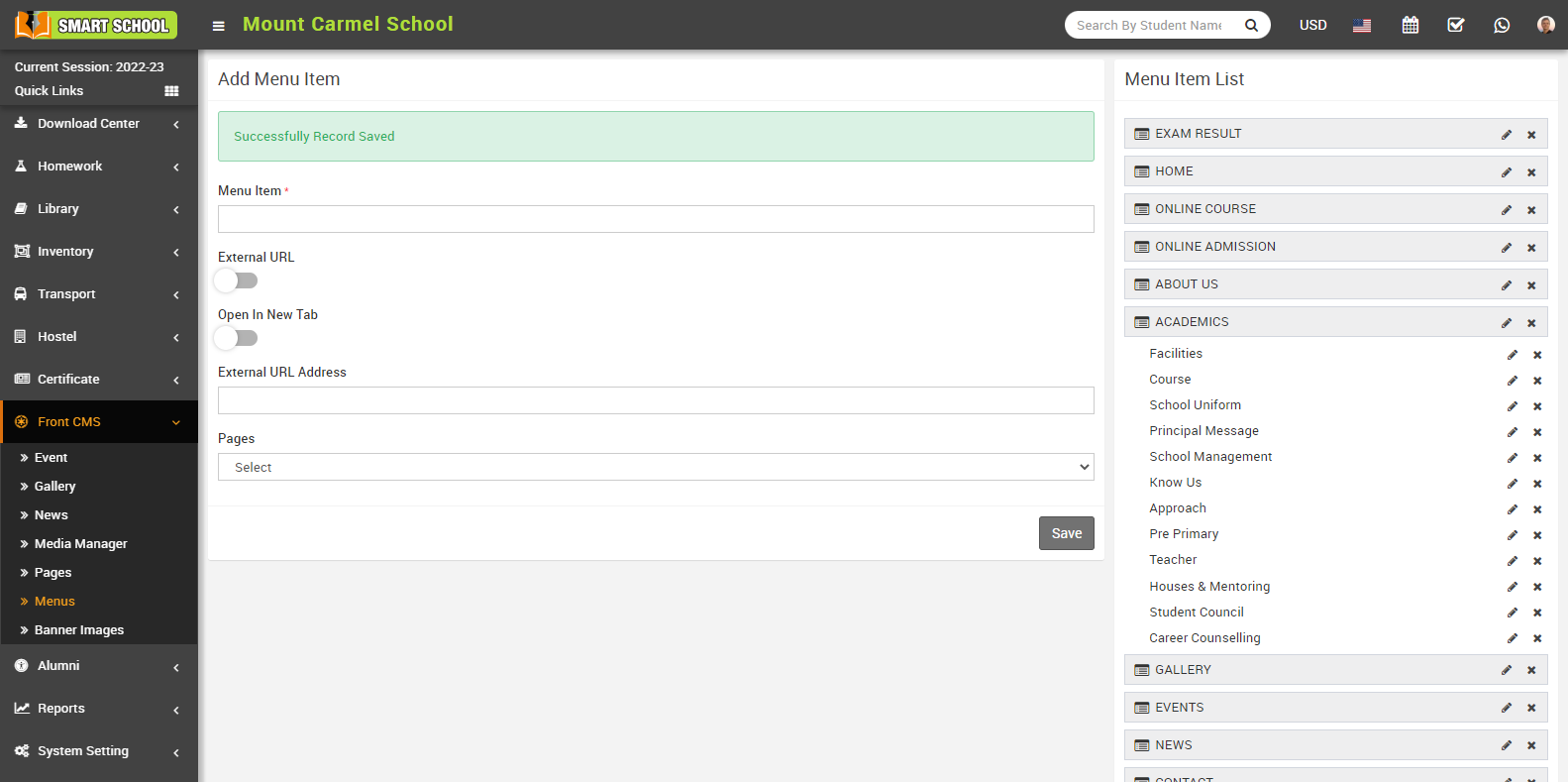
To edit the Exam Result, click on the edit icon present on the right side. Here you can Edit Menu Item.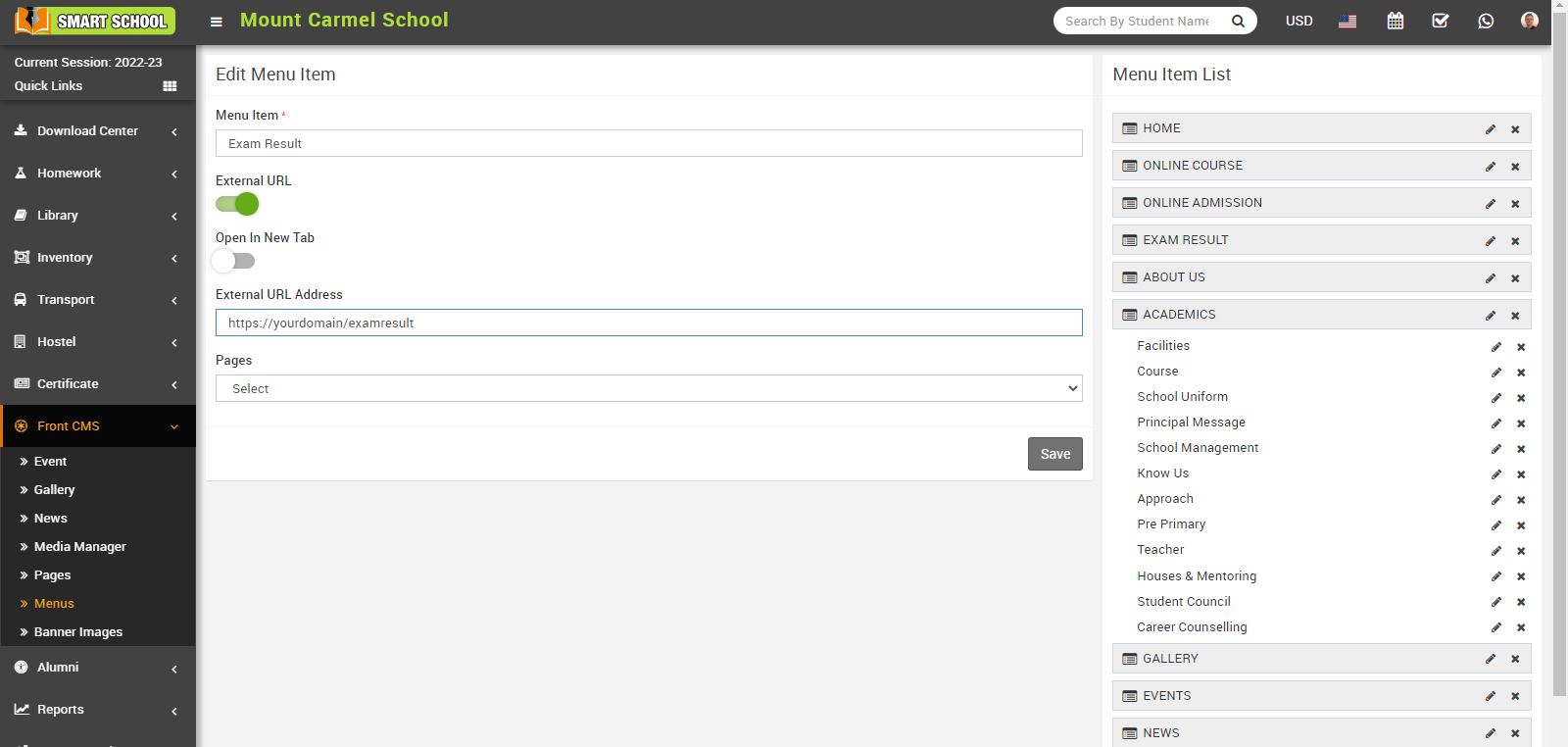
To delete the Exam Result tab, click the Delete icon on the right, Confirmation model will be open. Now click on OK button, Exam Result will be deleted successfully.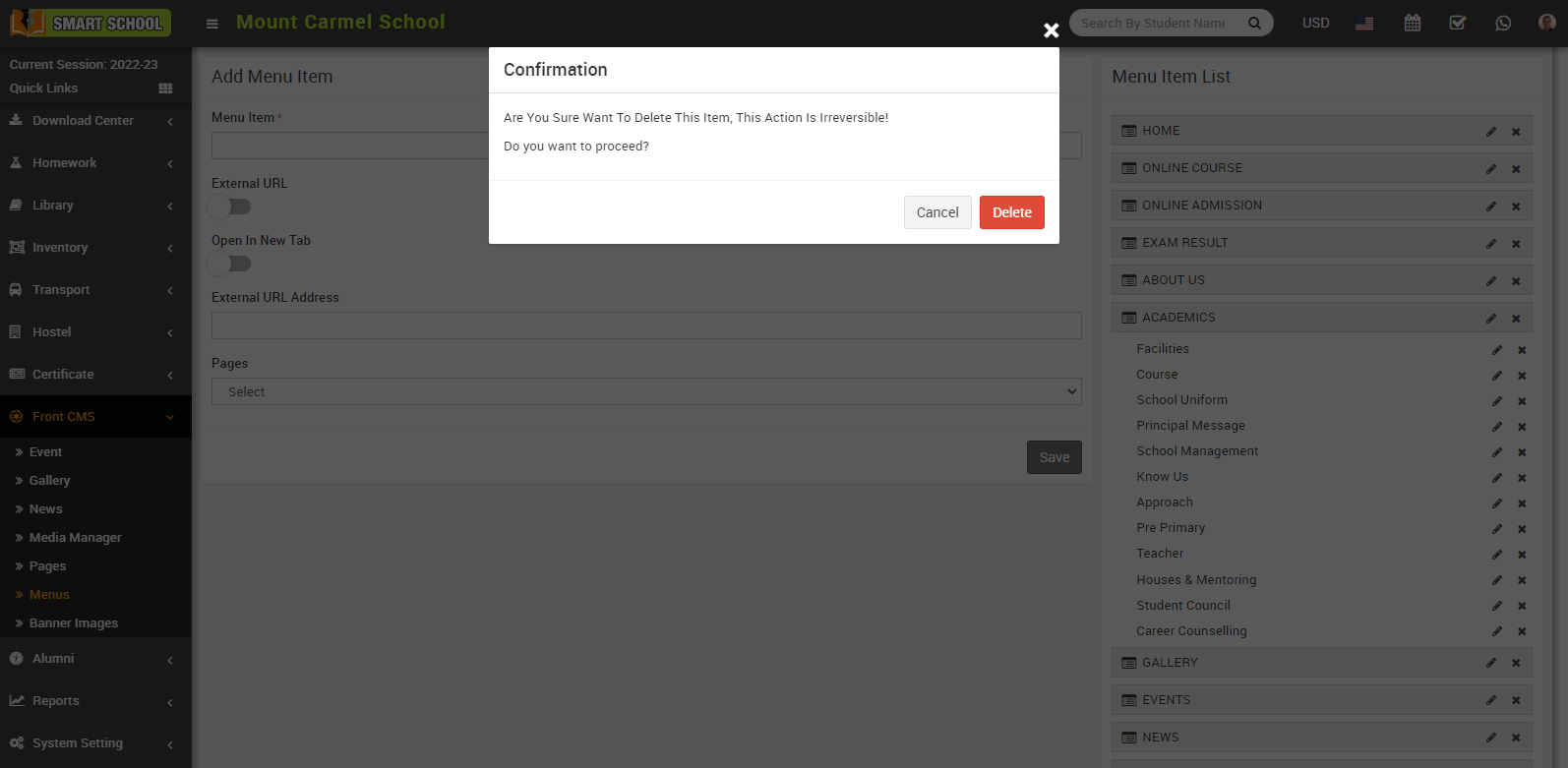
You can view the exam result tab that has been generated successfully at the front site of your Smart School.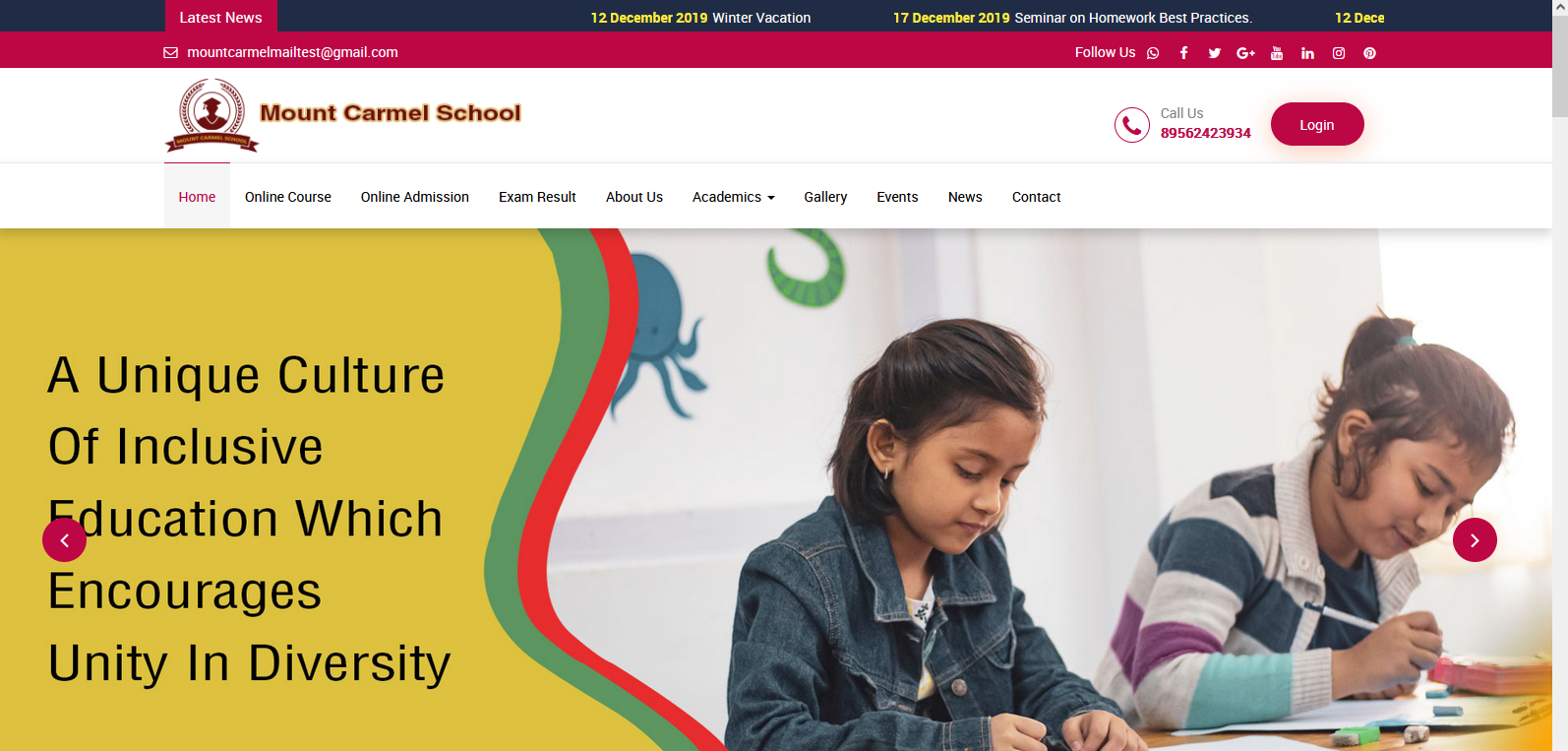
When you visit Smart School's front page, when you click over the exam result module you will notice the message as “Exam Result module is Disabled Please Contact To Administrator".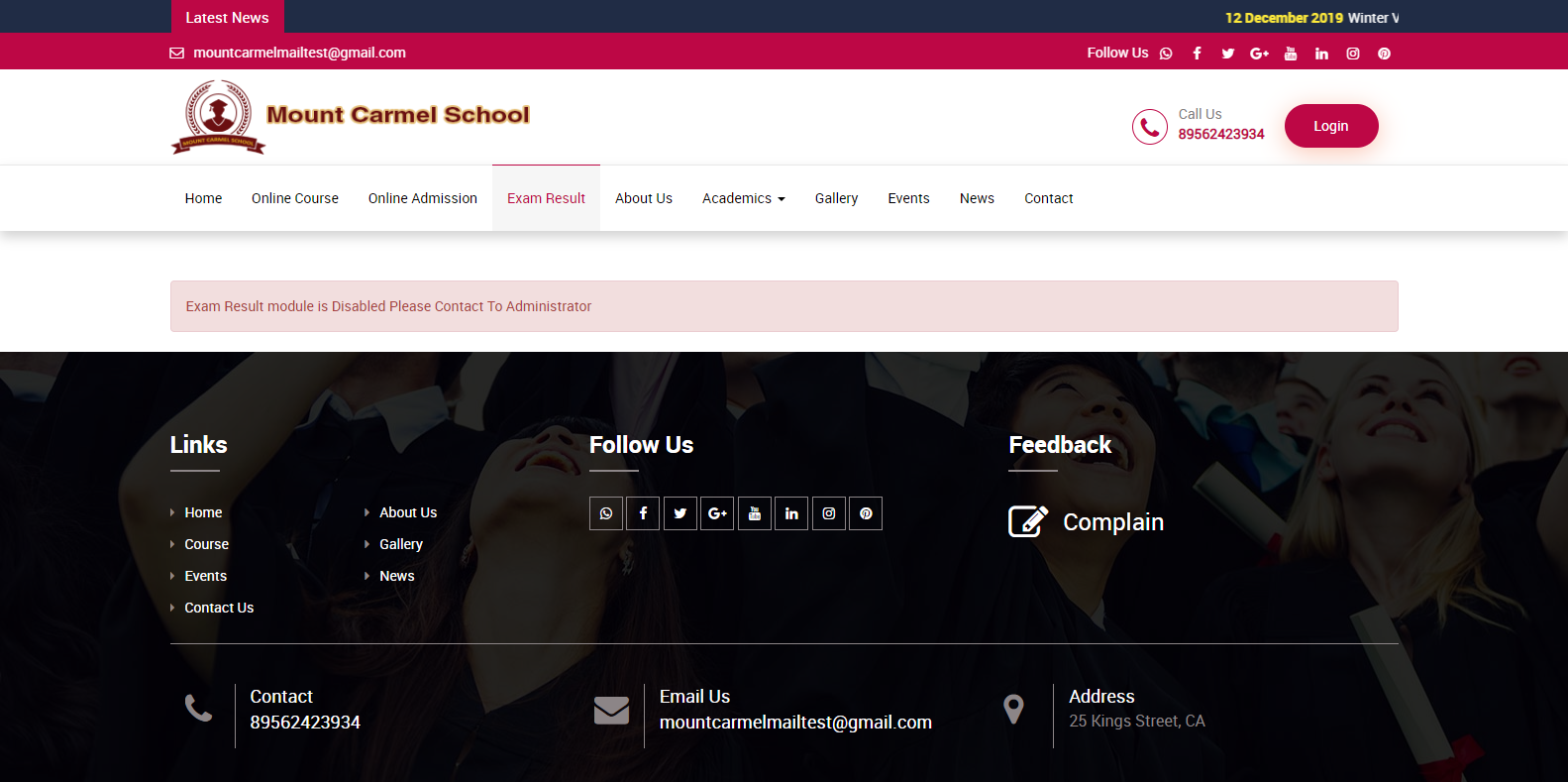
Go to System Settings > General Setting > Miscellaneous, here you can see Exam Result In Front Site is Disabled. 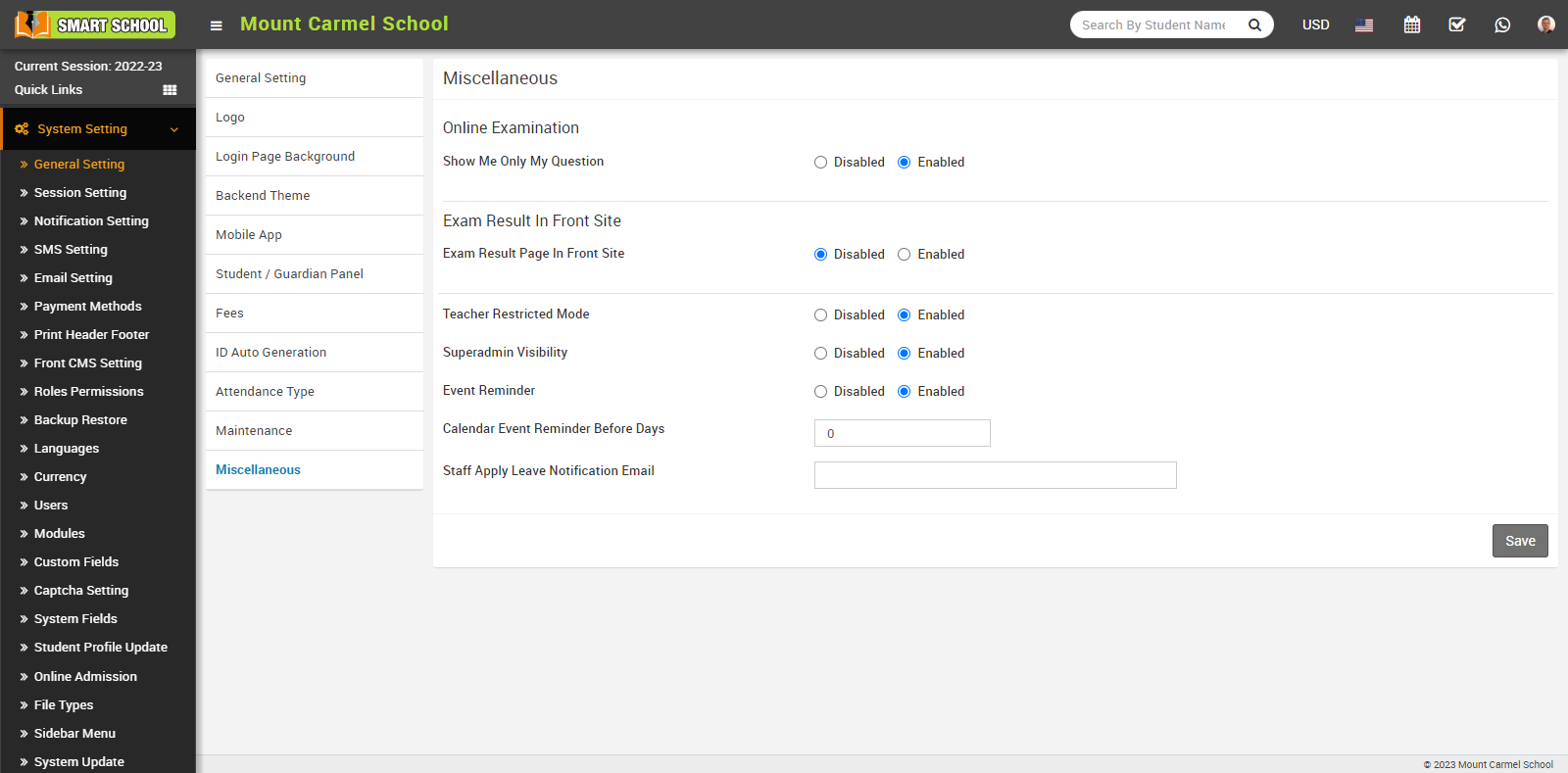
Now click on the enabled button, then click on the Save button.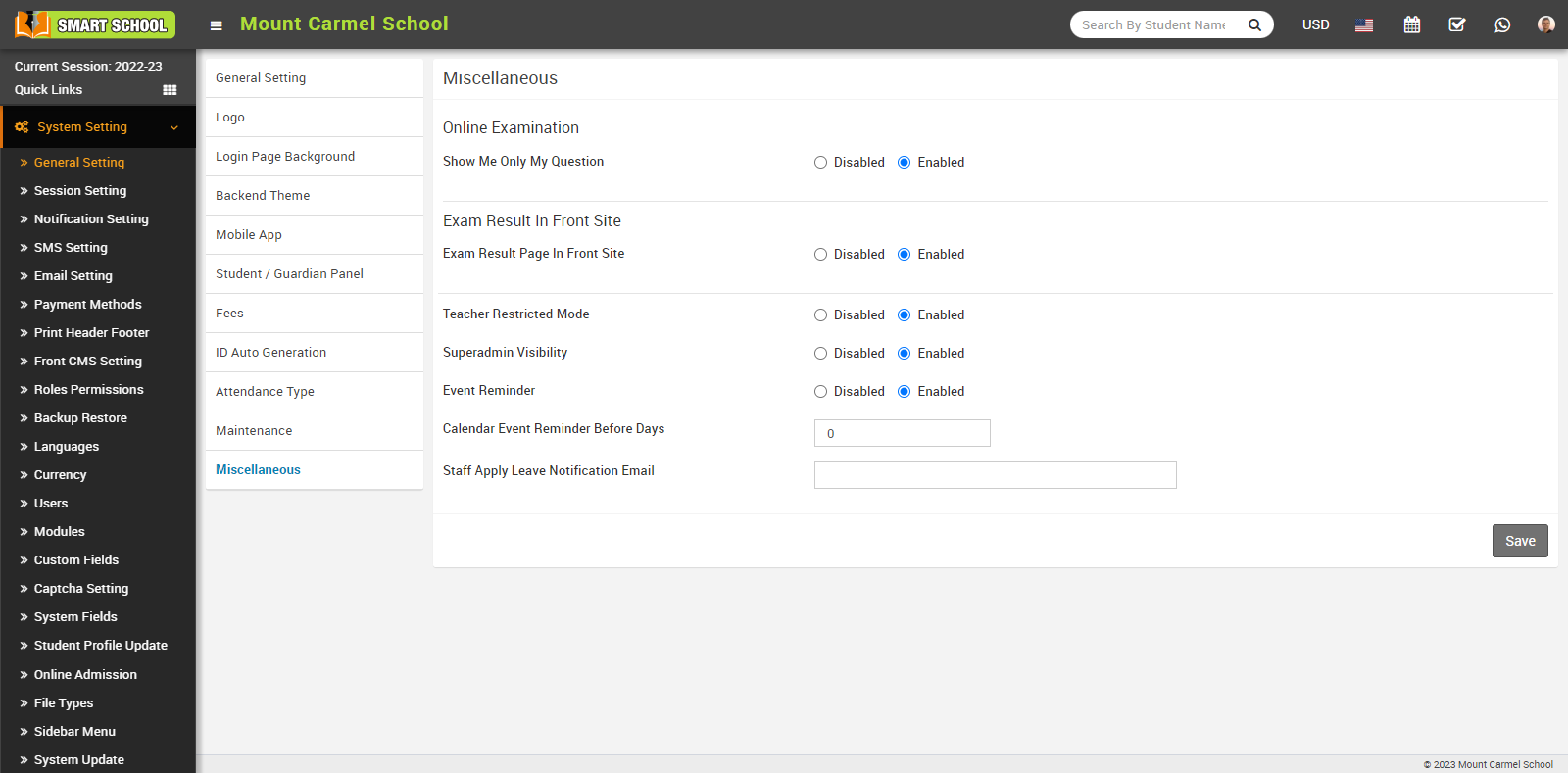
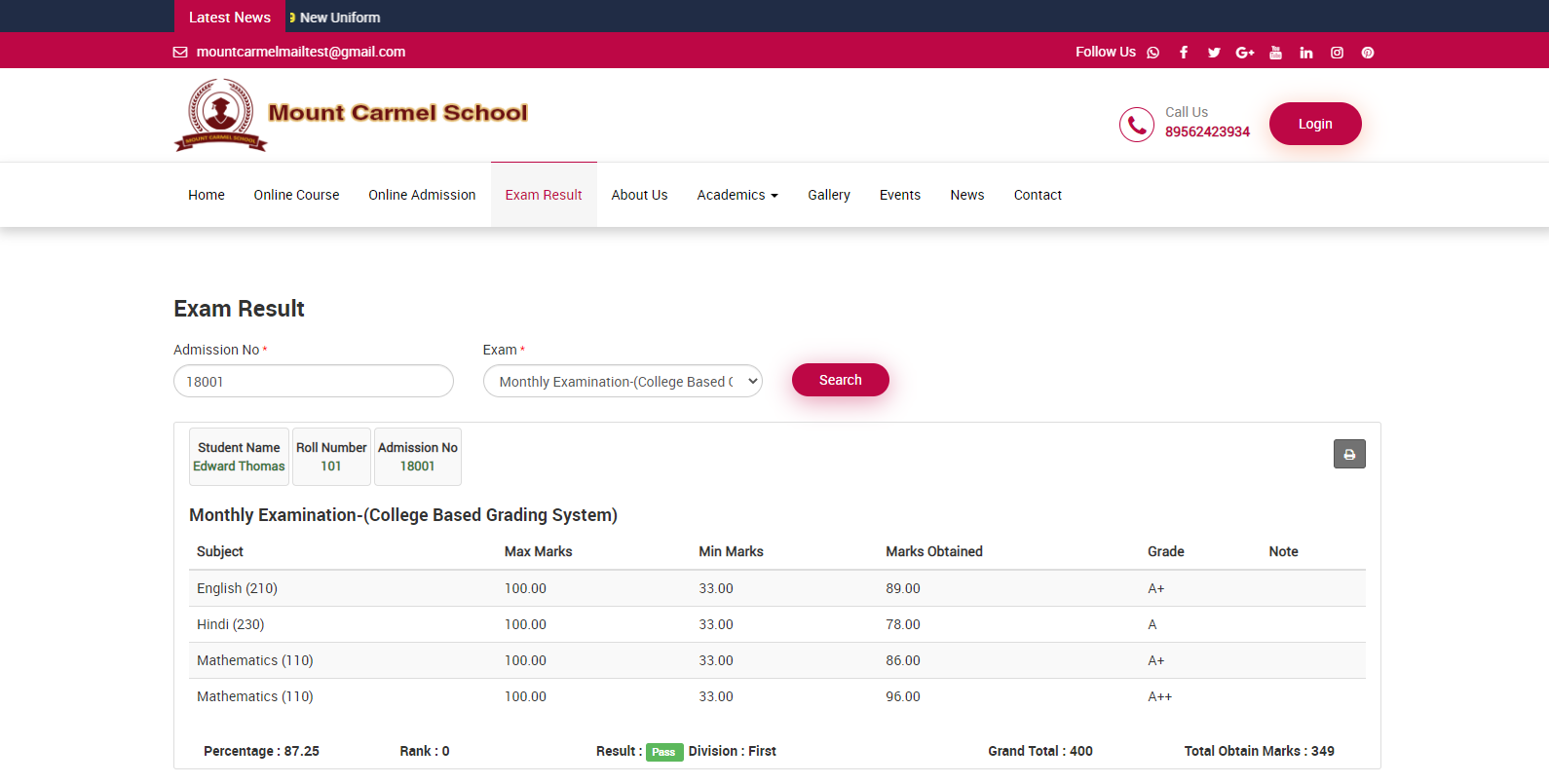
When you Enabled the "Exam Result Page In Front Site," you can view Exam Result on your Smart School's front site. In this module you can see admission number tab and exam drop down available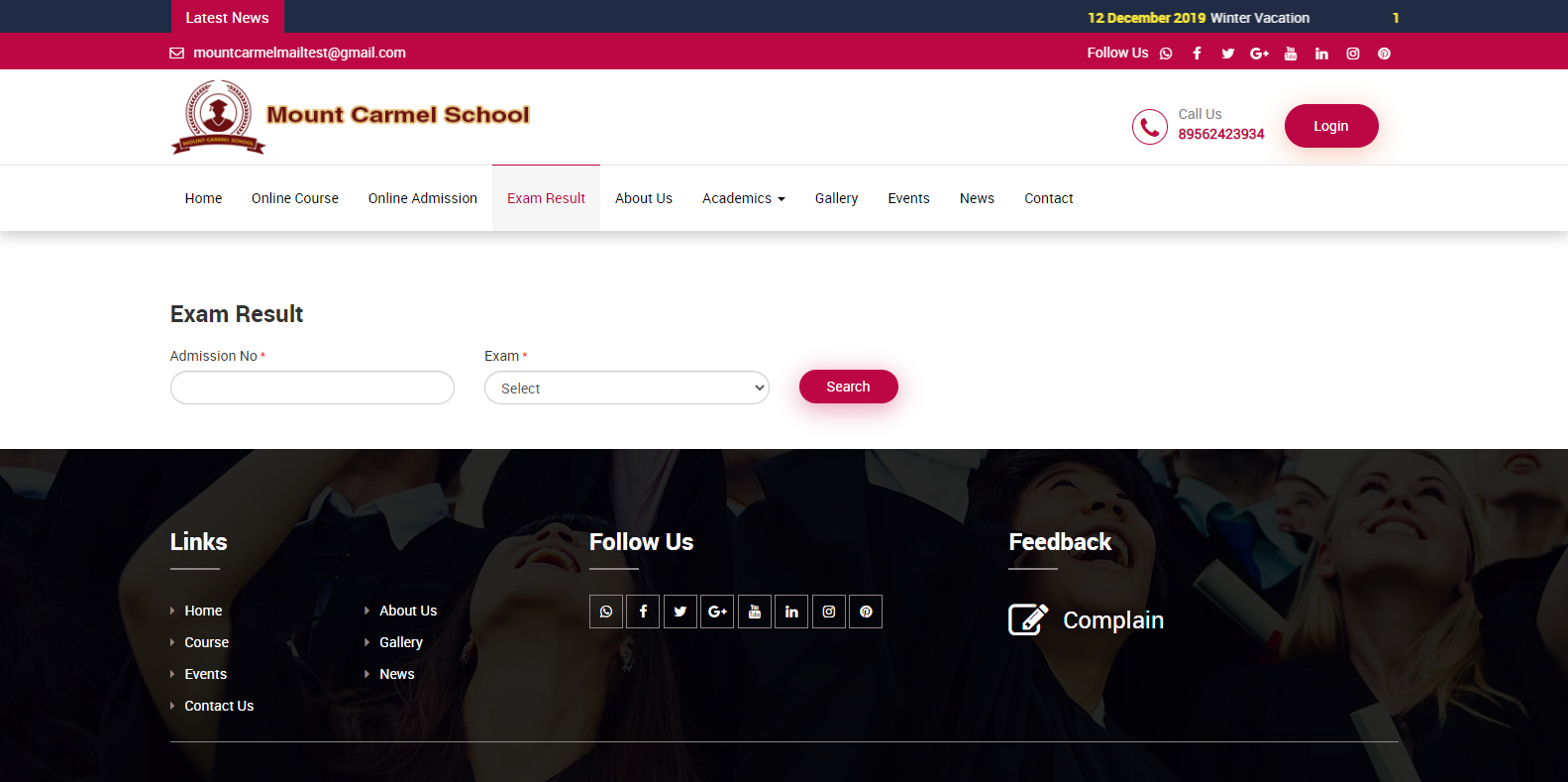
Students can obtain their results without logging into their student panel account by visiting the Smart School front page and entering their Admission number, selecting the Exam, and clicking on the Search button so that result will be display in below.