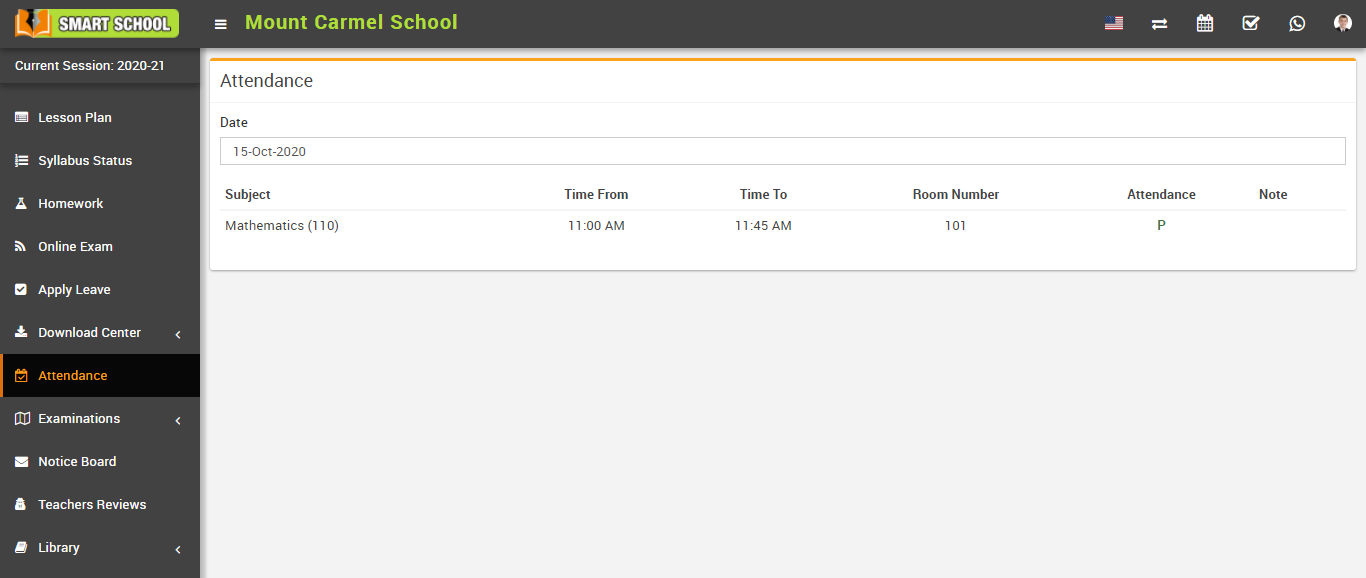
How to mark student attendance?
Here select Attendance (Present, Late, Absent, Holiday, Half day) for mark the attendance manually, and then click on the Save Attendance button.
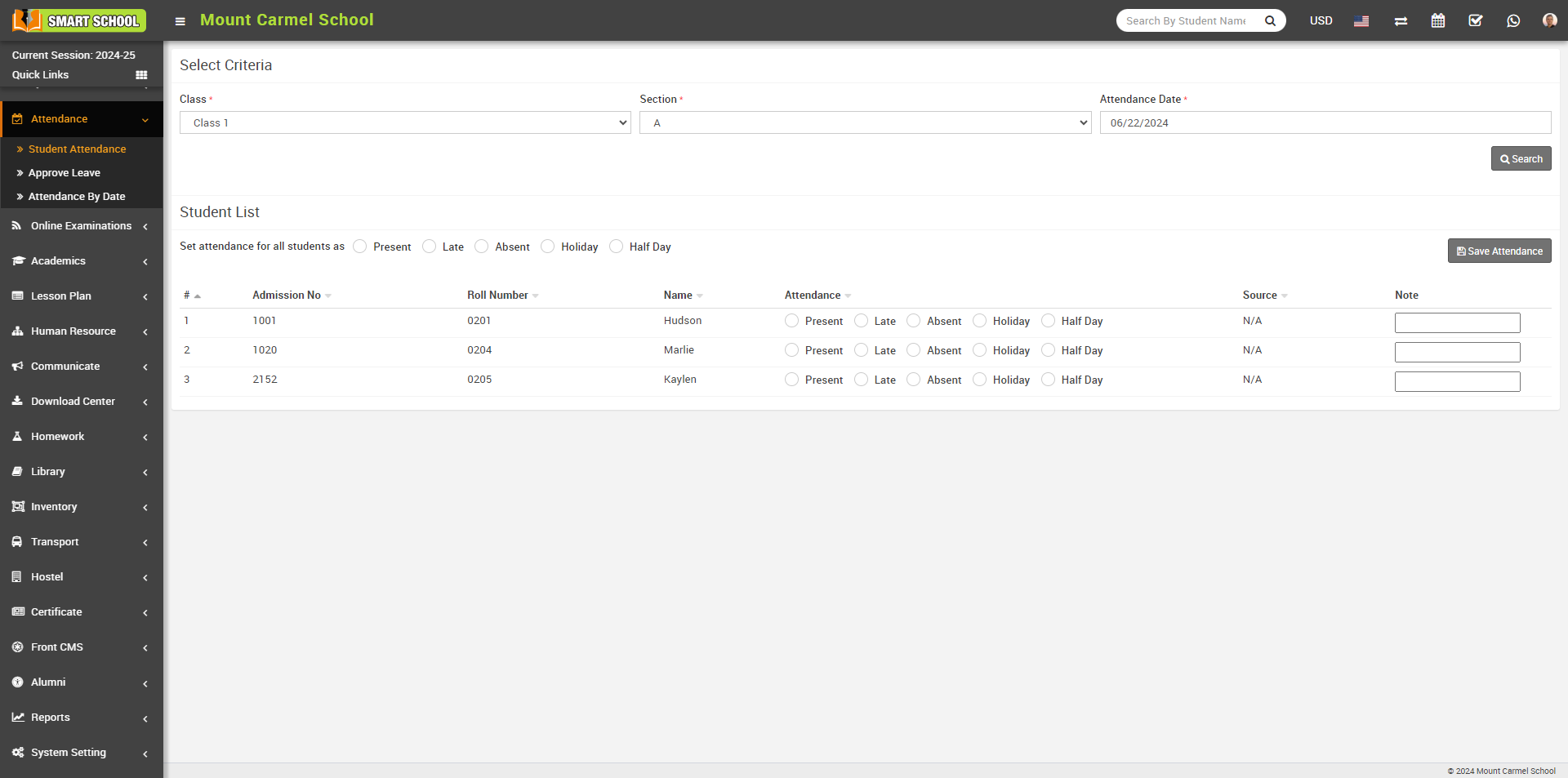
To edit student attendance, click on the Attendance (Present, Late, Absent, Half day) present in the Student list then click on the Save Attendance button.
Now if you want to mark the same attendance, there is Set attendance for all Students as option available right above of the attendance, When you select Present, confirmation message will be open.
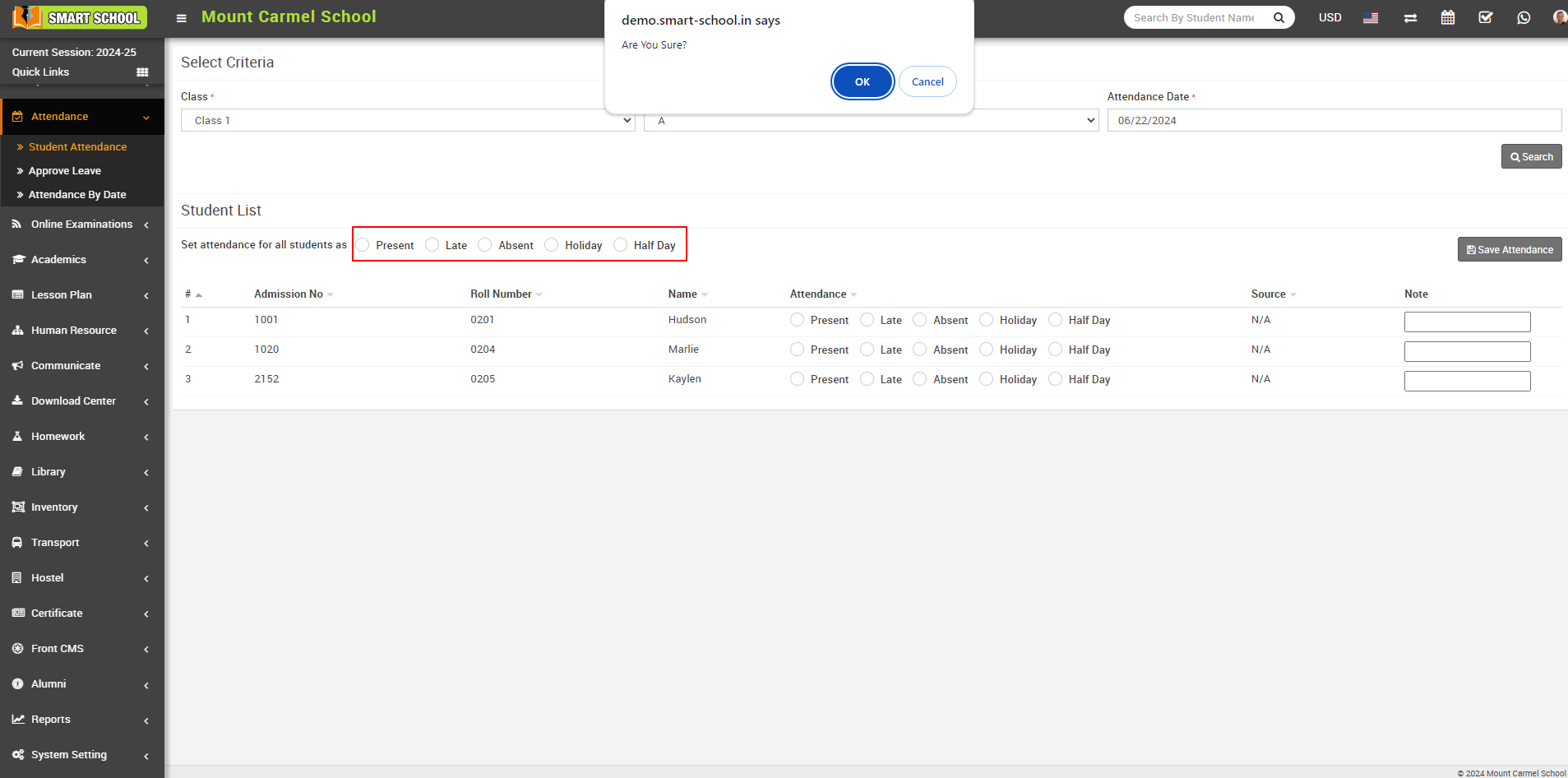
Now, click on the OK button. All the students below will be marked as Present. Afterward, click on the Save Attendance button to ensure that the attendance marks are recorded successfully and in the Source column shows the type of attendance.
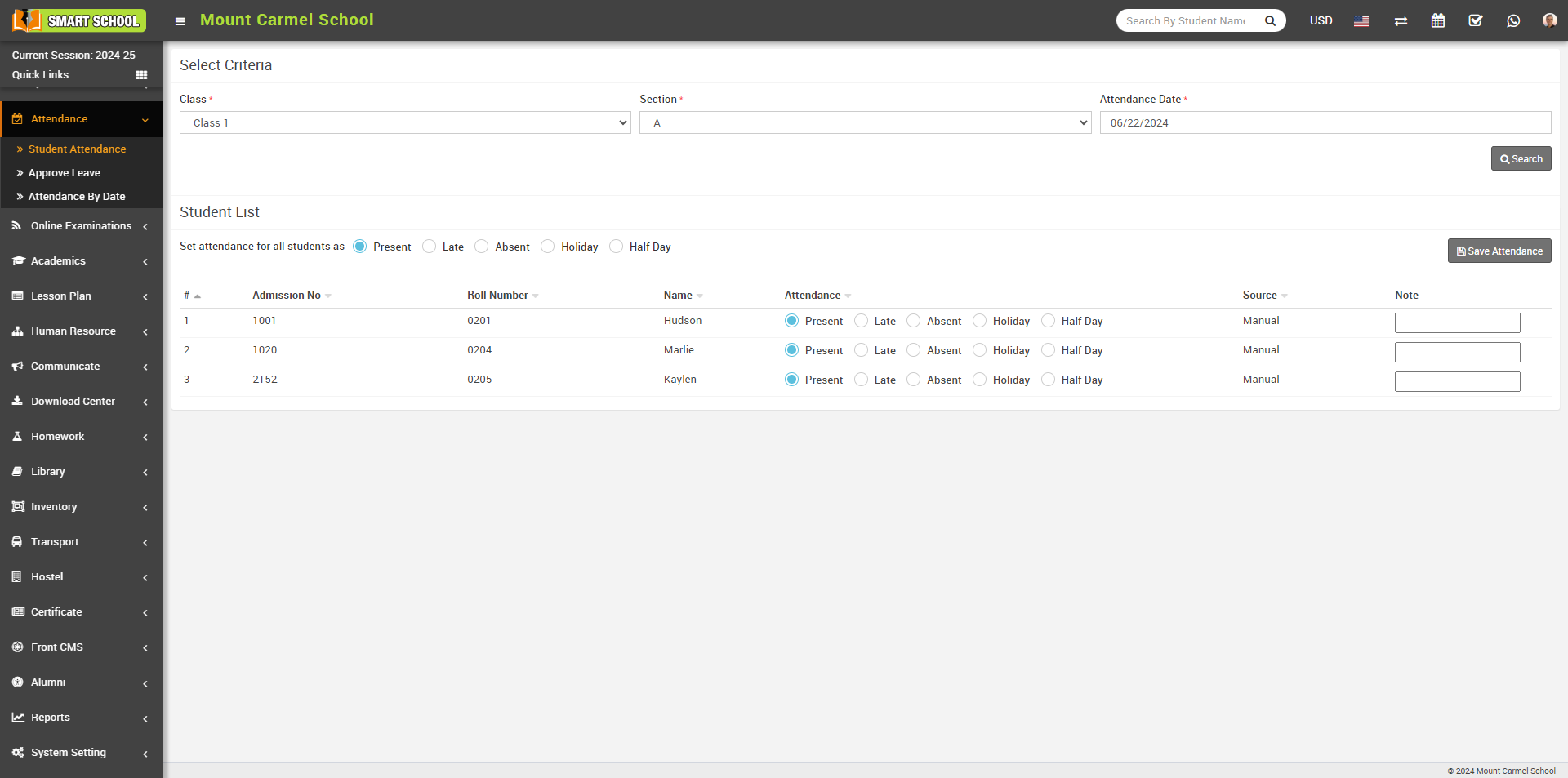
The same process applies for other options such as Late, Absent, Holiday, and Half Day.
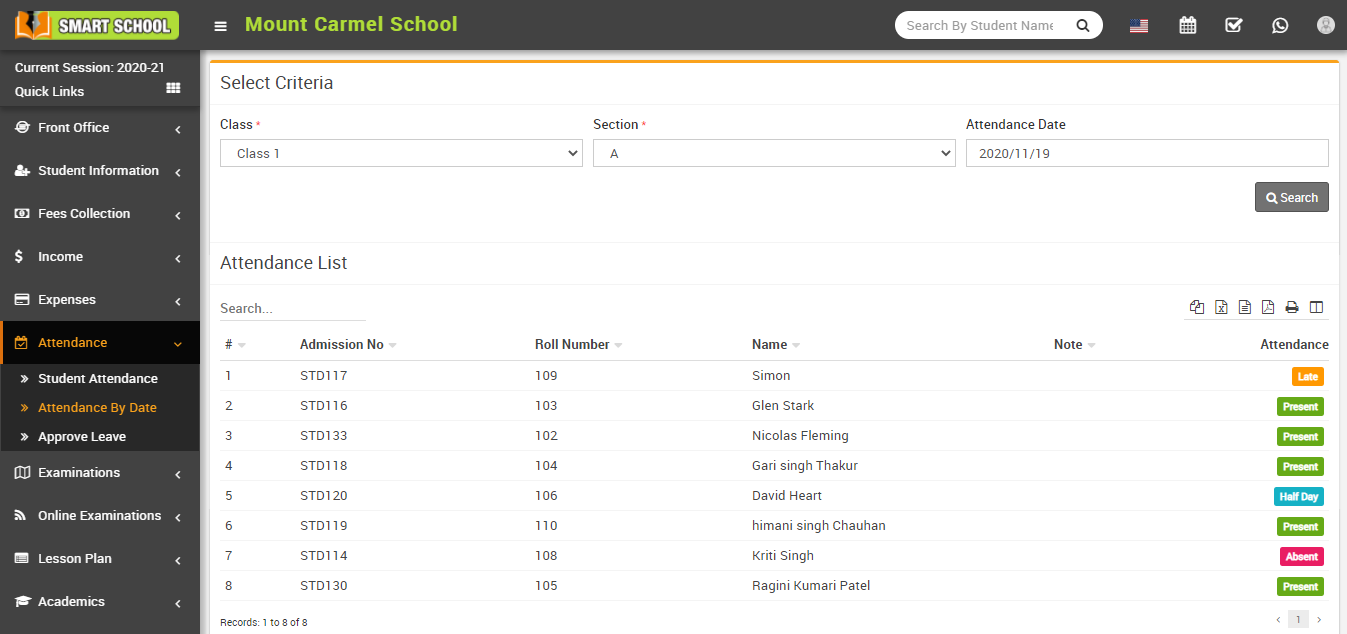
How to check Student Attendance By Date?
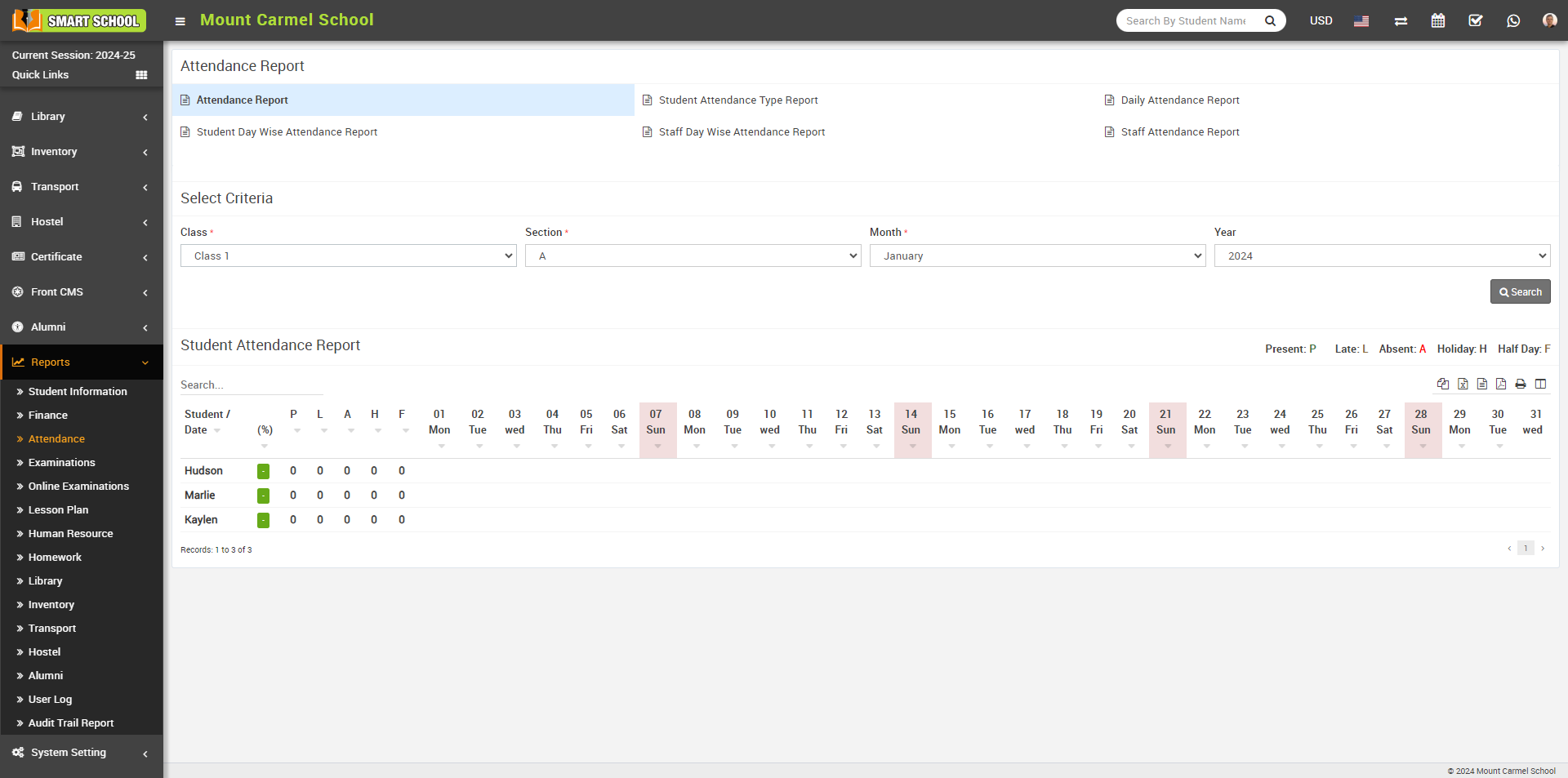
How to check student Attendance Report?
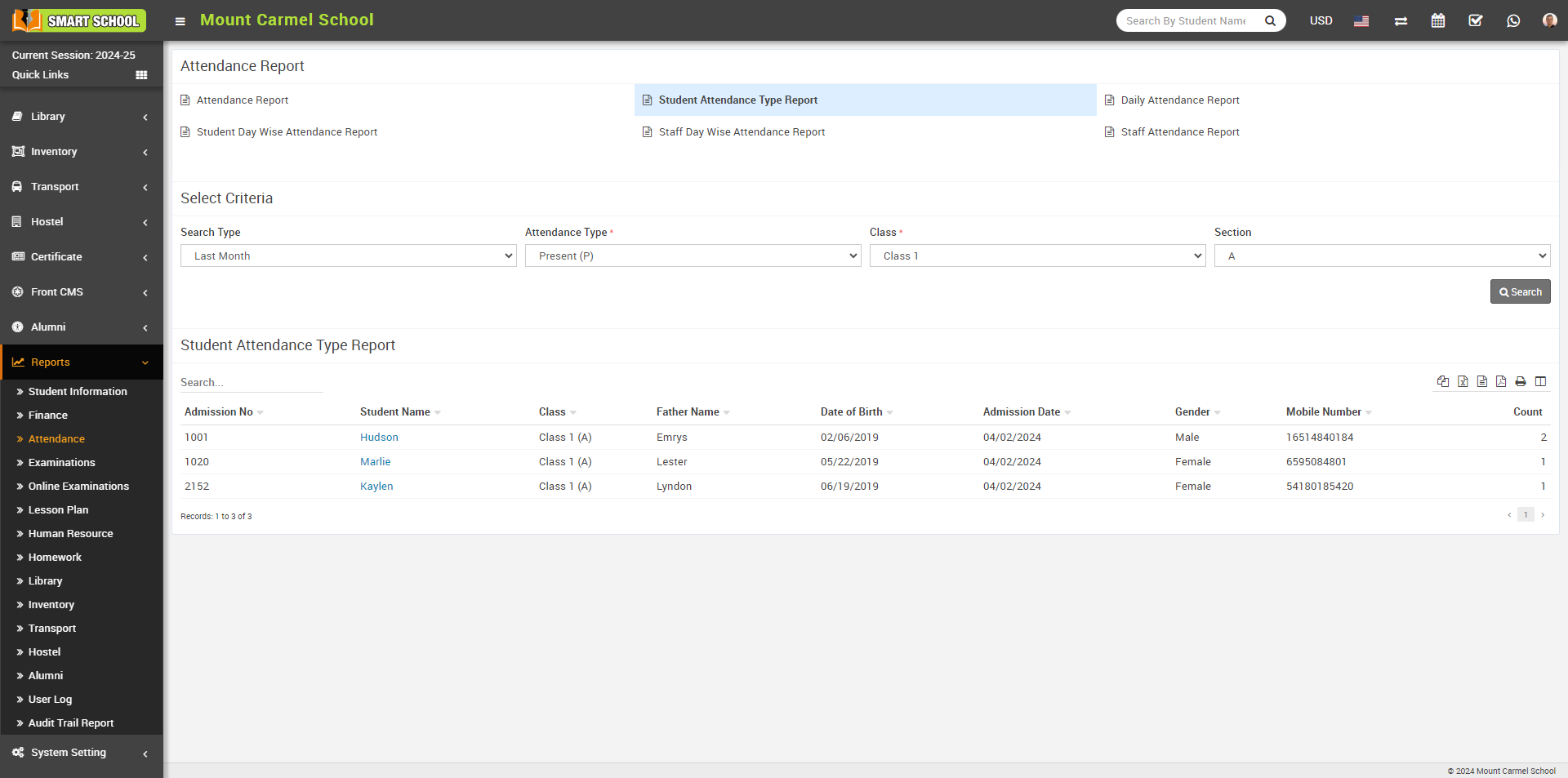
How to check Student Attendance Type Report?
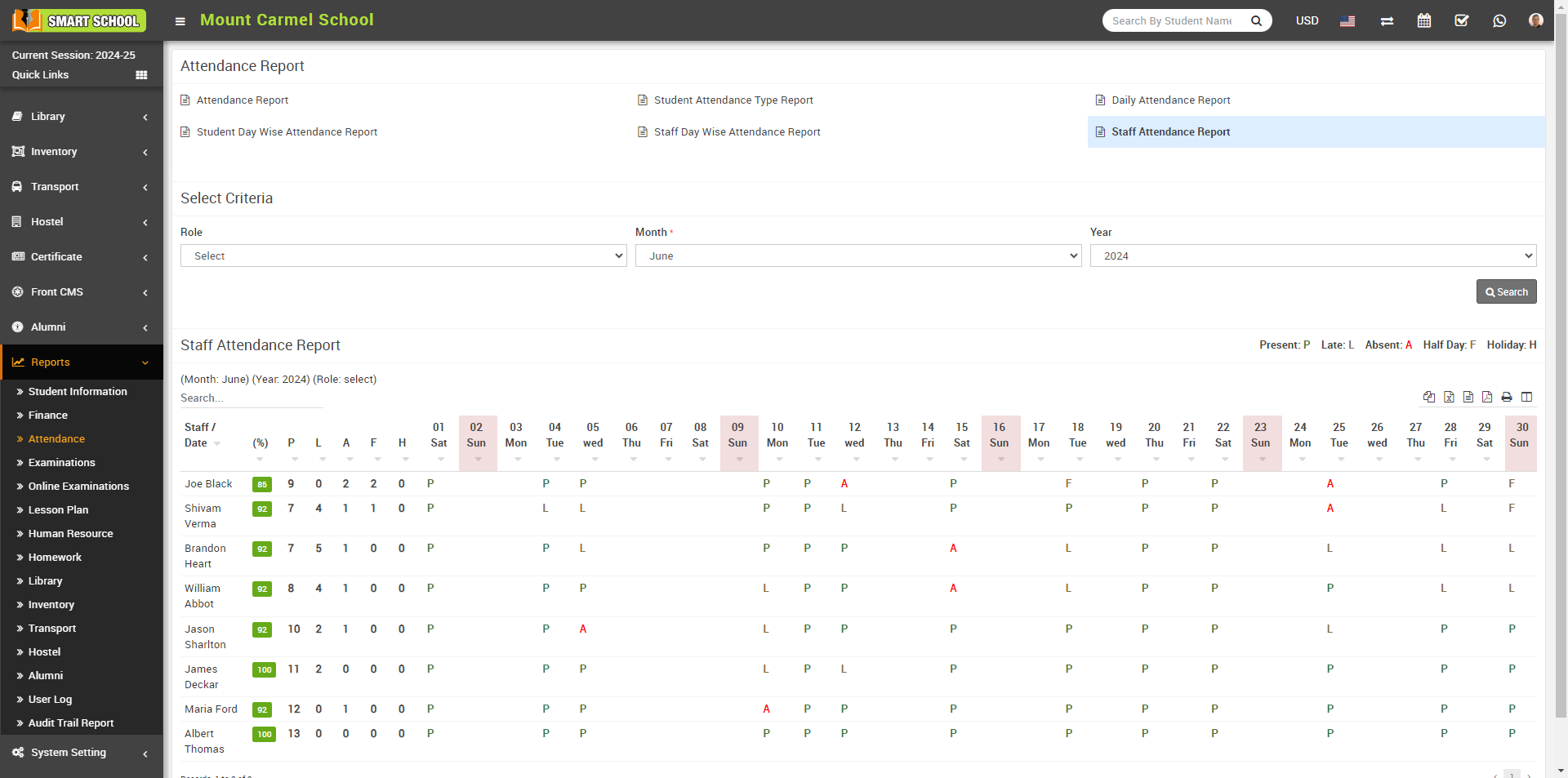
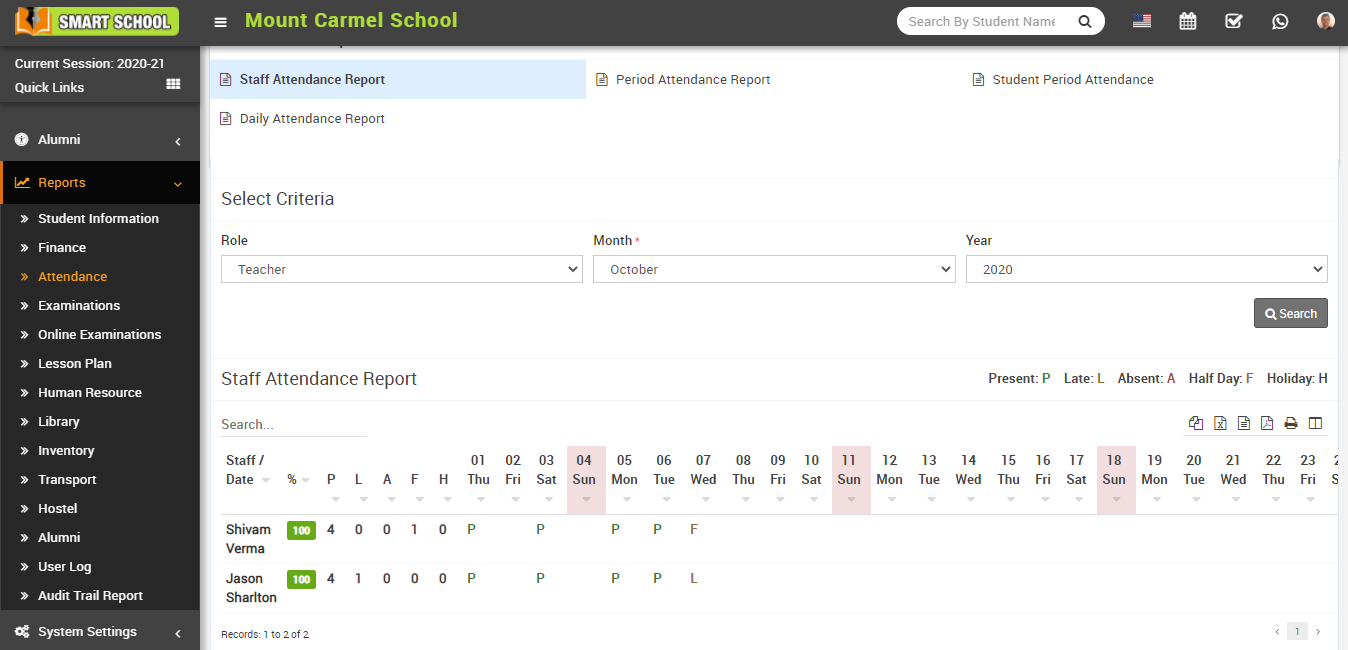
How to check Staff Attendance report?
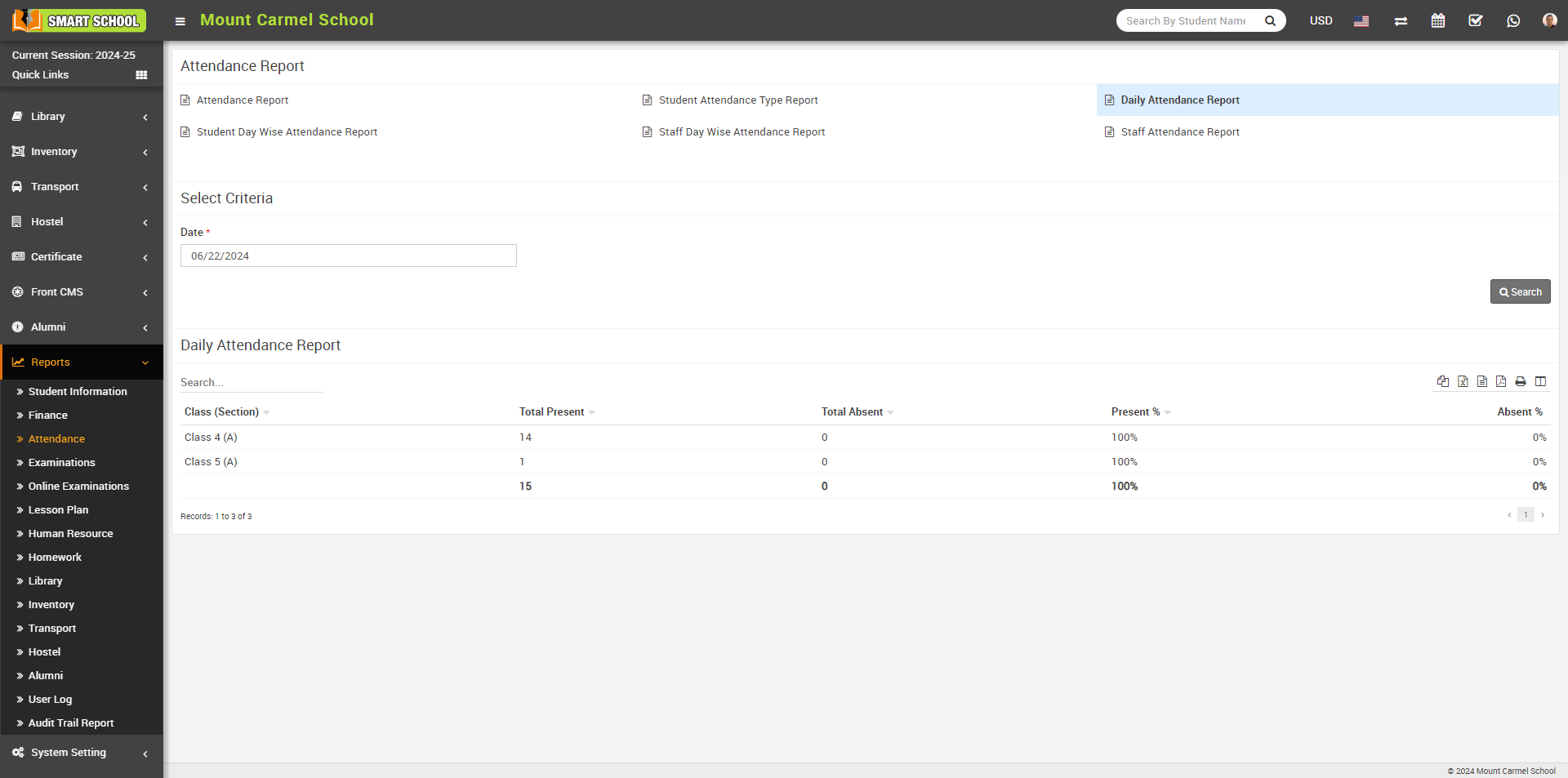
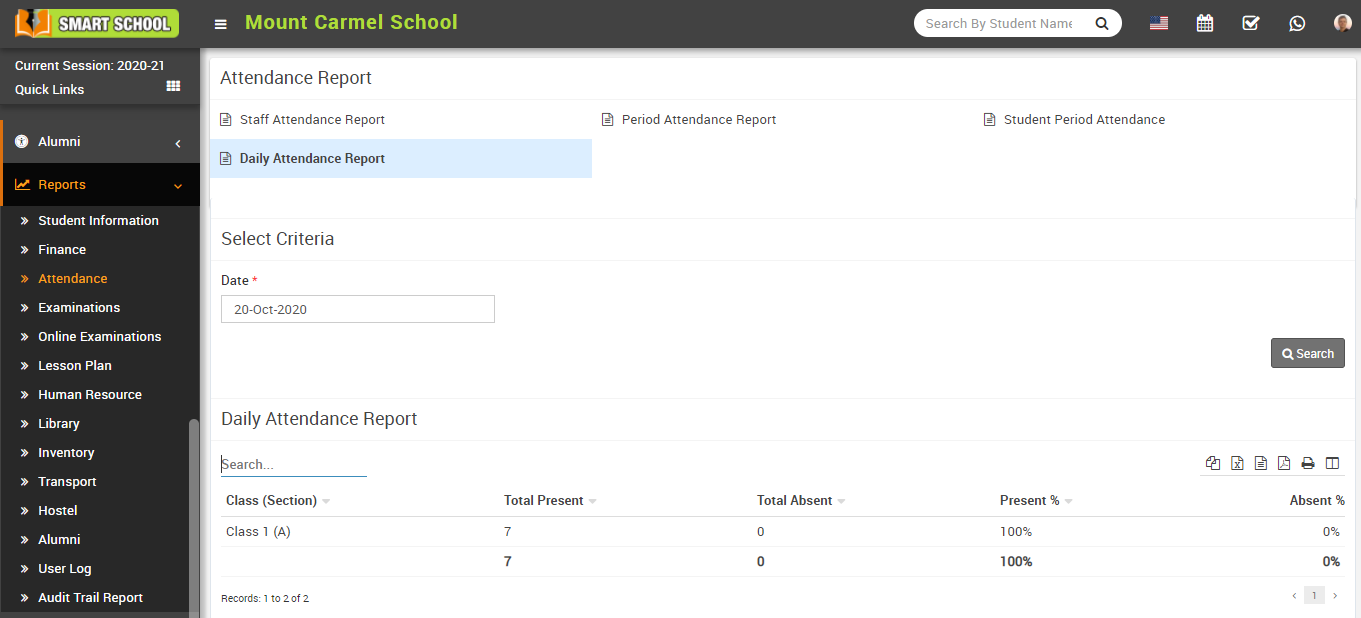
How to check class wise Daily Attendance Report?
How to mark Period Attendance?
Now, mark the Attendance as (Present, Late, Absent, Holiday, Half day) and in Note column mention the note regarding the attendance of that student then click on Save Attendance button.
.png)
you can also manage the attendance by changing the status of attendance as present to absent etc.
Now if you want to mark the same attendance, there is Set attendance for all Students as option available right above of the attendance, When you select Present so one confirmation message will be open.
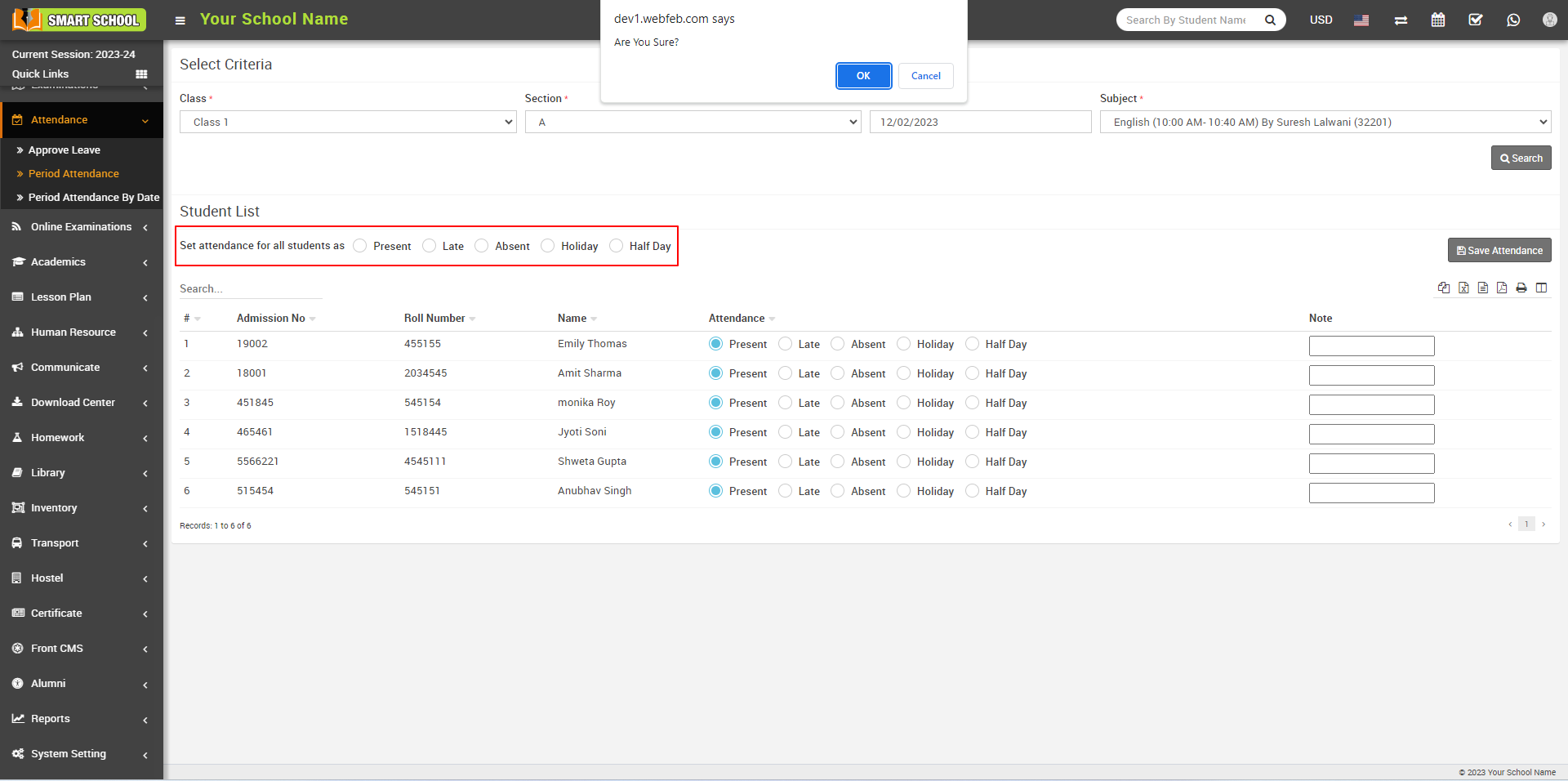
Now, click on the OK button to mark attendance. All the students below will be marked as Present. Afterward, click on the Save Attendance button to ensure that the attendance marks are recorded successfully.
.png)
The same process applies for other options such as Late, Absent, Holiday and Half Day.
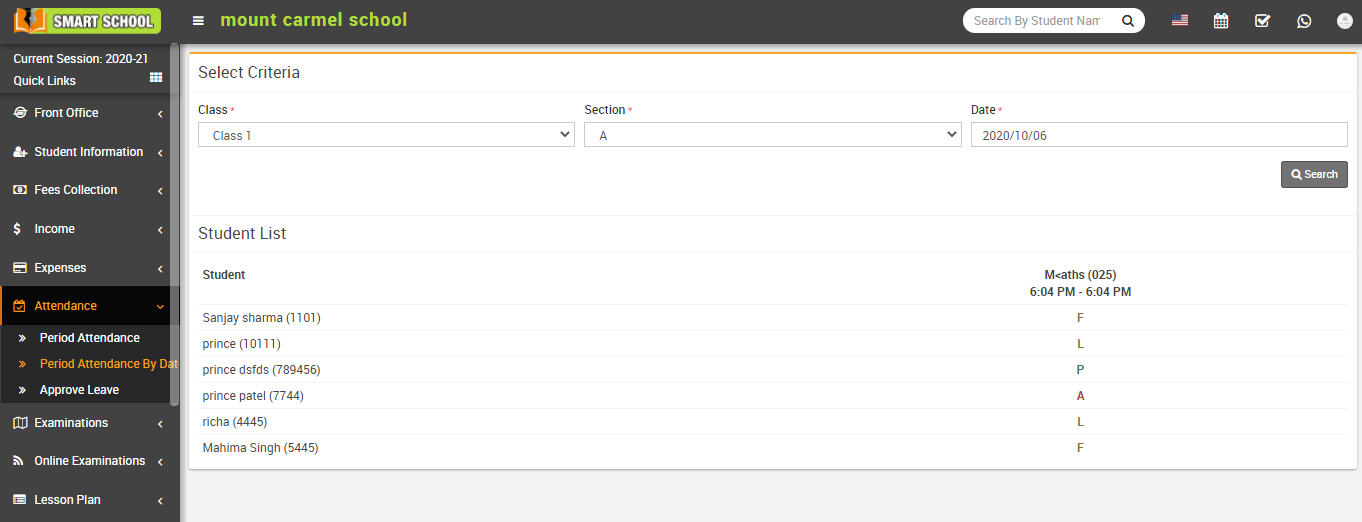
How to check Period Attendance By Date?
How to add Approve leave?
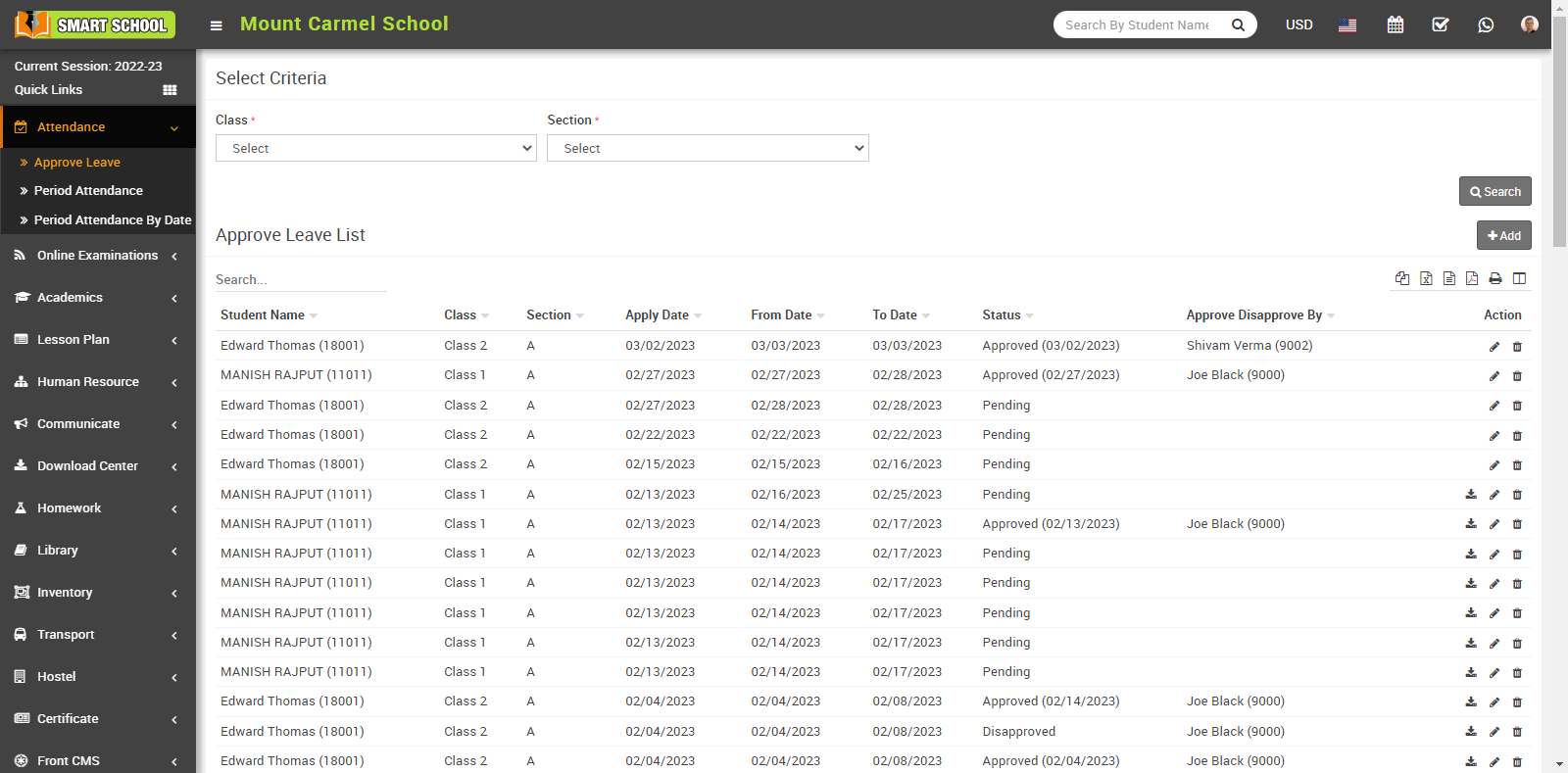
then click on Add button showing at right corner in the approve list page, at click of this button Add Leave modal will open.
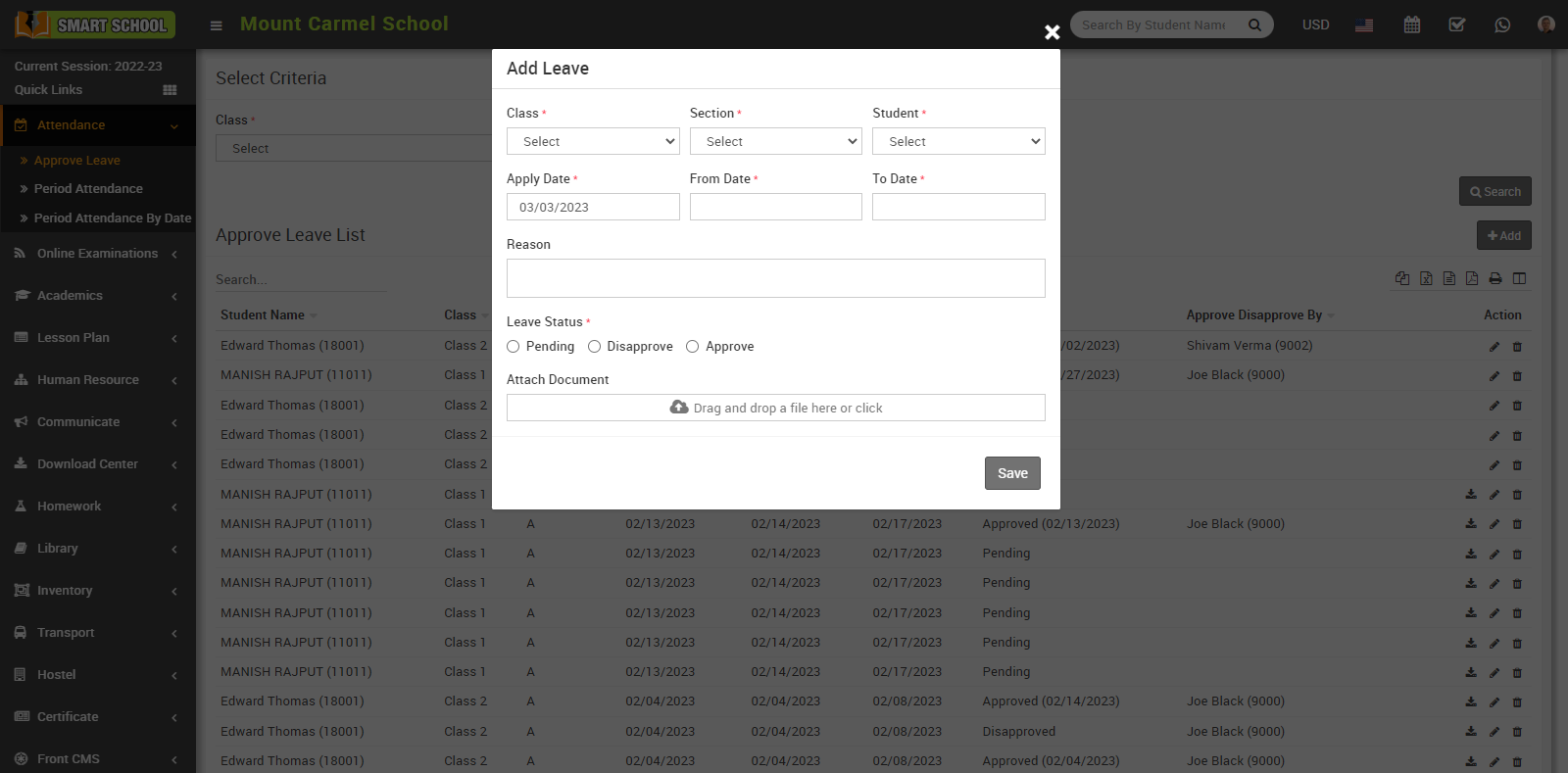
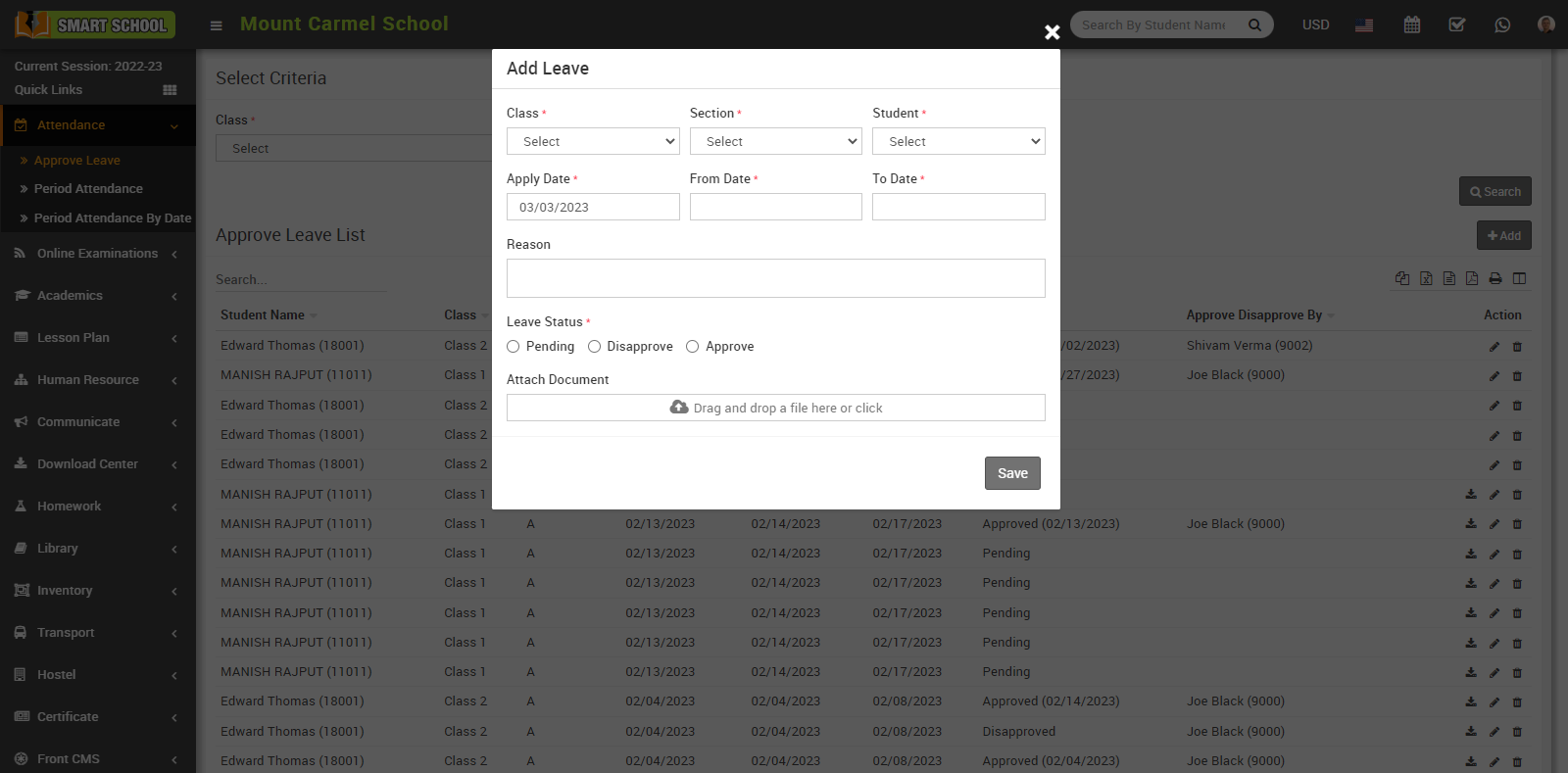
Here select Class, Section and Student and enter Apply Date, From Date, To Date, Reason, Leave Status (Pending, Disapprove, Approve) and Attach Document (if you want to attach any file) and then click on Save button. You can view this added record in the below of the page.
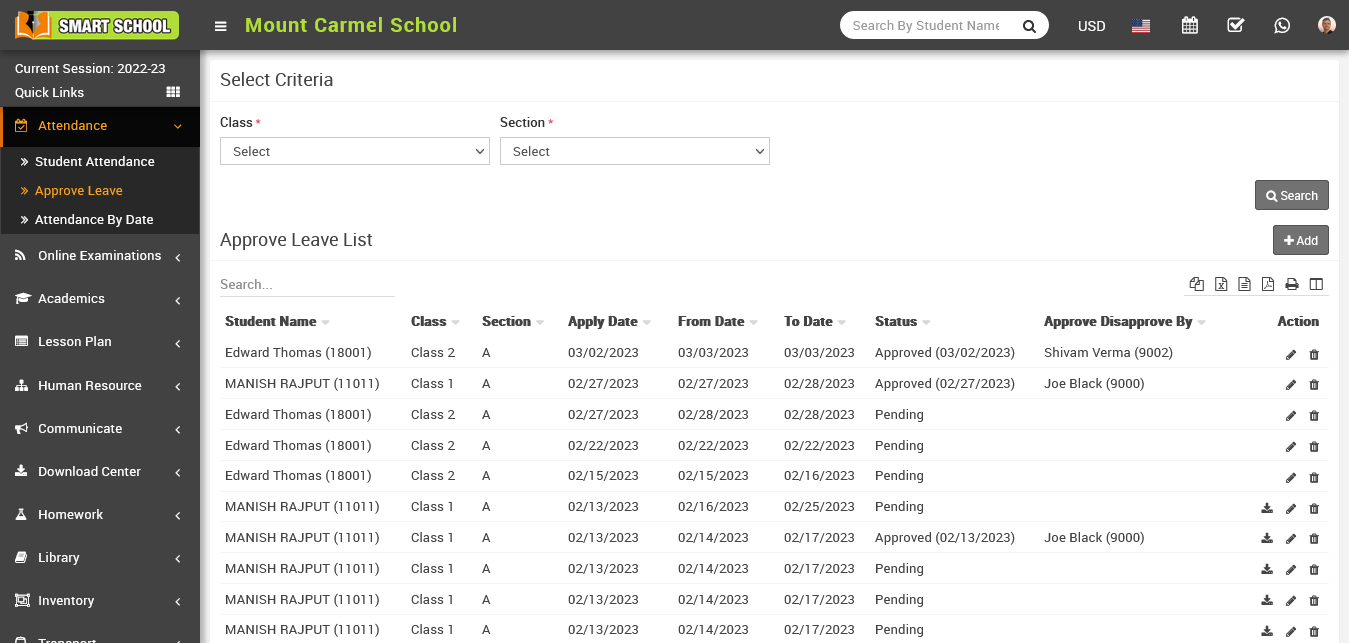
Here select Class and Section and then click on Search button. The list of approve leave will be shown in the below of the page.
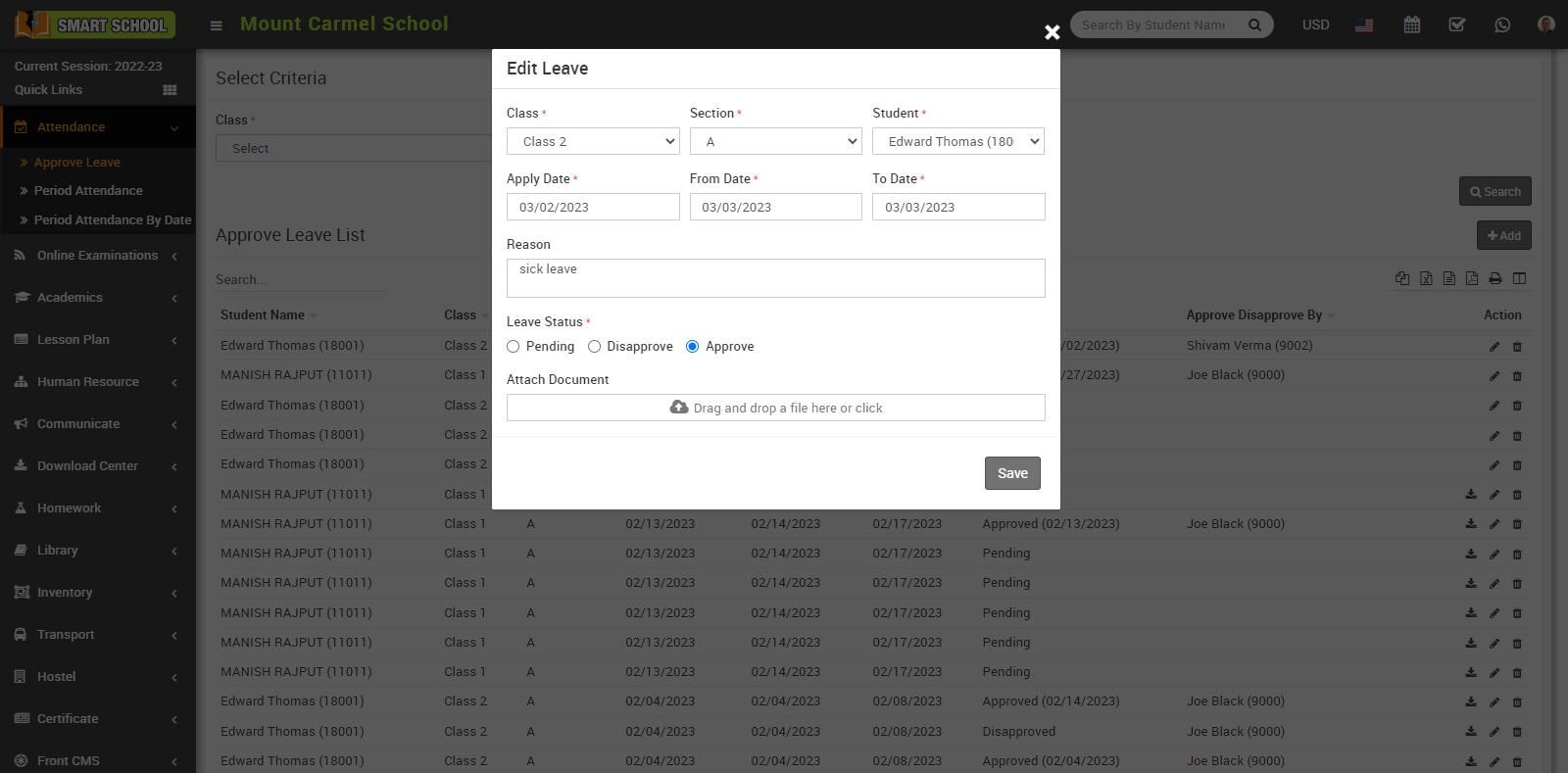
To edit the applied leave, click on the Edit icon showing in action column. An edit model will be open, here superadmin can edit applied leave and change the leave status (pending, disapprove, approve).
To delete the applied leave, click on the Delete icon present in the action column. When you click on it, a confirmation window for deleting appears.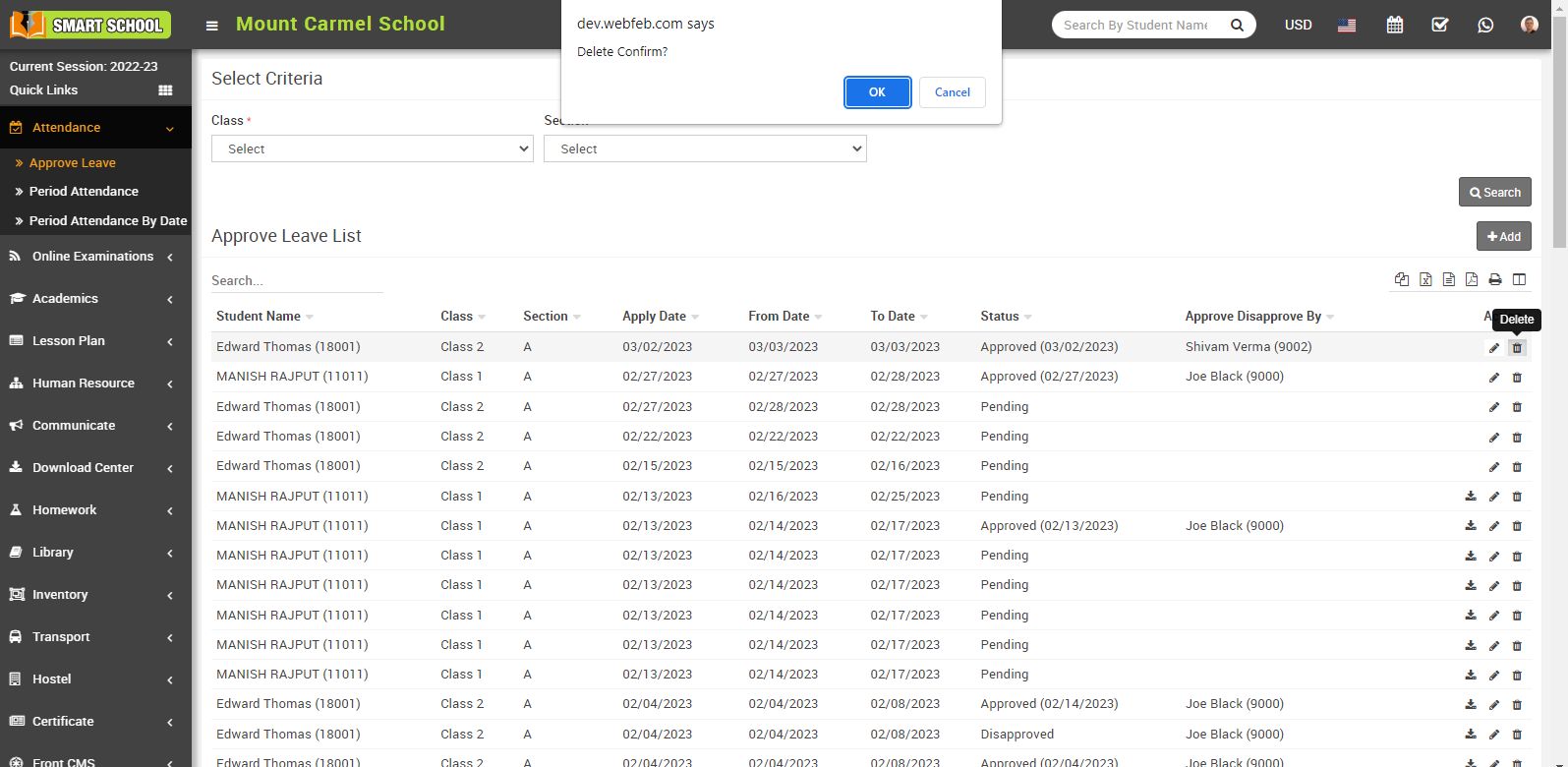
You can download the attached document by clicking on the download button present in the action column.
How to check Staff (period wise) Attendance Report?
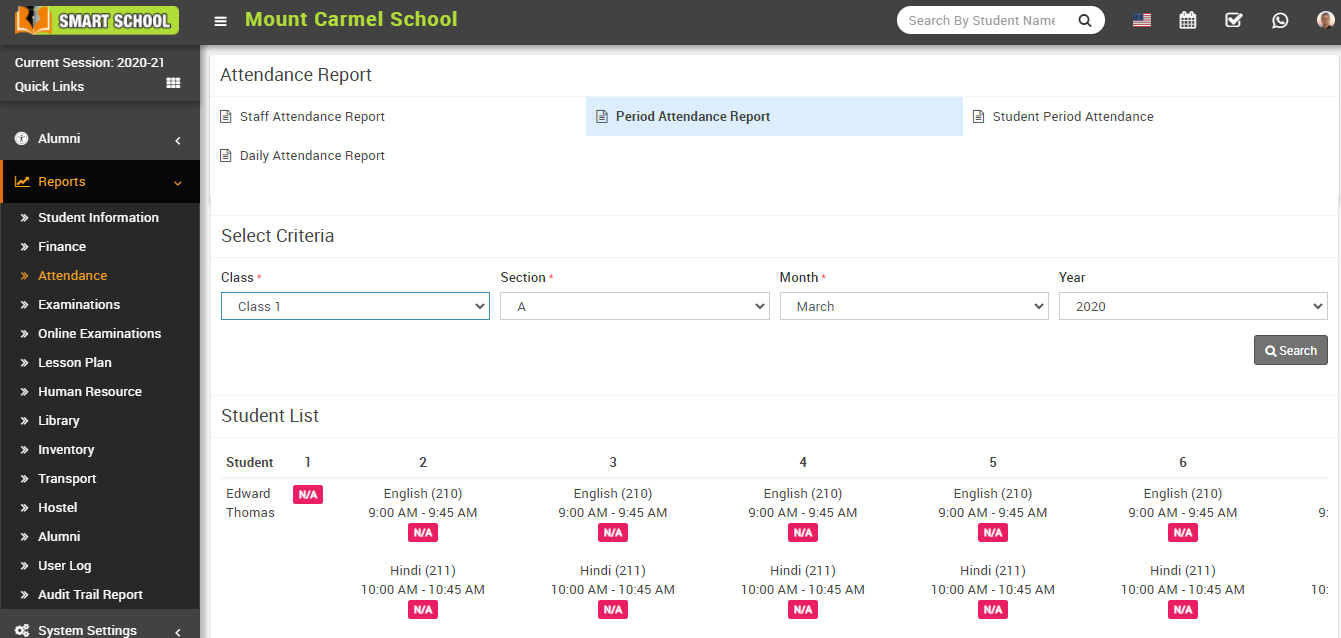
How to check Period Attendance Report?
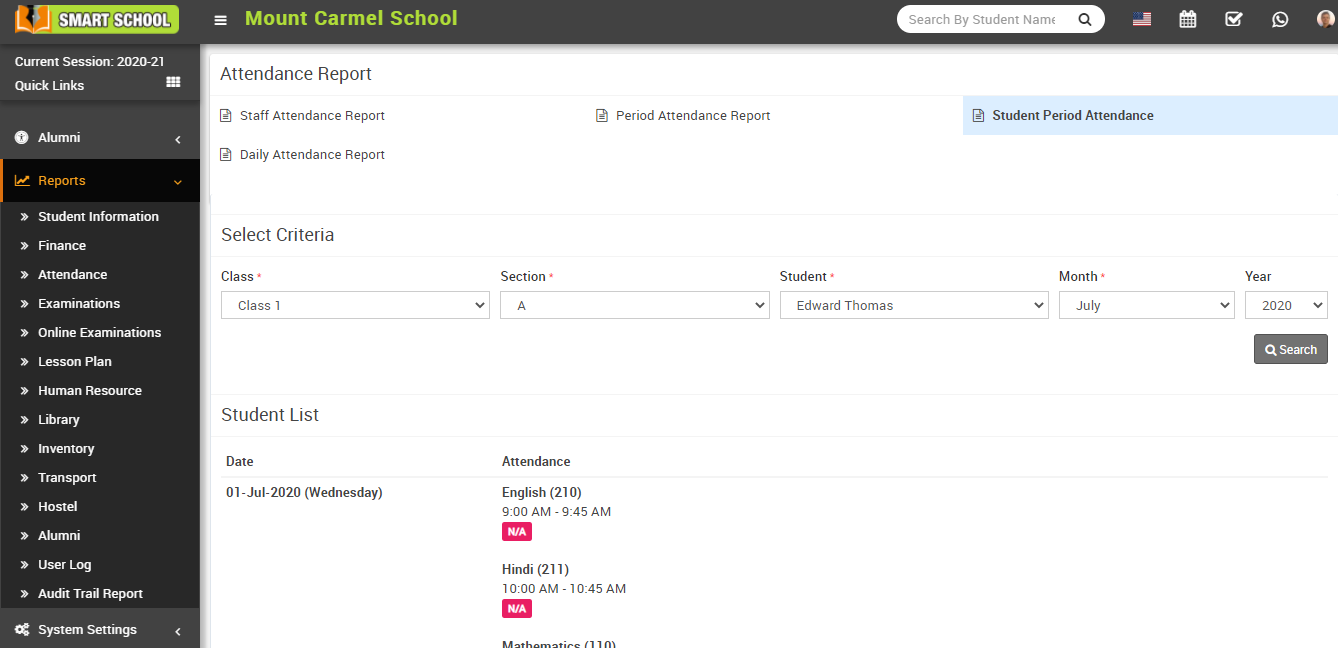
How to check Student Period Attendance Report?
How to check Daily (period) Attendance report?
How to check student Monthly Attendance?
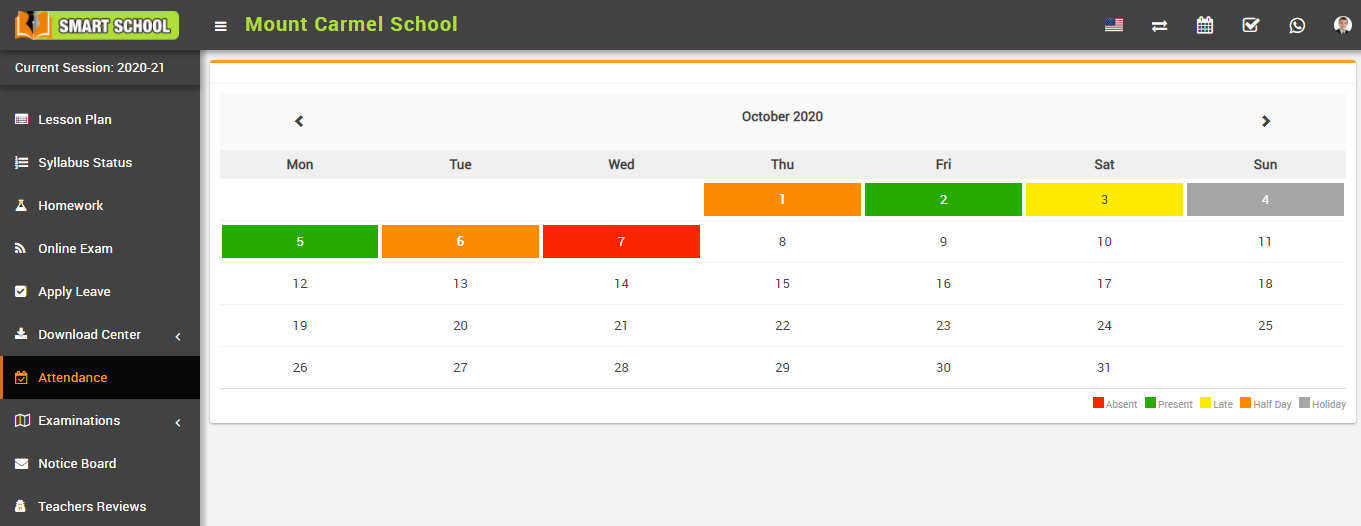
How to check student period Attendance By Date?