About Alumni
Alumni Module Workflow: In Alumni Module first we will add pass out students in alumni then we will create events for alumni.
How to Add Alumni?
You can add only those students in Alumni who had pass out from school that means at time of promote student you have selected Leave for Next Session Status .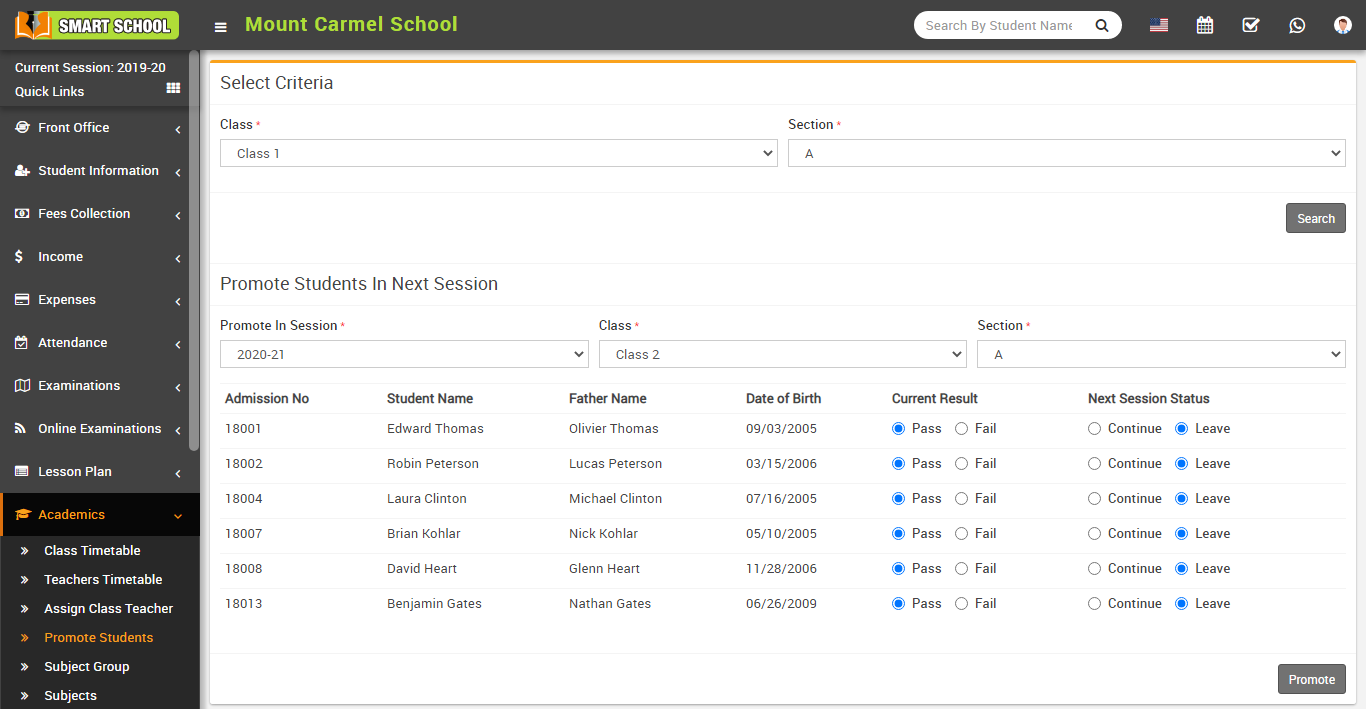
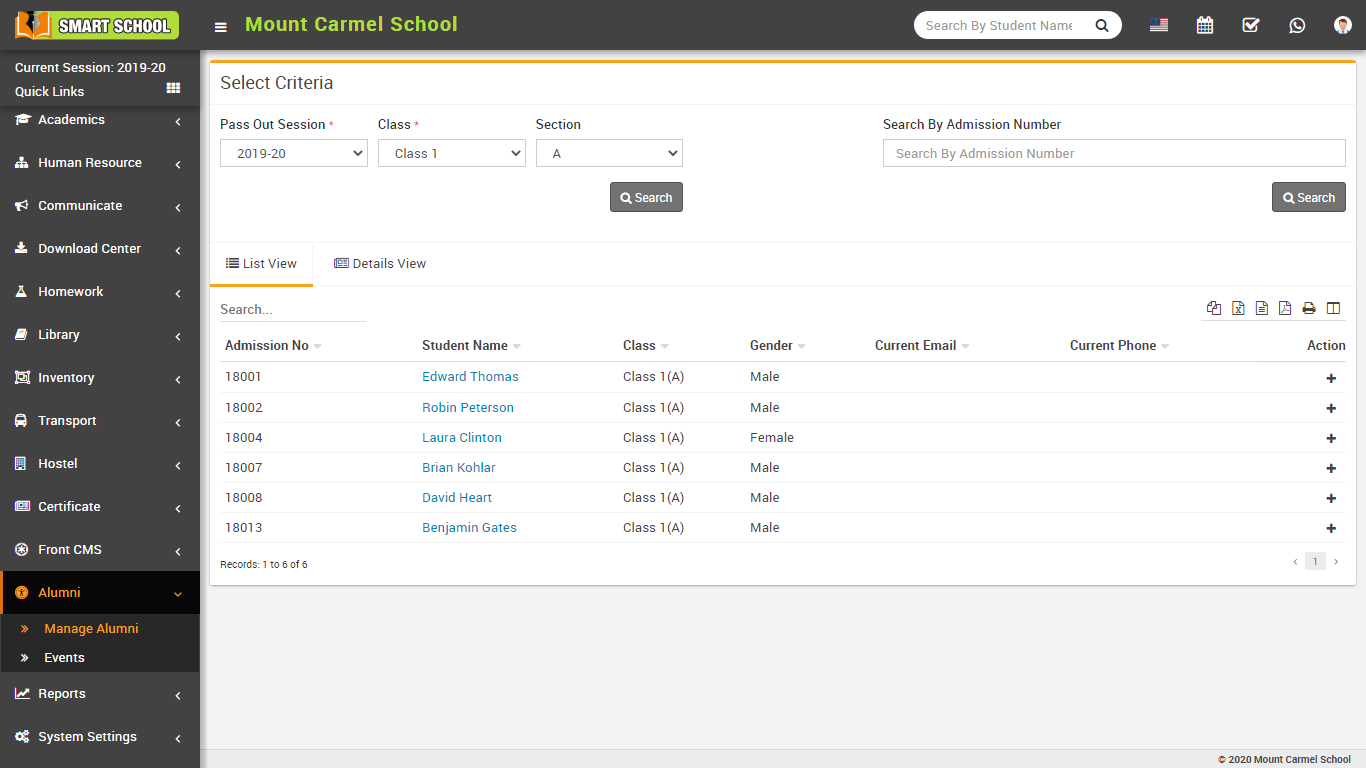
To add Alumni go to Alumni > Manage Alumni, at this page select Pass Out Session, Class, and Section to see pass out students list, here in students List View Action column click on + icon button .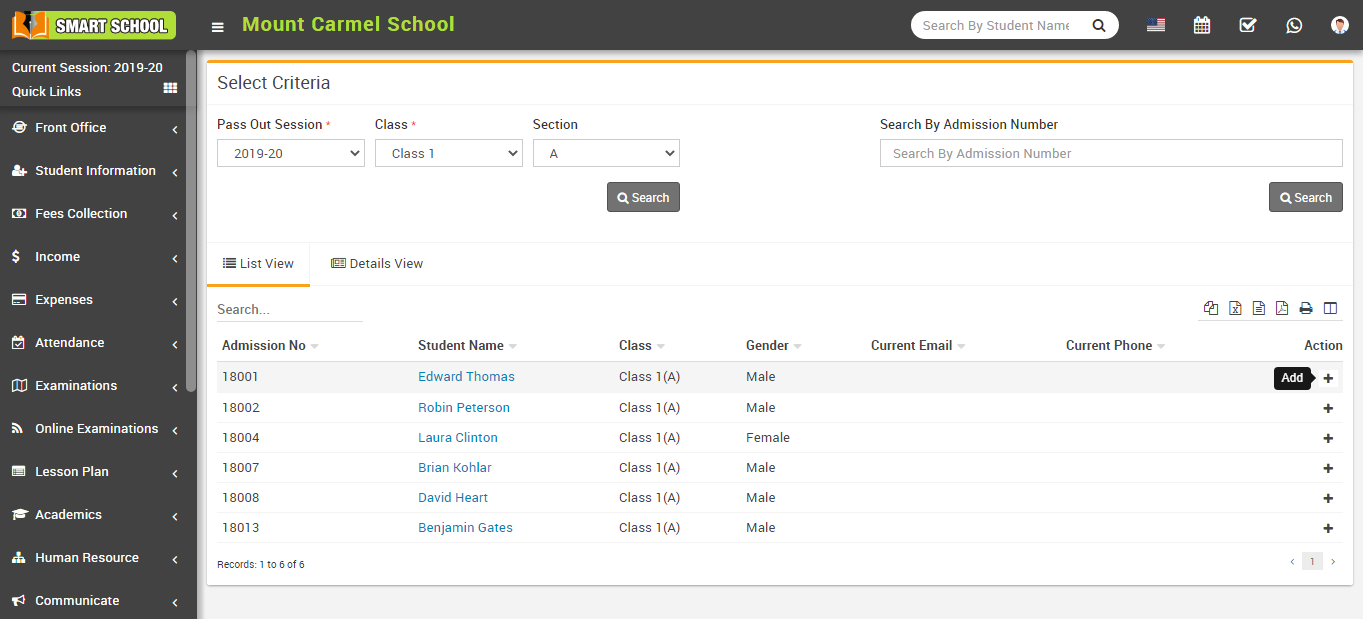
At Alumni Details window enter Current Phone, Current Email, Occupation, Address and Photo then click on Save button, now this student has become Alumni.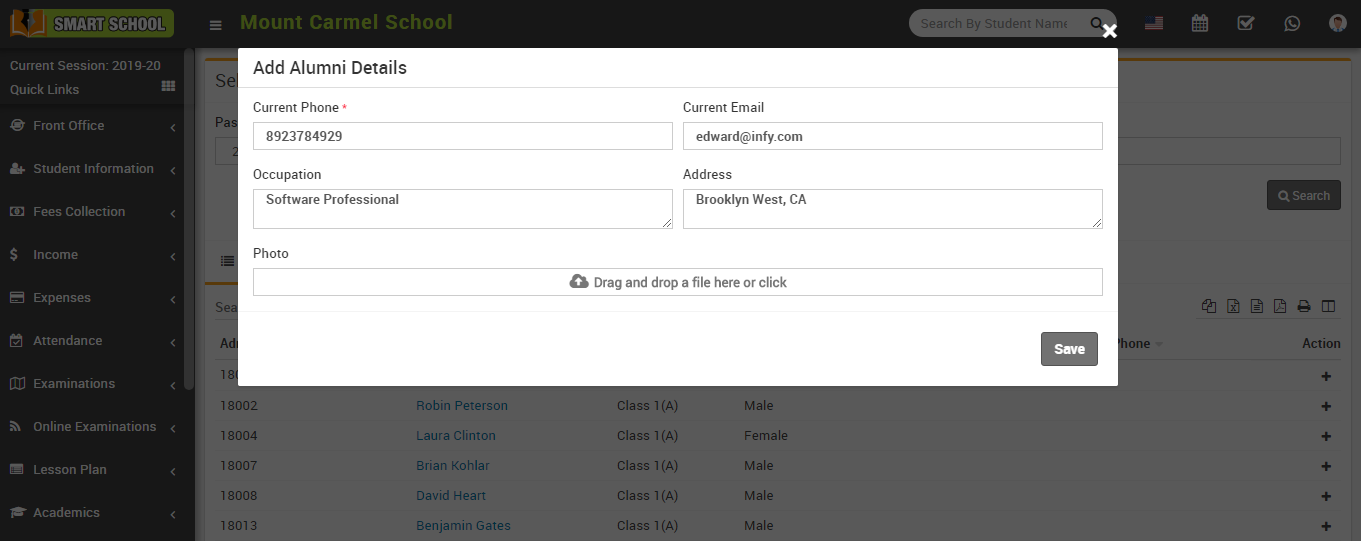
How To Create Alumni Events?
You can create Events for Alumni and send event notification to Alumni.
Go to Alumni > Events , here click on Add Events button to open Add Event window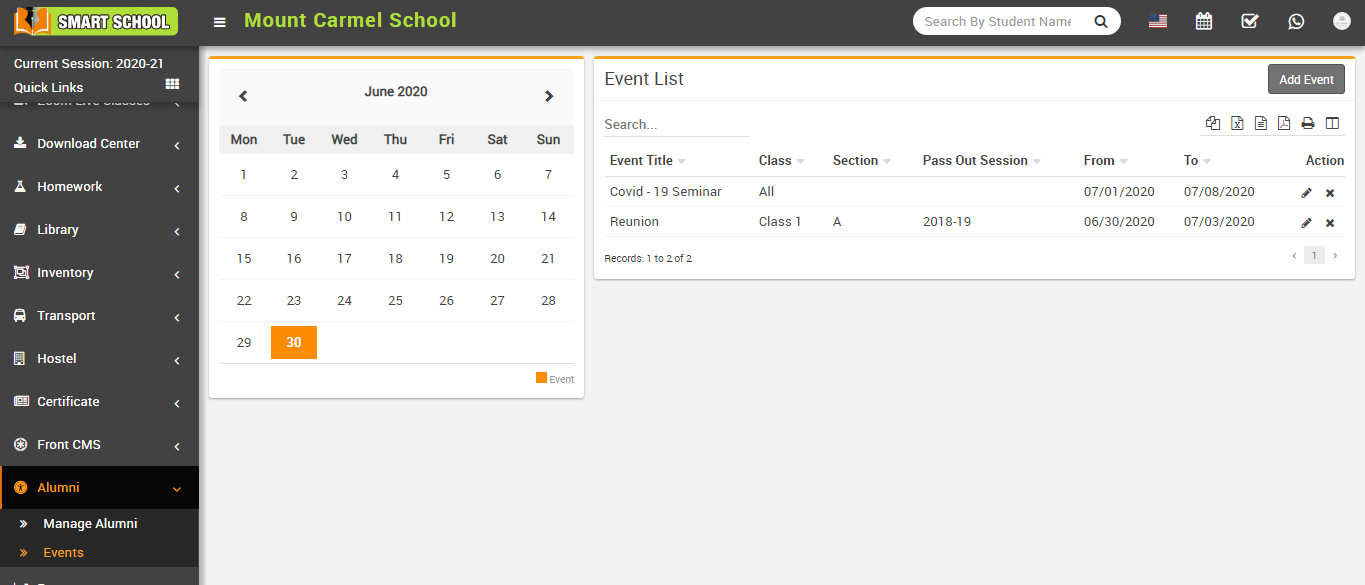
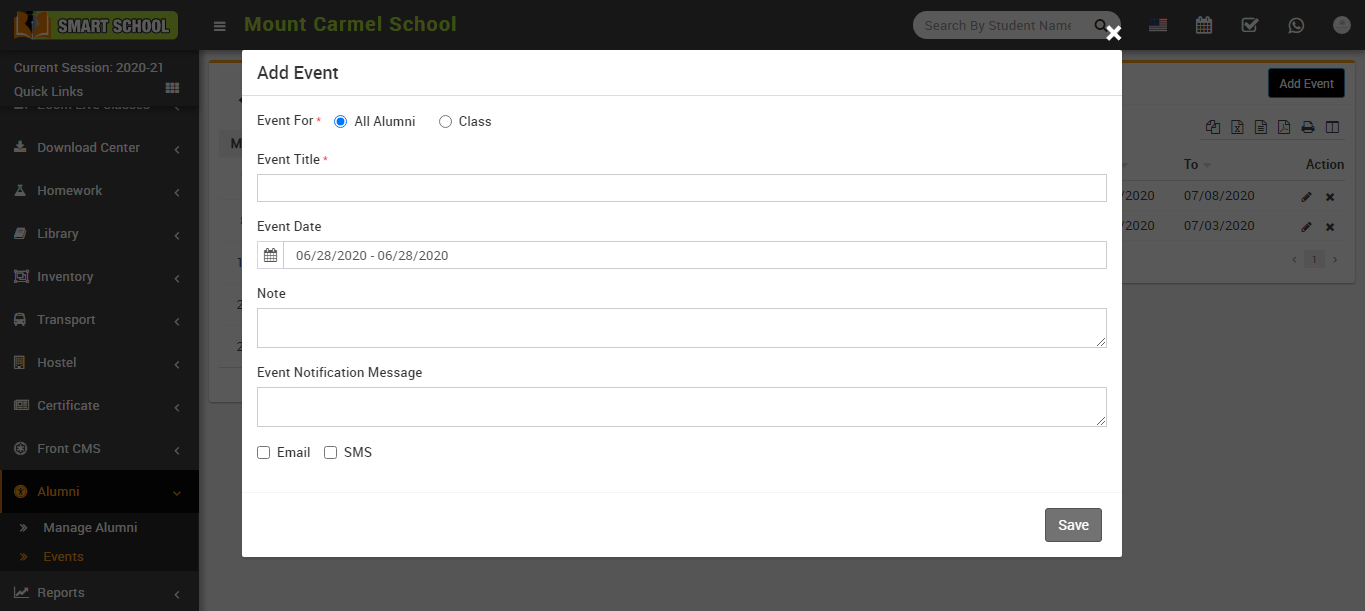
Here select event for All Alumni or select for Class - Section then enter Event Title, Event Date (Start - End), Note , if you want to send notification to Alumni then also enter Event Notification Message then check on Email or SMS option and click on Save button.
Added events can also be check on Calendar present at this page.
Alumni Report
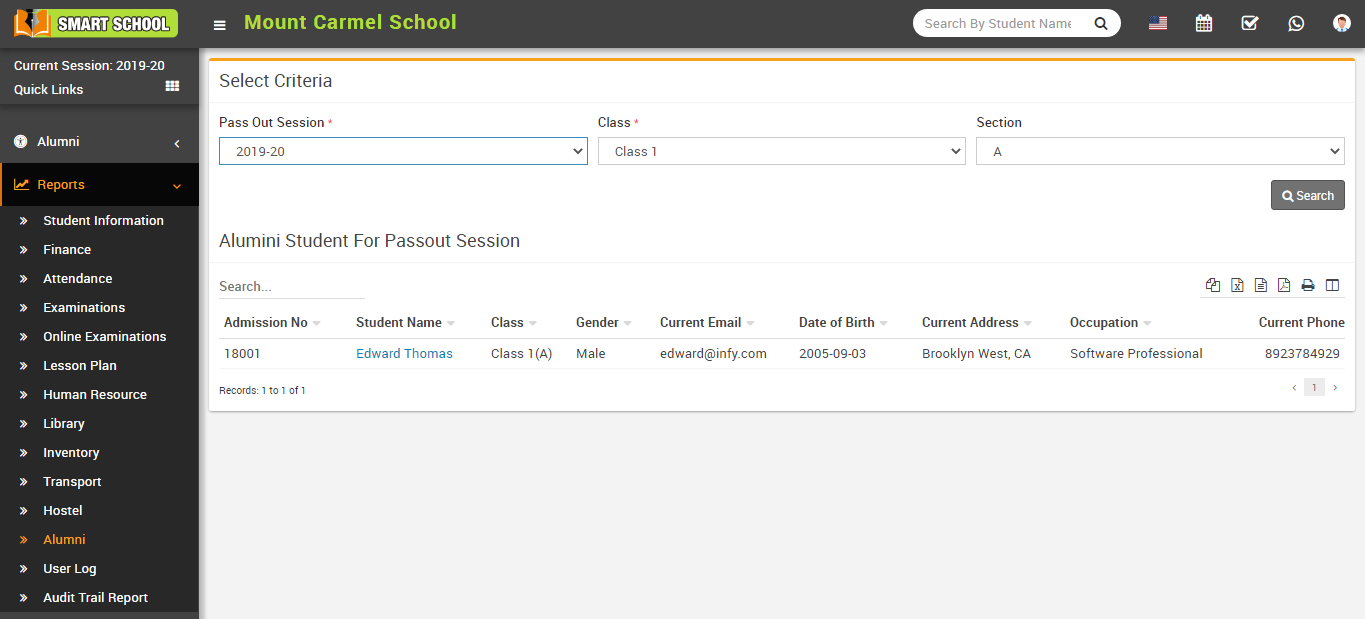
At Alumni Report you can see all Alumni details.
Go to Reports >Alumni here select Pass Out Session, Class and Section to see Alumni list.